28
2-2. Connectivity settings
■ Registering from phone
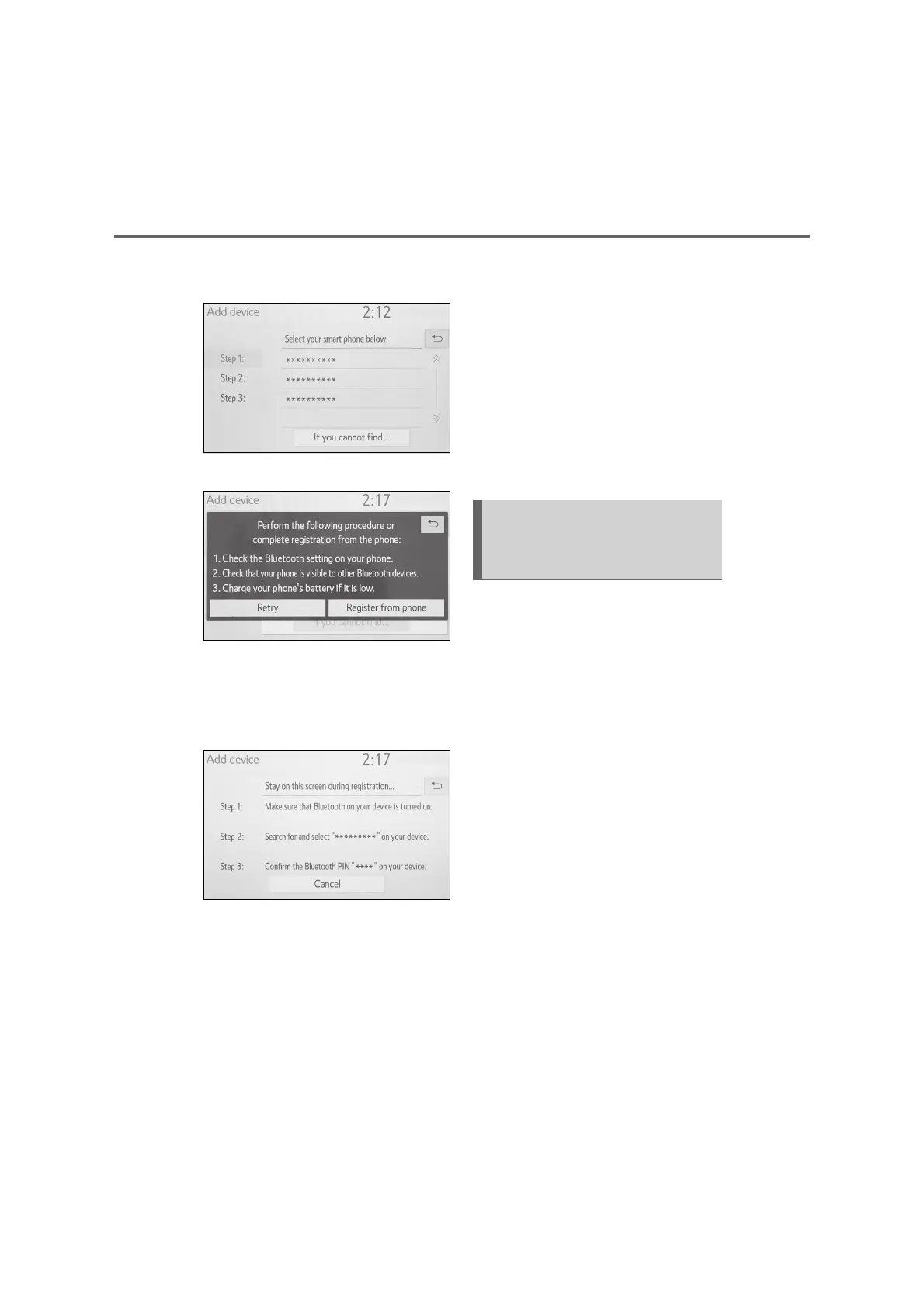
1 Select “If you cannot find...”.
2 Select “Register from phone”.
3 Check that the following screen
is displayed, and register the
Bluetooth
®
device using your
Bluetooth
®
device.
For details about operating the
Bluetooth
®
device, see the man-
ual that comes with it.
A PIN code is not required for
SSP (Secure Simple Pairing)
compatible Bluetooth
®
devices.
Depending on the type of
Bluetooth
®
device being con-
nected, a message confirming
registration may be displayed on
the Bluetooth
®
device’s screen.
Respond and operate the
Bluetooth
®
device according to
the confirmation message.
4 Follow the steps in “Registering
a Bluetooth
®
phone for the first
time” from step 7. (P.26)
To use the Bluetooth
®
audio, it is
necessary to register an audio
player with the system.
Once the player has been regis-
tered, it is possible to use the
Bluetooth
®
audio.
This operation cannot be performed
while driving.
For details about registering a
Bluetooth
®
device: P.33
1 Turn the Bluetooth
®
connection
setting of your audio player on.
This function is not available
when the Bluetooth
®
connection
setting of your audio player is set
to off.
Registering a Bluetooth
®
audio player for the first
time



 To Next Page