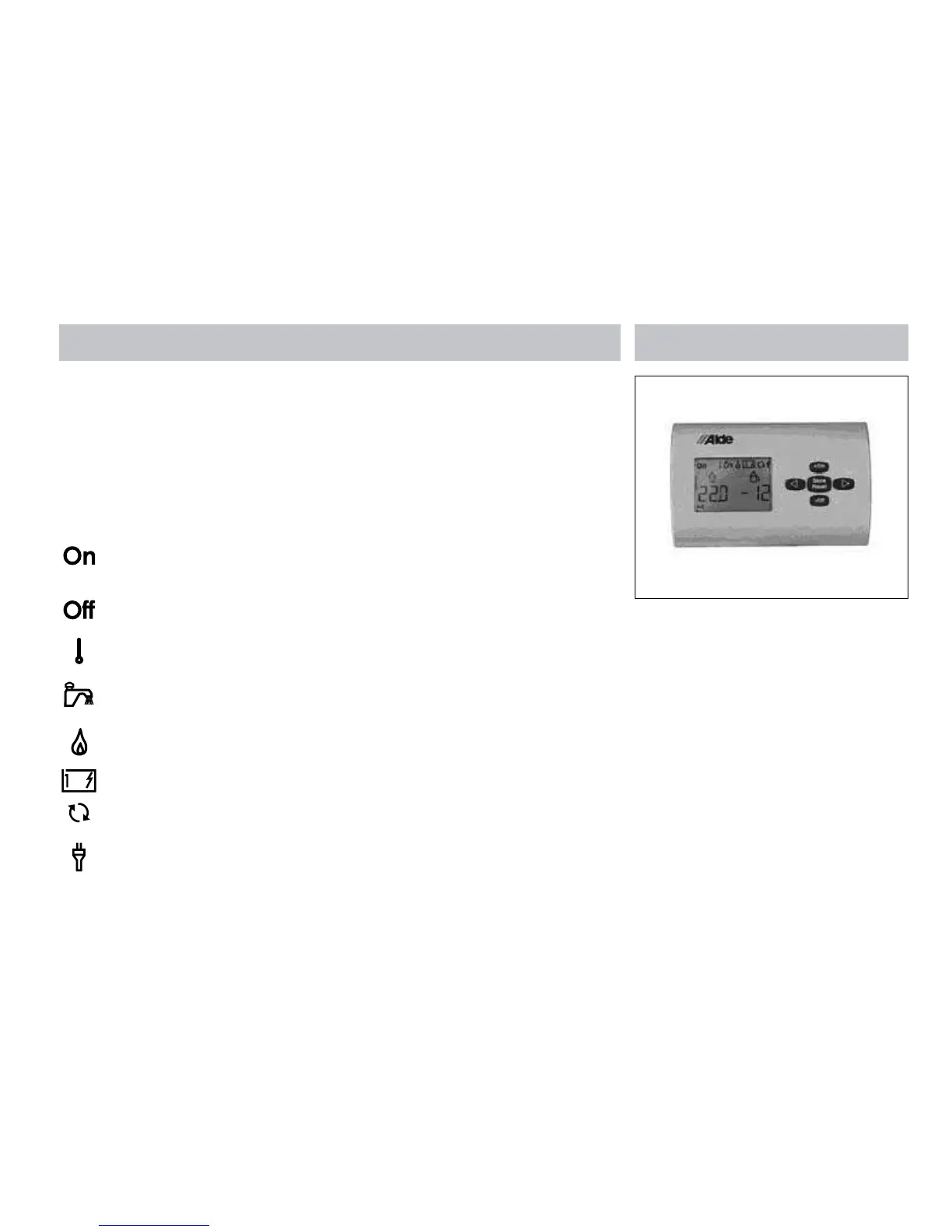
Equipment details
91
ALDE COMPACT 3010
QUICK START GUIDE
Use the Left < and Right > arrow keys to move
across the symbols. Highlight the required
symbol so that it flashes. You can then adjust
the function.
Use the +/On and -/Off keys to adjust settings
and turn functions On and Off.
With ‘On’ displayed the boiler is in
standby mode and ready to be given
commands.
With ‘Off’ displayed the boiler is
shutdown.
Select your desired room
temperature.
30 min hot water booster, with this
function ‘On’ the circulation pump for
the heating is turned off.
Select ‘On’ to operate the
boiler LPG.
Select 1kW or 2kW to operate the
boiler on 230V Electric.
Indicates that the circulation pump is
operating for central heating.
Indicates that 230V is supplied to the
boiler.
PRE-START CHECKS
• Ensure the system is filled with Glycol before
starting the boiler, check the expansion tank
level. The fluid should be 10mm above the
minimum mark when cold.
• Ensure adequate LPG Propane, 230V and
12V supplies are connected and turned
on. The control panel should be active and
display the 230V connection symbol.
• Turn the boiler ‘On’ using the control panel,
then scroll across and raise the desired room
temperature to +30ºC. The circulation pump
symbol should appear. Visually check in the
expansion tank that the pump is operating.
• Scroll across and turn on the 2kW electric
heater using the panel. Wait for 10 minutes
and check that the upper flow pipe on the
boiler is getting hot. The bottom return pipe
may also be warm.
• Scroll back and turn on the gas burner using
the control panel. You might not be able to
hear it start, so visually check the flue outside
to confirm the boiler is operating. Wait for 10
minutes and check the lower return pipe on
the boiler. It should now be hot and the boiler
fully operational.






 To Next Page