Connecting to TC70
Procedure:
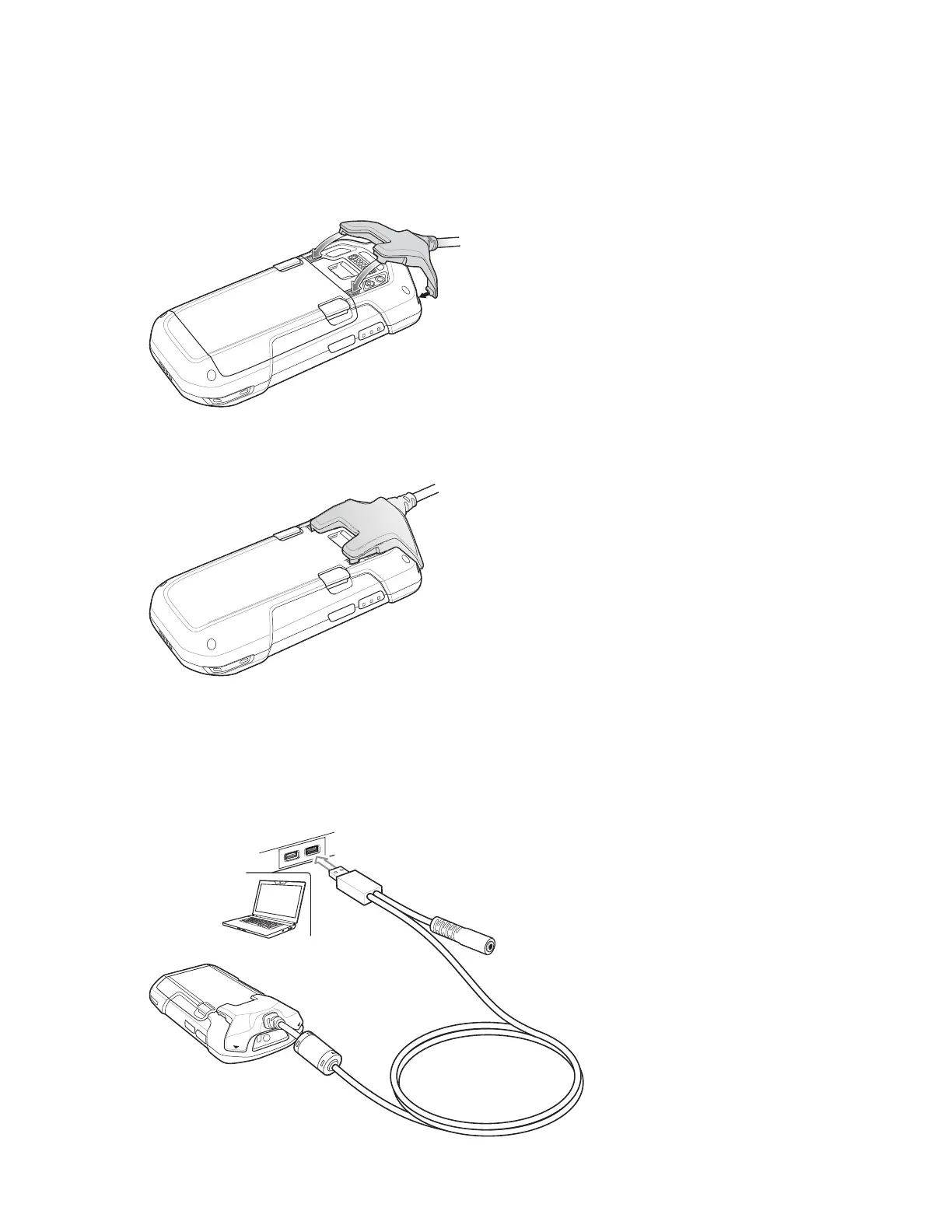
1 Align the top mounting points on the cable with the mounting slots on the TC70.
Figure 116: Cable Installation
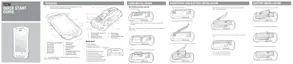
2 Rotate the cable down and press until it snaps into place. Magnetics hold the cable to the TC70.
Figure 117: Cable Attached to TC70
USB Communication
Procedure:
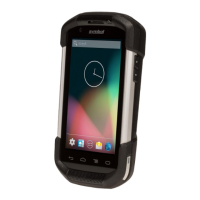
1 Connect the Snap-On USB Cable to the TC70.
Figure 118: Cable Removed from TC70
Accessories | 129
MN001120A01-A | October 2014


 To Next Page