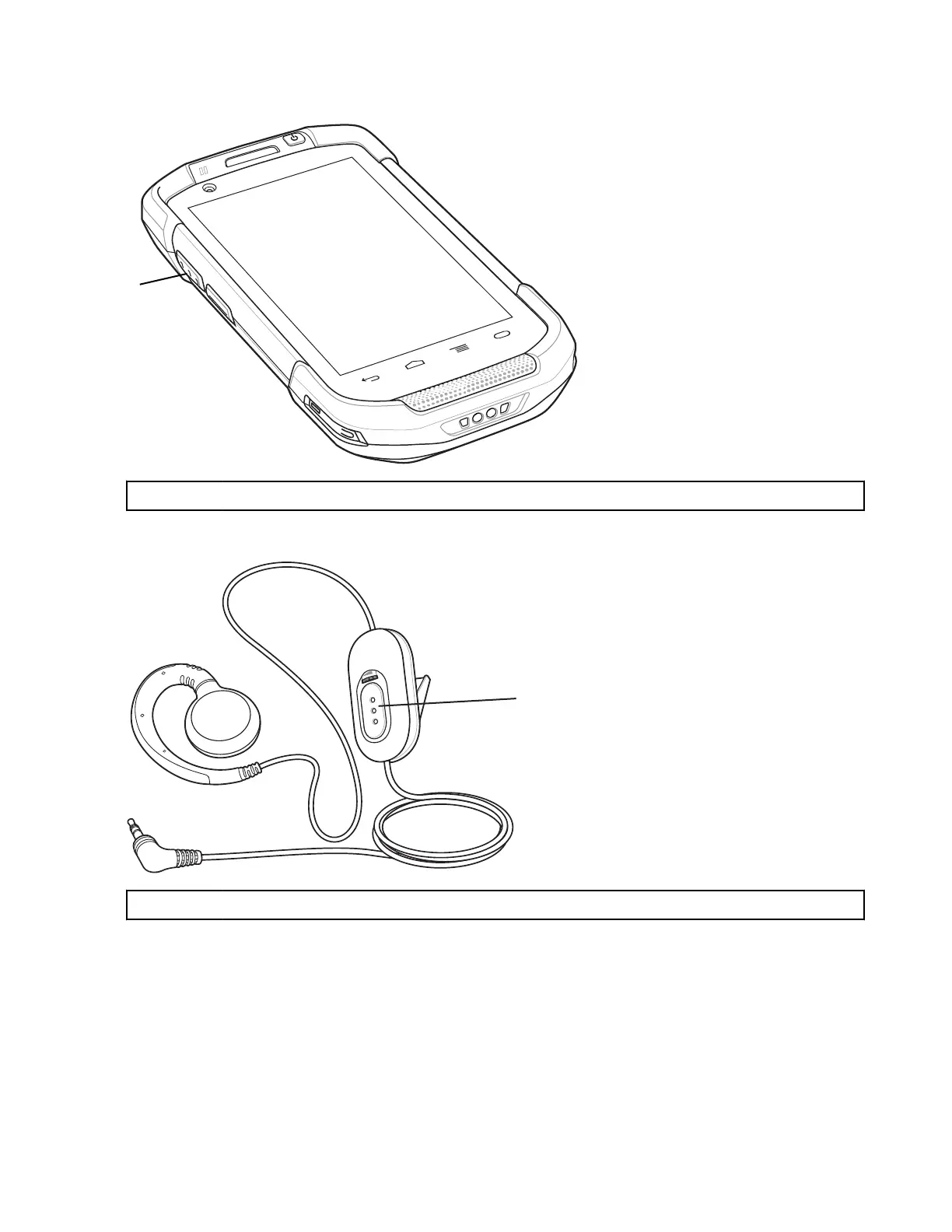
Figure 62: PTT Buttons
1 PTT Button
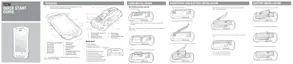
Figure 63: Wired Headset
1 Talk Button
Creating a Group Call
Procedure:
1 Press and hold the PTT button (or the Talk button on the headset) and listen for the talk tone to play.
If a busy tone is heard, release the button and wait a moment before making another attempt. Ensure that PTT
Express and the WLAN are enabled.
2 Start talking after the talk tone is heard.
Applications | 75
MN001120A01-A | October 2014


 To Next Page