Chapter
3
Applications
This section describes the applications installed on the device.
File Browser
Use the File Browser application to view and mange files on the device.
To open File Browser, touch > .
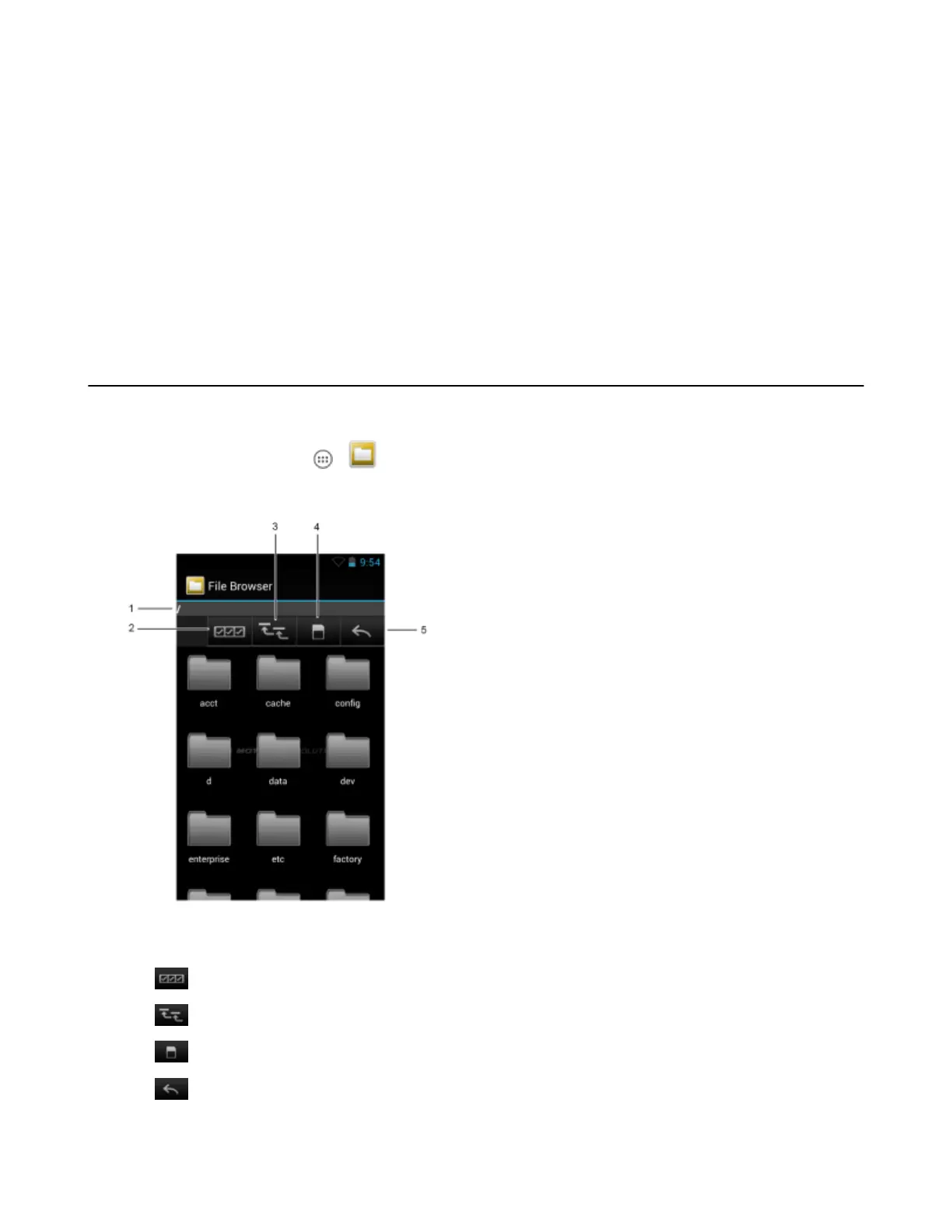
Figure 43: File Browser Screen
The address bar (1) indicates the current folder path. Touch the current folder path to manually enter a path and folder
name.
Use (2) to select multiple files/folder.
Use
(3) to view the internal storage root folder.
Use (4) to view the microSD card root folder.
Use
(5) to view the previous folder or to exit the application.
53 | Applications
MN001120A01-A | October 2014


 To Next Page