Chapter
2
Using the TC70
Introduction
This chapter explains the buttons, status icons, and controls on the TC70, and provides basic instructions for using the
TC70, including resetting the TC70 and entering data.
Home Screen
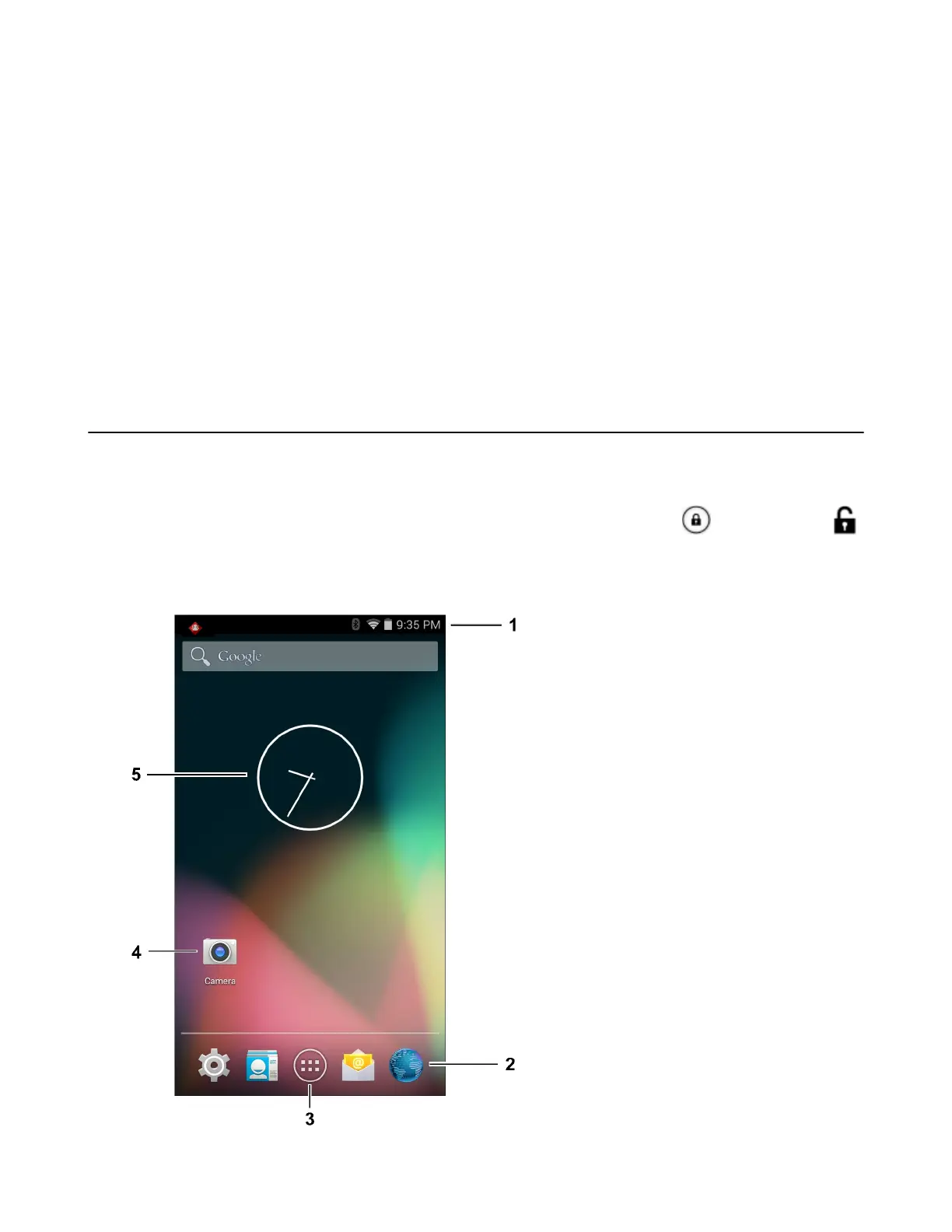
The Home screen displays when the TC70 turns on. Depending upon the configuration, the Home screen might
appear different. Contact your system administrator for more information.
After a suspend or screen time-out, the Home screen displays with the lock sliders. Slide to the right toward
to unlock the screen. For screen locking information see Un-Locking the Screen on page 45.
Figure 28: Home Screen
33 | Using the TC70
MN001120A01-A | October 2014


 To Next Page