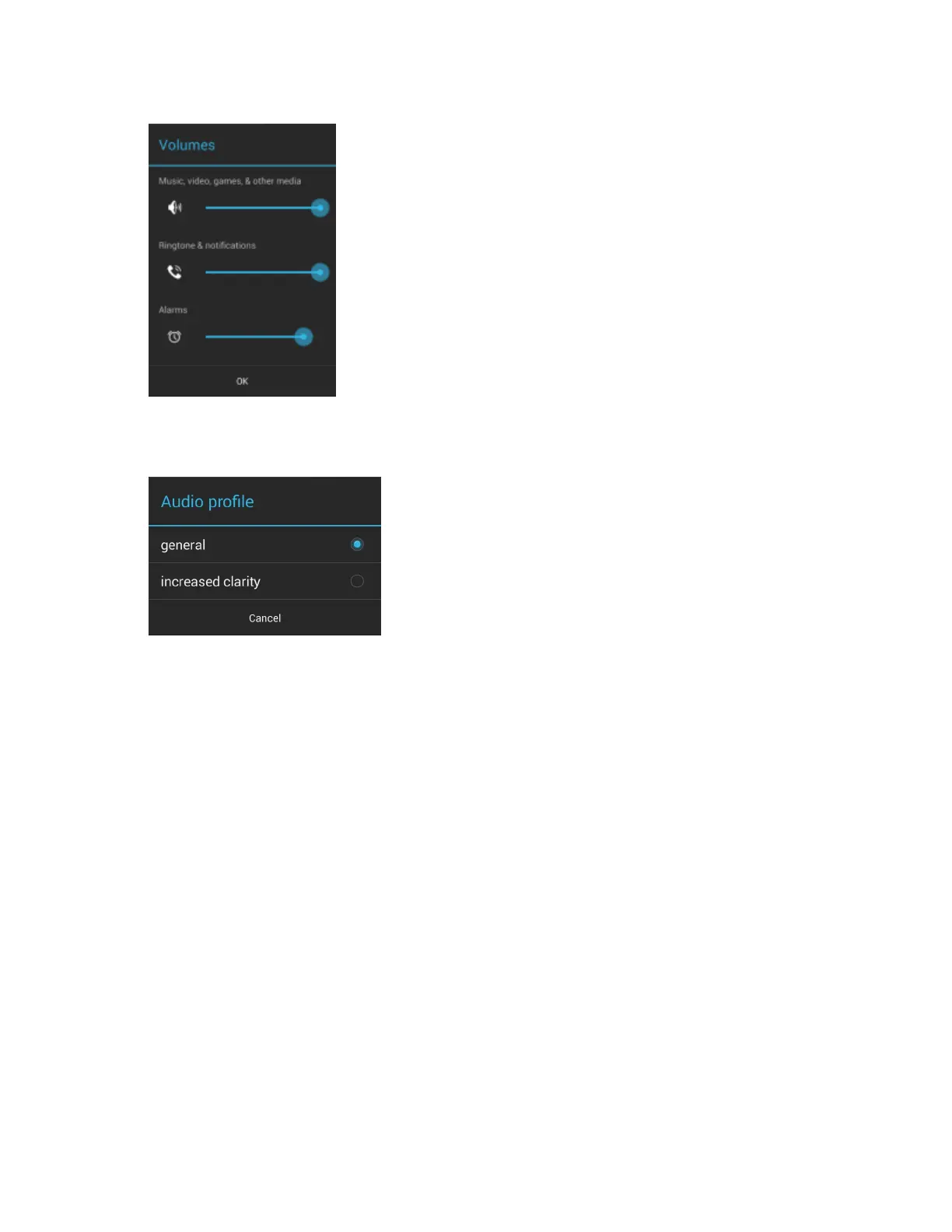
Figure 26: Volumes Dialog Box
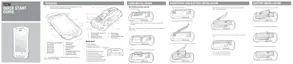
• Audio profile – Touch to set audio profile. On the Audio profile screen, touch Audio profile.
Figure 27: Audio Profile Dialog Box
- General – Standard audio settings (default).
- increased clarity – Increased volume on higher frequencies.
• Call Ringtone and Vibrate
- Phone ringtone - Touch to select a ringtone to sound when an incoming call is received.
- Vibrate when ringing - Check to make the device vibrate when a call is received (default – enabled).
• System
- Dial pad touch tones - Check to play a sound when a phone key is touched (default – enabled).
- Default notification - Touch to select a sound to play for all system notifications.
- Touch sounds - Check to play a sound when making screen selections (default – enabled).
- Screen lock sounds - Check to play a sound when locking and unlocking the screen (default – disabled).
- Vibrate on touch - Check to have the device vibrate when touching soft keys and on certain screen
interactions (default – enabled).
32 | Getting Started
October 2014 | MN001120A01-A


 To Next Page