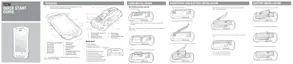
Figure 40: Multiple User Log In Screen
2 In the Password text field, enter the password.
3 Touch OK. After a resume from suspend, the user must enter the password.
MultiUser Logout
Procedure:
1 Drag the Status Bar down from the top of the screen.
2 Touch MultiUser is active.
3 Touch Logout.
4 The Login screen appears.
Resetting the Device
There are two reset functions, soft reset and hard reset.
Performing a Soft Reset
Perform a soft reset if applications stop responding.
Procedure:
1 Press and hold the Power button until the menu appears.
2 Touch Reset.
3 The device reboots.
Performing a Hard Reset
Caution: Performing a hard reset with a SD card installed in the TC70 may cause damage or data
corruption to the SD card.
Using the TC70 | 49
MN001120A01-A | October 2014


 To Next Page