Applications
The APPS screen displays icons for all installed applications. The table below lists the applications installed on the
TC70. Refer to the TC70 Integrator Guide for information on installing and uninstalling application.
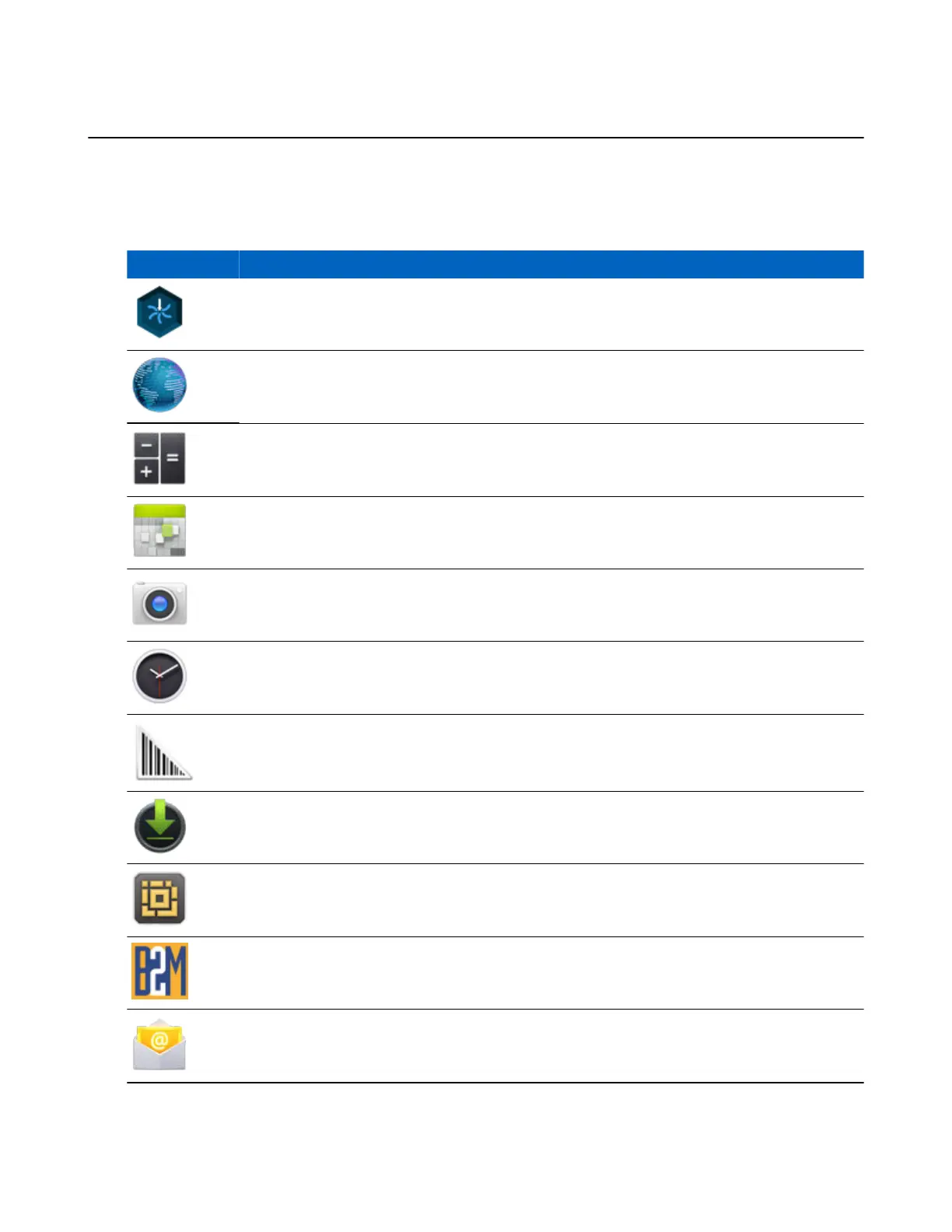
Table 8: Applications
Icon Description
App Gallery - Provides links to utilities and demonstration applications that can be installed on
the TC70.
Browser - Use to access the Internet or intranet.
Calculator - Provides the basic and scientific arithmetic functions.
Calendar - Use to manage events and appointments.
Camera - Take photos or record videos. For more information see Camera on page 55.
Clock - Use to schedule alarms for appointments or as a wake-up.
DataWedge - Enables data capture using the imager.
Downloads - lists all downloads files.
DWDemo - Provides a way to demonstrate the data capture features using the imager. See Data-
Wedge Demonstration on page 71 for more information.
elemez — Use to provide diagnostic information. See Elemez on page 77 for more information.
Email - Use to send and receive email.
Table continued…
Using the TC70 | 41
MN001120A01-A | October 2014


 To Next Page