+
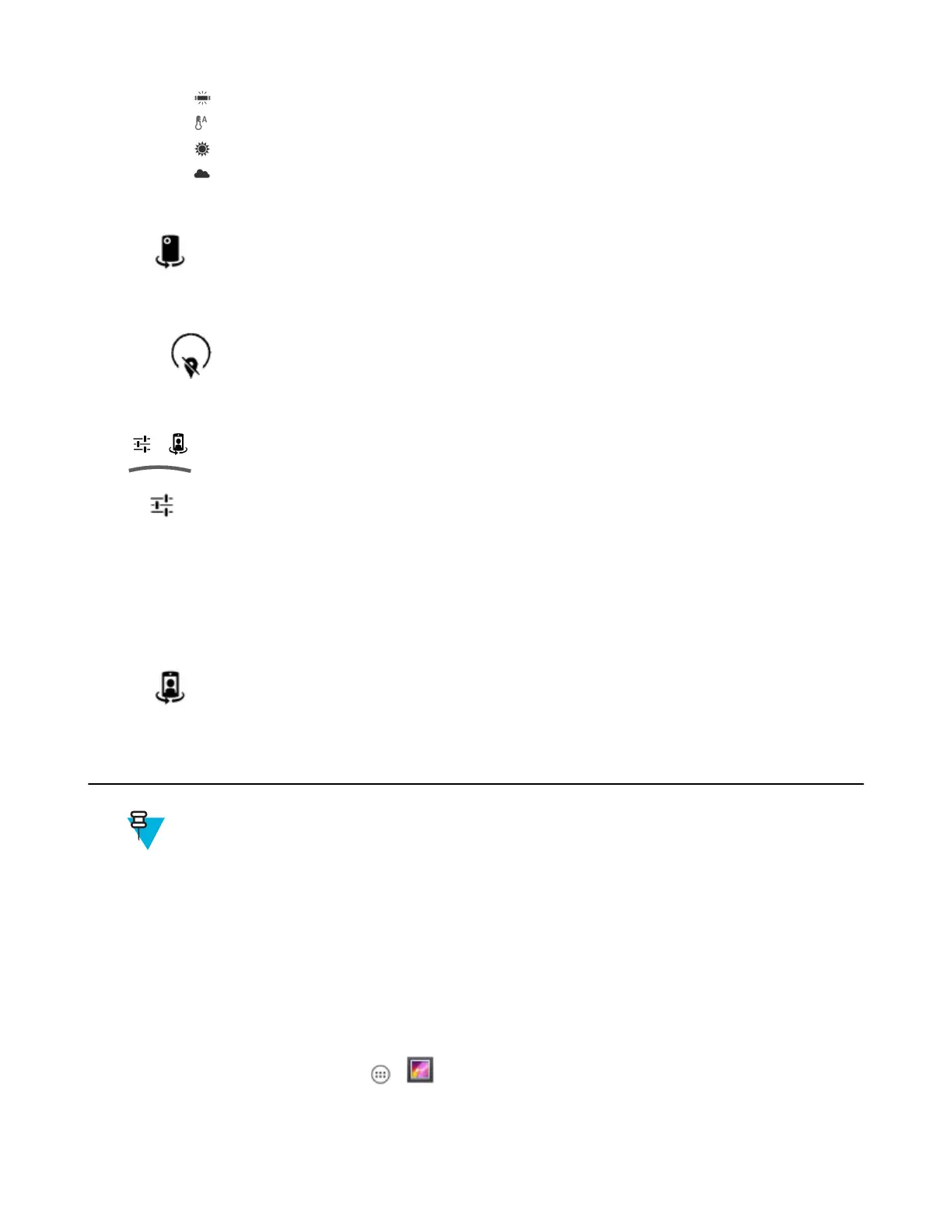
Fluorescent - Adjust the white balance for florescent lighting.
+
Auto - Adjust the white balance automatically (default).
+
Daylight - Adjust the white balance for daylight.
+ Cloudy - Adjust the white balance for a cloudy environment.
- Video High FrameRate - Options: Off (default), 60 or 90.
- Flash mode - Select to turn on flash (default – disabled).
•
– Touch to switch to the front camera.
Front Camera
Touch to display the photo setting options.
Figure 53: Front Video Setting Options
•
- Time lapse - Touch to select a time interval to set the frame rate for time lapse photography. Options: Off
(default), Slide switch to ON and then set time interval.
- Video quality - Touch to select video quality:
+ HD 720p - High definition 720p (default).
+ SD 480p - Standard definition 480p.
- Video duration - Options: 30 seconds (MMS) or 30 minutes (default).
•
– Touch to switch to the rear camera.
Gallery
Note:
The device supports the following image formats: jpeg, gif, png and bmp.
The device supports the following video formats: H.263, H.264 and MPEG4 Simple Profile.
Use Gallery to:
• view photos
• play videos
• perform basic editing of photos
• set photos as wallpaper
• set photos as a contact photo
• share photos and videos.
To open the Gallery application, touch > or in the camera application touch the thumbnail image at the top
right.
Gallery presents all photos and videos stored on the microSD card and internal memory.
Applications | 63
MN001120A01-A | October 2014


 To Next Page