4 Touch a video to open it.
5
Touch .
6 Touch Delete.
7 Touch OK.
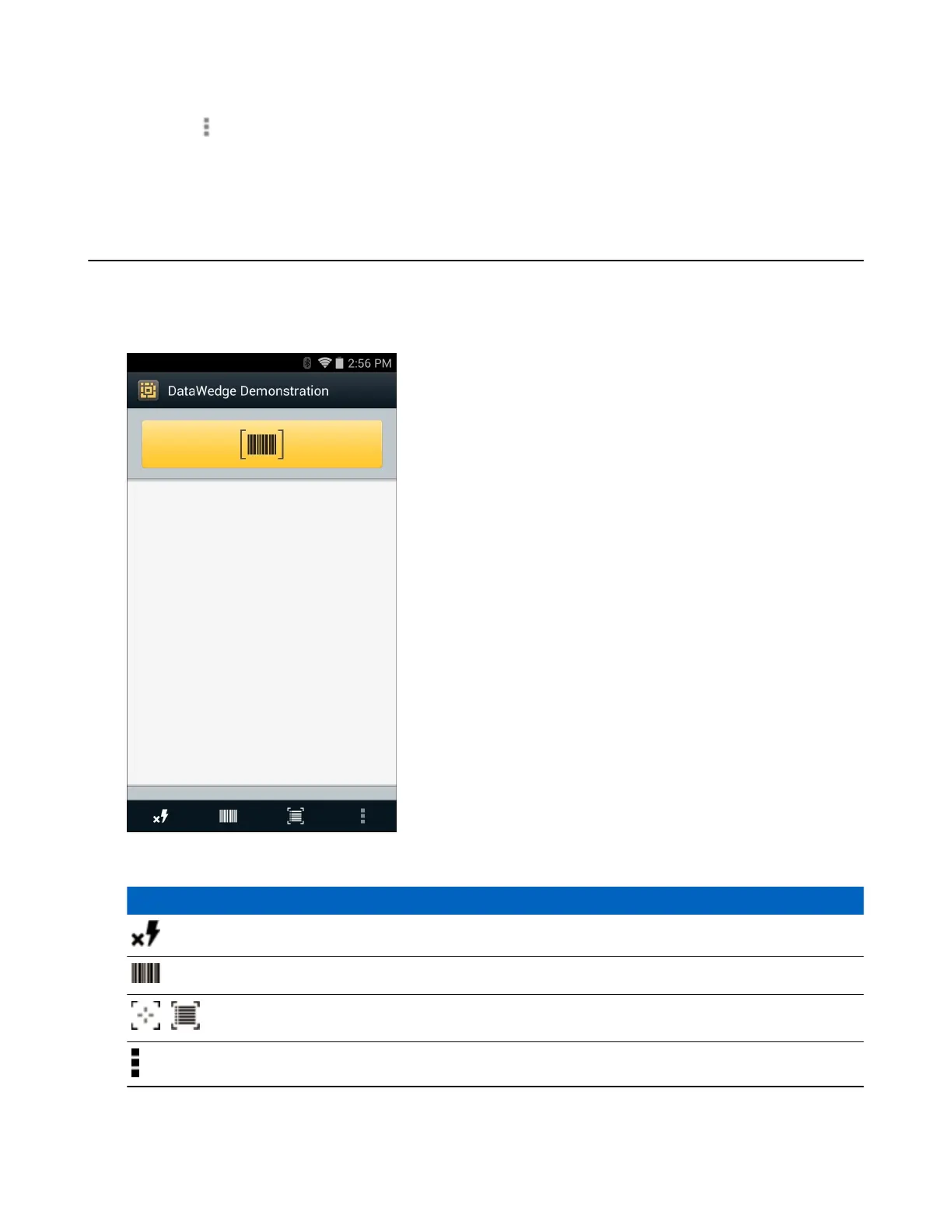
DataWedge Demonstration
Use DataWedge Demonstration to demonstrate data capture functionality.
Figure 59: DataWedge Demonstration Window
Table 9: DataWedge Demonstration Icons
Icon Description
Not applicable.
Indicates that the data capture function is through the imager.
/
Toggles between normal scan mode and picklist mode when using the imager to capture bar
code data.
Opens a menu to view the application information or to set the application DataWedge profile.
Applications | 71
MN001120A01-A | October 2014


 To Next Page