EasyManua.ls Logo

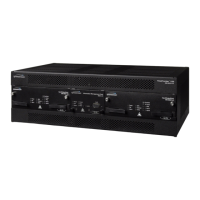
Symmetricom TimeProvider 1100 - User Manual

Symmetricom TimeProvider 1100
216 pages
Print Icon
To Next Page IconTo Next Page
Loading...
TimeProvider 1000 and 1100
Edge Clock
User Guide
Revision C – August 2005
Part Number 097-58001-02

Table of Contents

Other manuals for Symmetricom TimeProvider 1100

Question and Answer IconNeed help?

Do you have a question about the Symmetricom TimeProvider 1100 and is the answer not in the manual?

Summary

Chapter 1 Overview of the TimeProvider

Alarms

Explains the system's alarm reporting mechanisms and levels.

Chapter 3 Installing the TimeProvider

Rack Mounting the Shelf and Expansion Panel

Procedures for installing hardware into a rack.

Making Connections

Details on connecting power, ground, and signal interfaces.

Making Input Connections

Instructions for connecting various input signal modules.

Making Output Connections

Instructions for connecting various output signal modules.

Powering Up the Shelf

Procedure for applying power and initial boot sequence.

Chapter 4 Provisioning the TimeProvider

Starting the TimeProvider for the First Time

Initial configuration steps including user setup and parameters.

Defining the Security Parameters

Setting up user access levels and managing user lists.

Provisioning the IOC

Configuring Input/Output Clock modules and system modes.

Provisioning the Input Reference

Setting up input signal sources, quality, and priority.

Provisioning the Outputs

Configuring output signal types, framing, and Retimer modules.

Provisioning Alarms

Configuring alarm levels, system-wide parameters, and display.

Chapter 5 Testing the TimeProvider

Verifying Normal Operation

Checking basic system functionality using LED indicators.

Testing Alarm Conditions

Verifying alarm triggering, IOC modes, and reference switching.

Testing the Communication Ports

Verifying connectivity of serial and Ethernet interfaces.

Chapter 6 Maintaining and Troubleshooting the TimeProvider

Troubleshooting the TimeProvider

General guidance for identifying and resolving issues using events.

Summary

Chapter 1 Overview of the TimeProvider

Alarms

Explains the system's alarm reporting mechanisms and levels.

Chapter 3 Installing the TimeProvider

Rack Mounting the Shelf and Expansion Panel

Procedures for installing hardware into a rack.

Making Connections

Details on connecting power, ground, and signal interfaces.

Making Input Connections

Instructions for connecting various input signal modules.

Making Output Connections

Instructions for connecting various output signal modules.

Powering Up the Shelf

Procedure for applying power and initial boot sequence.

Chapter 4 Provisioning the TimeProvider

Starting the TimeProvider for the First Time

Initial configuration steps including user setup and parameters.

Defining the Security Parameters

Setting up user access levels and managing user lists.

Provisioning the IOC

Configuring Input/Output Clock modules and system modes.

Provisioning the Input Reference

Setting up input signal sources, quality, and priority.

Provisioning the Outputs

Configuring output signal types, framing, and Retimer modules.

Provisioning Alarms

Configuring alarm levels, system-wide parameters, and display.

Chapter 5 Testing the TimeProvider

Verifying Normal Operation

Checking basic system functionality using LED indicators.

Testing Alarm Conditions

Verifying alarm triggering, IOC modes, and reference switching.

Testing the Communication Ports

Verifying connectivity of serial and Ethernet interfaces.

Chapter 6 Maintaining and Troubleshooting the TimeProvider

Troubleshooting the TimeProvider

General guidance for identifying and resolving issues using events.

Symmetricom TimeProvider 1100 Specifications

General IconGeneral
Ethernet Ports2
Power Supply100-240 VAC, 50-60 Hz or -48 VDC
Operating Temperature0°C to 50°C
Time SourceGPS, GLONASS
Input Frequency1 PPS, 10 MHz
Output Frequency1 PPS, 10 MHz
OutputNTP, PTP
InputNTP, PTP
Network Interface10/100/1000Base-T Ethernet
Output InterfacesBNC
Input InterfacesBNC
Form Factor1U Rack Mount
Dimensions (H x W x D)1.75 x 19 x 12.5 inches

Related product manuals