49
PROGRAMMING
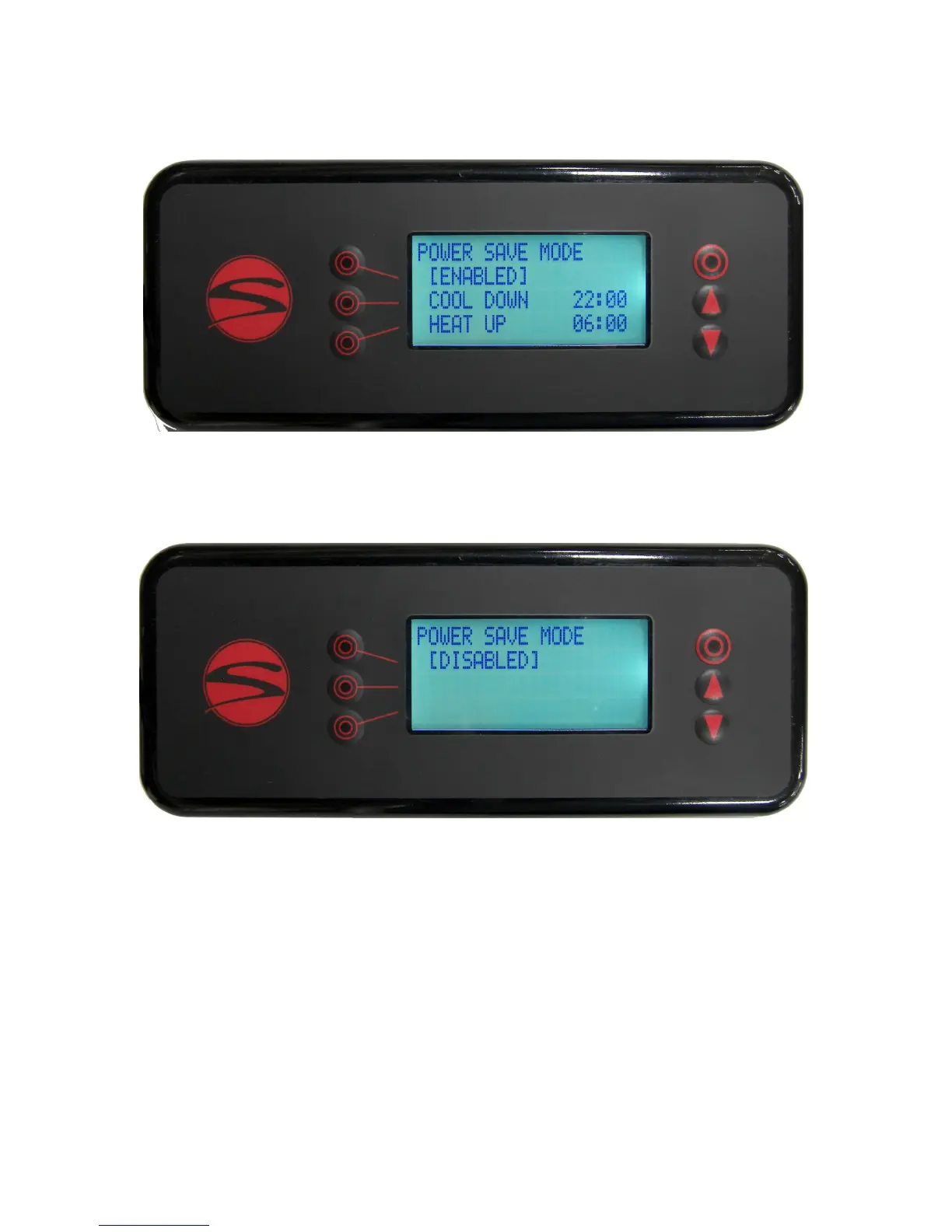
Line 2 of the Power Save Mode in this example is indicang the mers are [ENABLED], making adjustments to
lines 3 and 4 available. If line 2 reads [DISABLED], no further sengs will be available on this screen.
Line 3 indicates the seable me at which your power save mode will start, cooling the machine to lower
heat levels overnight.
Line 4 indicates the seable me at which your power save mode will end, heang the machine back up to
the set points.
Enabling the power save mode will drop the temperature in the brew groups to 180F (82.2C) and the steam
tank to 220F (104.4C) when it is acve. This will help conserve energy while prevenng maintenance issues
that occur when machines are turned o and on repeatedly.
While power save mode is acve, there is a note on the display which states that the operator can exit power
save mode at any me by pressing any buon on the wired controller.
To cycle to the next display screen, press the down buon.
Menu Level 2: Power Save Mode - Enabled
Menu Level 2: Power Save Mode - Disabled


 To Next Page
 Loading...