Updating the device Firmware
© SYS TEC electronic GmbH 2007 L-1032e_9 95
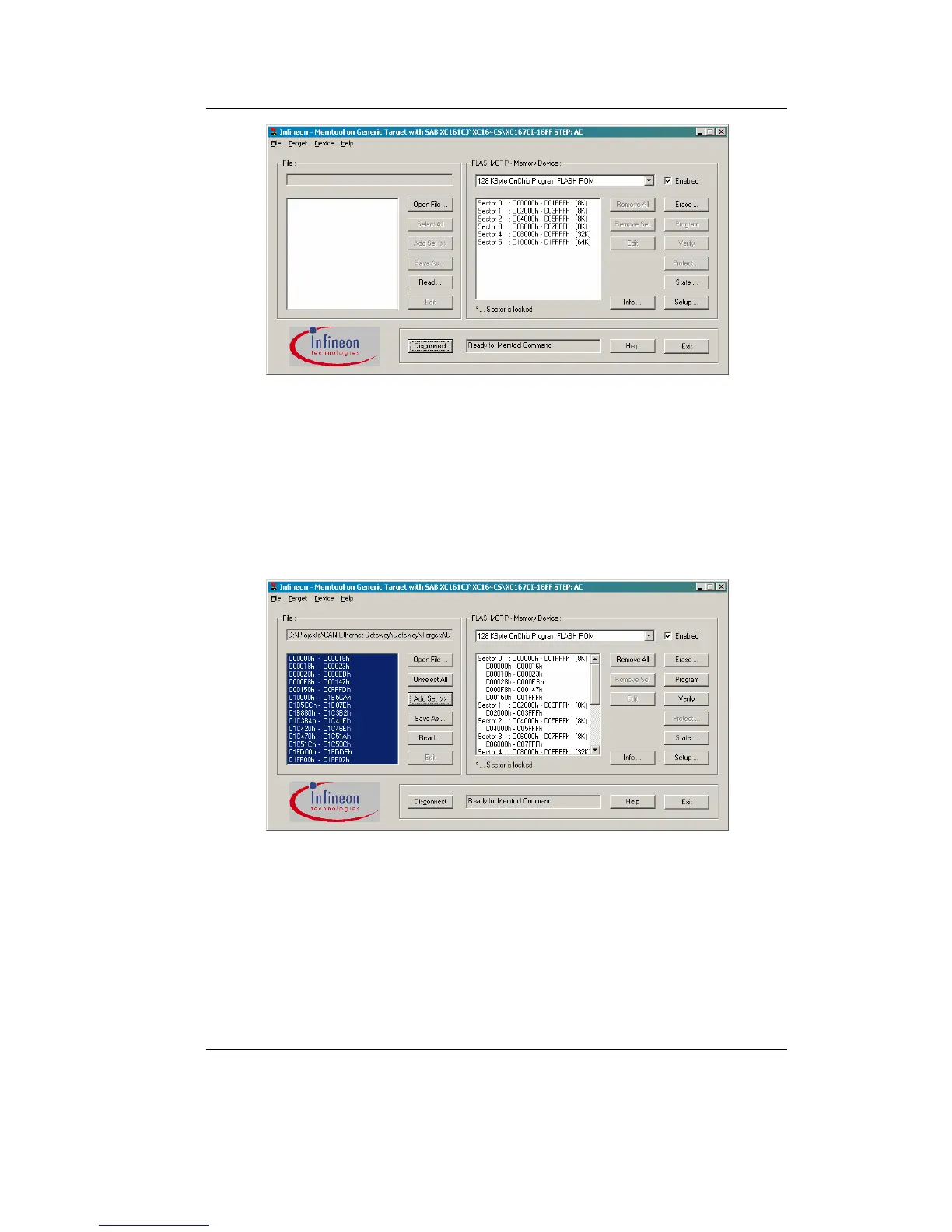
Figure 21: Memory sectors of the CAN-Ethernet Gateway
4. Erase the memory using the „Erase“ button.
5. Open the new firmware file (e.g. E4050.h86) via menu
„File/Open File...“.
6. Select all sectors from the right side list (see
Figure 22) and
assign them to the memory sectors on the left side of the
application window by using the „Add Sel >>“ button.
Figure 22: Memory areas and sector assignment
7. Click button „Program“ to start the program download.
8. After successfully downloading the firmware set the boot
switch to „Off“ and reset the device by reset button or power
cycle.



 To Next Page