TAC 2112, Manual Installation
5:2(
10
), 0-004-7459-3 (GB) 1999-08-01, TAC AB
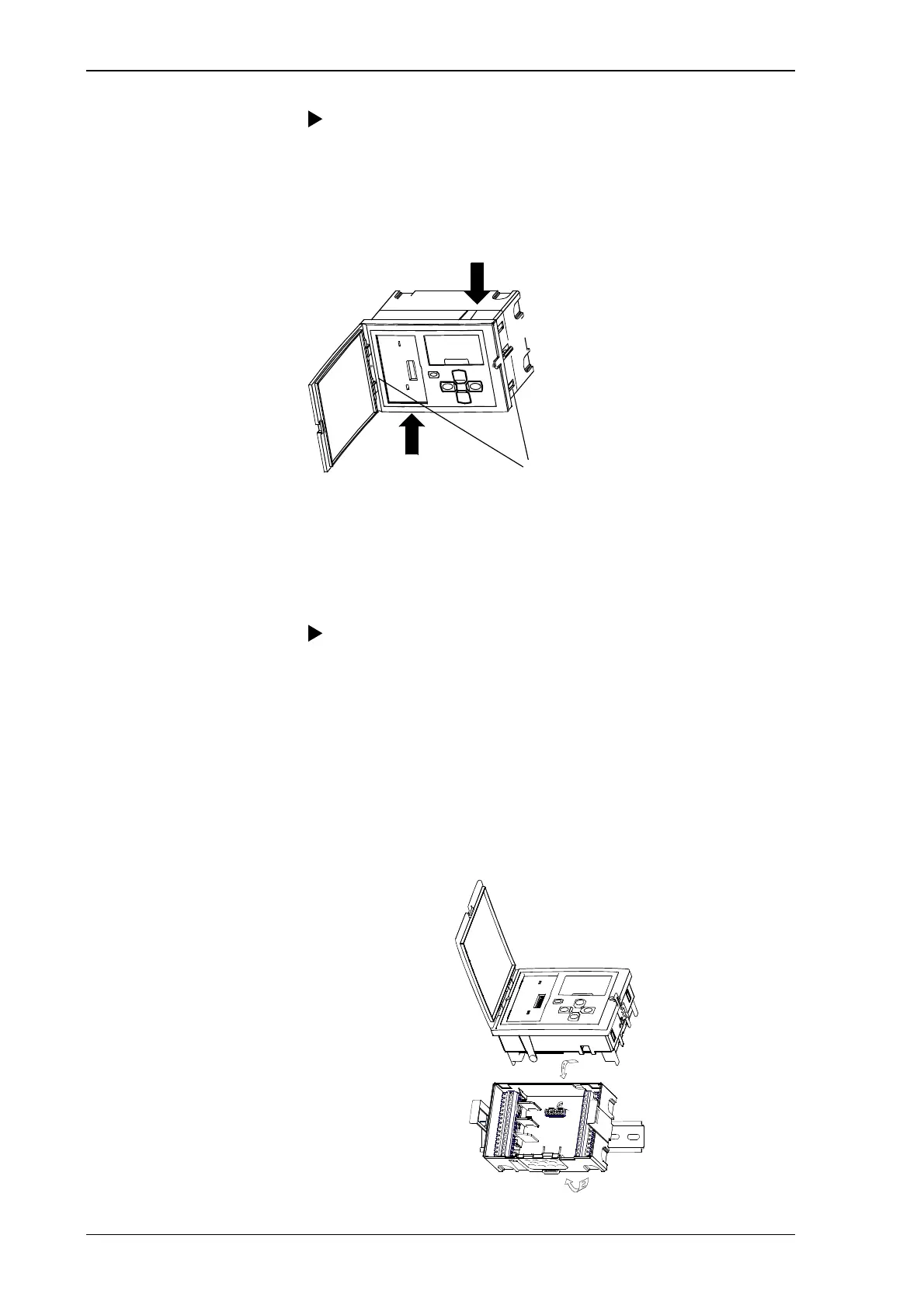
Procedure for removing the backplate:
1. Remove the metal brace by unscrewing the fastening device.
2. Press in the two round “buttons” on the sides of the controller.
3. Hold the “buttons” in while carefully pulling the electronic part
out of the back.
Fastening device
The controller can be mounted in three different ways:
• On a norm rail EN 500 22 (TS 35 mm)
• In a panel, with or without a backplate
• Directly on a wall
Procedure for mounting controller on a norm rail:
1. Place the backplate of the controller with the metal brace on the
upper side of the rail (arrow 1).
2. Turn it downwards until it snaps onto the rail (arrow 2).
3. Press on the electronic part. Secure the controller into the metal
brace with the fastening device for panel mounting.
4. To remove, place a screwdriver in the lock on the bottom of the
controller and pull down. It is then possible to lift the controller
diagonally upwards and off the rail.



 To Next Page