4–3
Chapter 4: Removing and Replacing Components
Procedure 1: Ribbon Platform Removal
Step 1. Open the top cover of the printer.
Step 2. Open the Platen Gap lever.
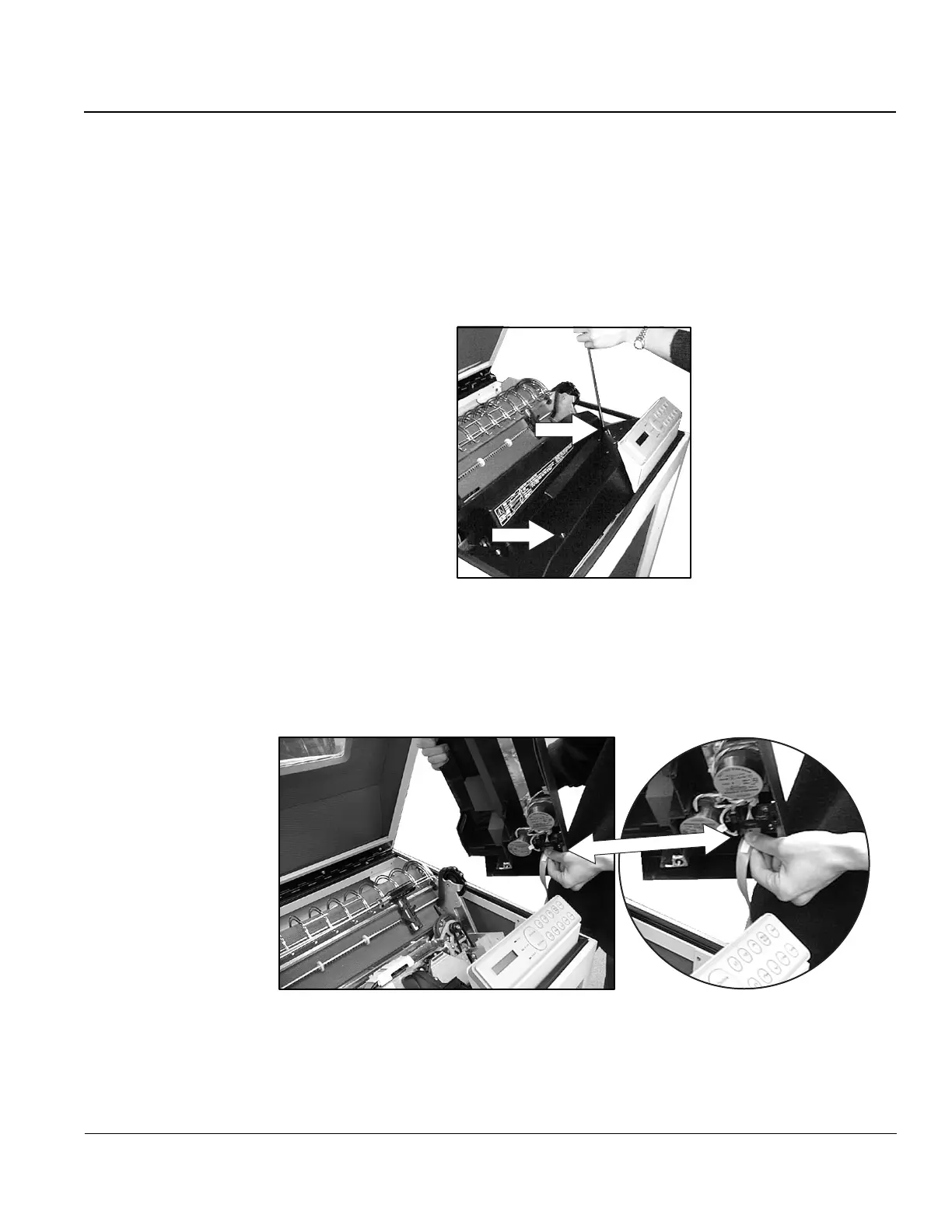
Step 3. Loosen the screws on the left and right top of the ribbon platform and lift the
platform.
Screw 2
Screw 1
Figure 1. Loosening screws on Ribbon Platform.
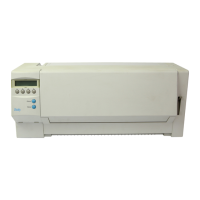
Step 4. Find the Ribbon Drive Motor cable on the underside of the Ribbon Platform
and unplug it.
Figure 2. Unplugging Ribbon Drive Motor cable.


 To Next Page