4–13
Chapter 4: Removing and Replacing Components
Step 6. Place the new hammer pack in position on the bank and replace screws, but
do not tighten.
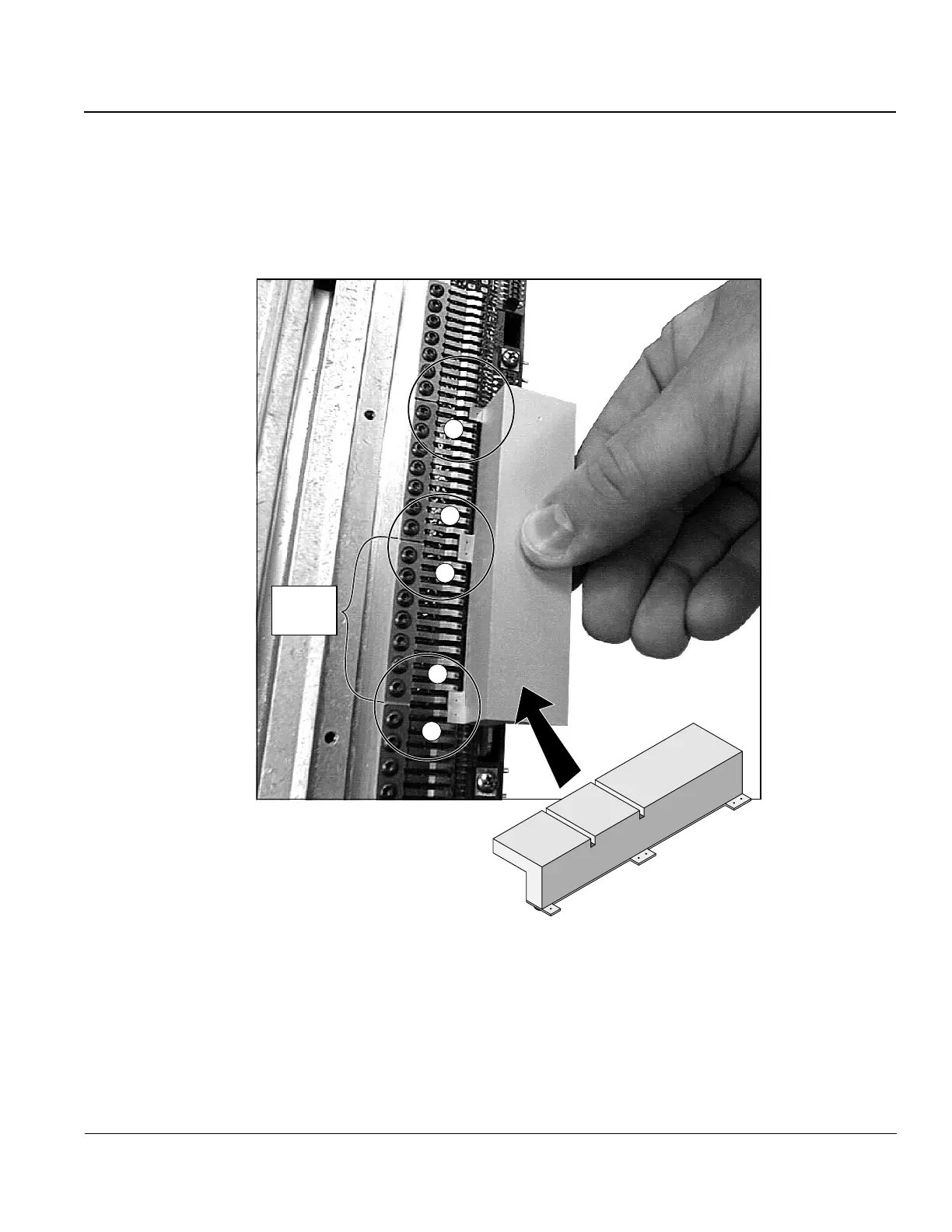
Step 7. Use the Hammer Alignment tool to align the impact elements of the new
hammer (holes 2 and 3) with the impact elements of the neighboring ham-
mers (holes 1, 4, and 5). Wiggle the tool slightly until it snaps onto the
impact elements. See Figure 16.
1
5
4
3
2
1
2
3
4
5
New
Hammer
Pack
Figure 16. Aligning the new hammer pack.
Step 8. With the hammer alignment tool holding the hammer in place, tighten the
hammer mounting screws.
Step 9. Replace the Ribbon Shield.
Step 10. Replace the Hammer Bank.


 To Next Page