4–9
Chapter 4: Removing and Replacing Components
Step 5. Slide the Shuttle Drive Belt from the pulley on the right side of the
Hammer Bank.
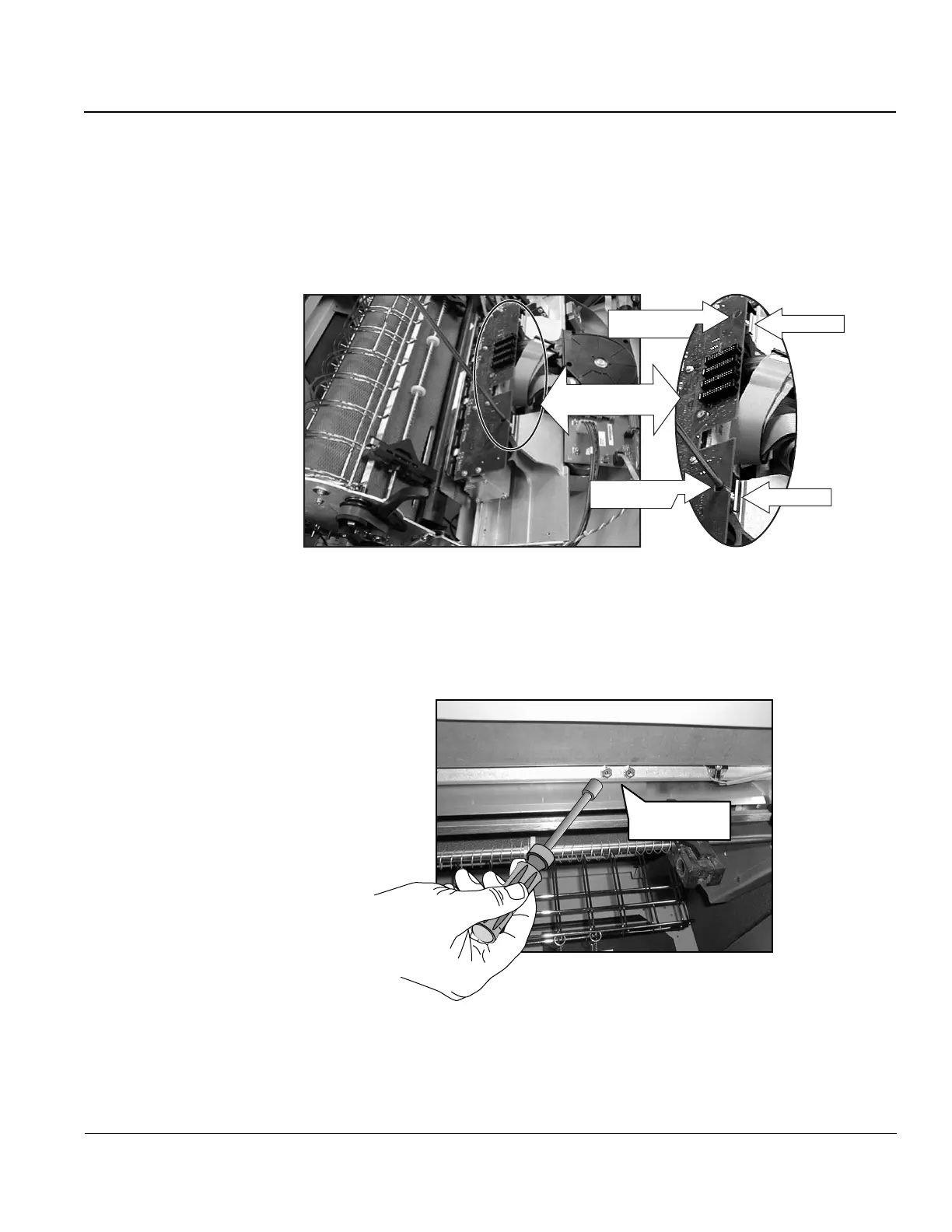
Step 6. Remove two screws securing the retainer clips at the front (toward you) of the
Hammer Bank. To do this, use the access holes in the Hammer Driver CBA.
Lift out the retainer clips.
Retainer clip
Retainer clip
Access holes
for screws
Access holes
for screws
Figure 10. Removing screws on retainer clips.
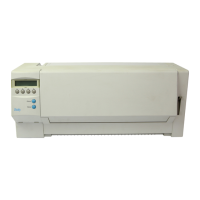
Step 7. Remove two KEPS nuts from underneath the Hammer Bank. Both are on your
right, and accessible through the front door of the printer. Use an 11/32" nut
driver.
Hammer Bank
Nuts, 2 places
Figure 11. Removing nuts from underneath Hammer Bank (view is from inside front
door of printer).


 To Next Page