T6215 Maintenance Manual
4–10
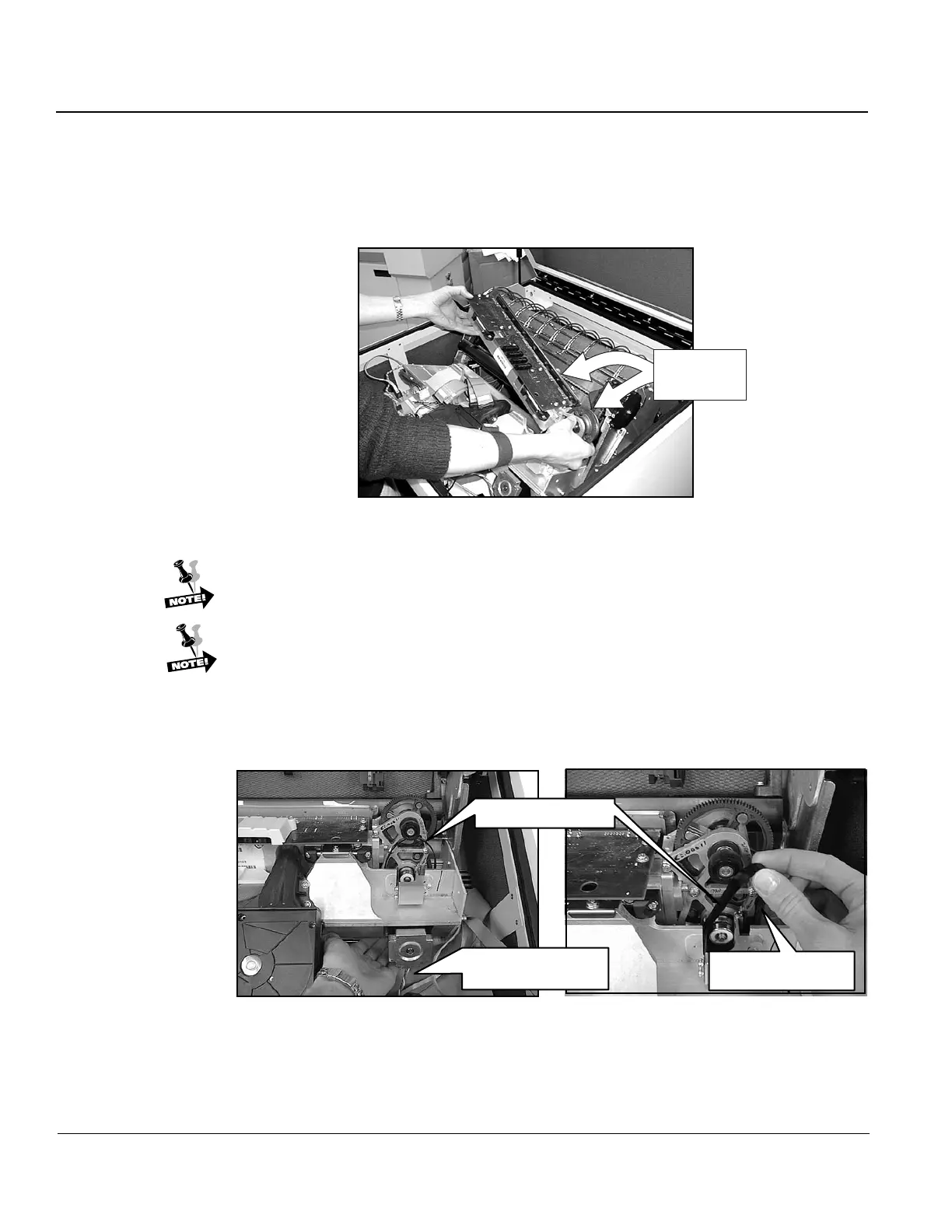
Step 6. Slide the upper left tractor as far to the left as it will go. Lift the Hammer Bank
and shuttle out of the printer, being careful not to damage the ribbon shield.
Hammer Bank
and attached
Shuttle
Figure 12. Lifting Hammer Bank from printer.
When reinstalling the Hammer Bank, install and tighten the retainer clips (Step
4), before installing and tightening the KEPS nuts (Step 5).
When reinstalling the Shuttle Drive belt (Step 3), press the belt against the
lower shuttle motor pulley with one hand, and "roll" the belt onto the upper
shuttle pulley.
Shuttle Drive Belt
Reach underneath
and hold belt.
Roll belt onto pulley
with other hand.
Figure 13. Replacing Shuttle Drive belt.


 To Next Page