4–15
Chapter 4: Removing and Replacing Components
Procedure 9: Shuttle Removal
Step 1. Remove the Ribbon Platform (see Procedure 1).
Step 2. Remove the Hammer Bank (see Procedure 5).
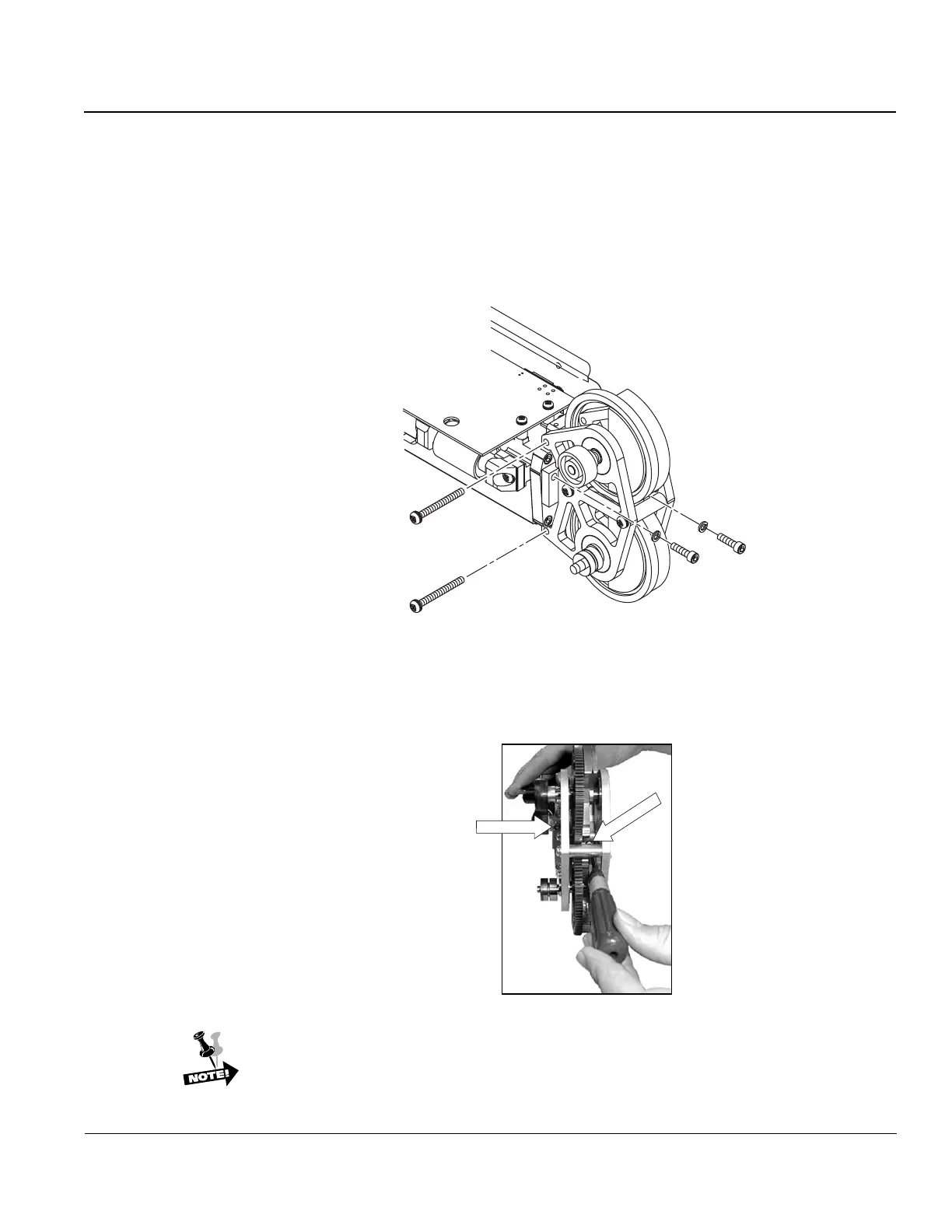
Step 3. Remove the two screws which hold the shuttle frame to the Hammer Bank.
Figure 18. Removing Shuttle screws.
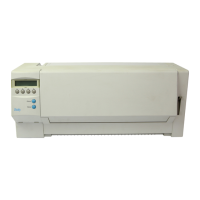
Step 4. Remove two screws (9/64" Allen) through the center of the shuttle and to the
outside edge of the shuttle, then lift the shuttle from the Hammer Bank.
Hex Head Screw
Hex Head Screw
Figure 19. Removing screws from inside shuttle.
When reinstalling the Shuttle to the Hammer Bank, start all four screws until
they are snug, but do not tighten. Tighten the two Allen screws first.


 To Next Page