CHAPTER 3 INSTALLATION
3.1 GENERAL
3.2 PREPARATIONFOR USE
3.3 INITIALINSPECTION
3.4 RACK MOUNTING
This chapter contains instructions for initial inspection, preparation for use and repackaging for
shipment. Connection to PC, setting the communication port and linking Genesys power supplies
are described in Chapter 7.
.
n order to be operational the power supply must be connected to an appropriate AC source. The
AC source voltage should be within the power supply specification. Do not apply power before
reading, Section 3.6 and 3.7.
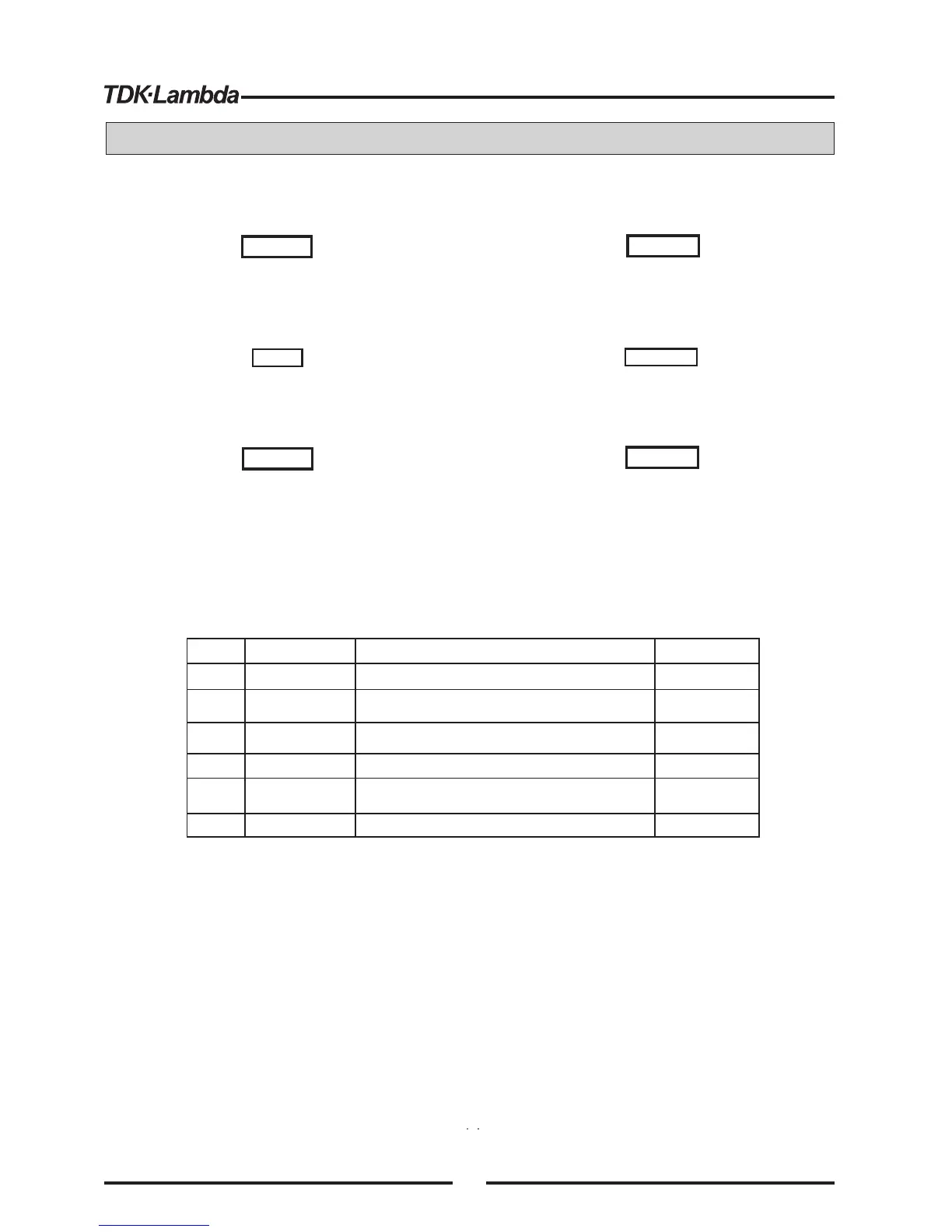
Table 3-1 below, describes the basic setup procedure. Follow the instructions in Table 3-1 in the
sequence given to prepare the power supply for use.
Prior to shipment this power supply was inspected and found free of mechanical or electrical
defects. Upon unpacking of the power supply, inspect for any damage which may have occured in
transit.
The inspection should confirm that there is no exterior damage to the power supply such as broken
knobs or connectors and that the front panel and meters face are not scratched or cracked. Keep all
packing material until the inspection has been completed. If damage is detected, fileaclaim with
carrier immediately and notify the Lambda sales or service facility nearest you.
The Genesys power supply series is designed to fit inastandard 19” equipment rack.
1. Use the front panel rack-mount bracketsto install the power supply in the rack.
2. Useasupport bar to provide adequate support for the rear of the power supply.Do not obstruct
the air exhaust at the rear panel of the unit.
TM
TM
I
3.4.1 To install the Power Supply inarack:
NOTE
HINWEIS
WARNING
WARNUNG
WARNUNG
WARNING
To avoid electric shock hazard, do not insert conductive
parts through the front panel slits.
Um die Gefahr eines elektrischen Schlags zu vermeiden,
stecken Sie keinerlei elektrisch leitenden Teile durch die
Schlitze der Frontabdeckung.
Genesys power supplies generate magnetic fields
which might affect the operation of other instruments. If
your equipment is susceptible to magnetic fiels, do not
position it adjacent to the power supply.
TM
Genesys -Stromversorgungen erzeugen magnetische
Felder, die den Betrieb anderer Ger te beeintr chtigen
k nnen. Falls Ihre Ausr stung empfindlich gegen
magnetische Felder ist, stellen Sie nicht in unmittelbarer
Nachbarschaft zur Stromversorgung auf.
TM
The Genesys series is intended only for installation in
Restricted Access Location (RAL). Access to Hazardous
parts (rear side of the power supply) shall be prevented
after installation.
TM
Die Genesys ist ausschlie lich frdie Installation in
zugangsbeschr nkten Bereichen (Restricted Access
Location, RAL) gedacht. Der Zugang zu gef hrlichen
Teilen (R ckseite des Ger ts) nach der Installation ist zu
unterbinden.
TM
1
2
3
4
5
6
Inspection
Installation
AC source
Test
Load connection
Default setting
Initial physical inspection of the power supply
Section 3.3
Installing the power supply,
Ensuring adequate ventillation.
AC source requirements
Connecting the power supply to the AC source.
Turn-on checkout procedure.
The power supply setting at shipment.
Wire size selection. Local /Remote sensing.
Single or multiple loads.
Section 3.4
Section 3.5
Section 3.6
Section 3.7
Section 3.8
Section 3.9
Section 7.2.1
Step no.
Item Description Reference
Table 3-1: Basic setup procedure
14













 To Next Page