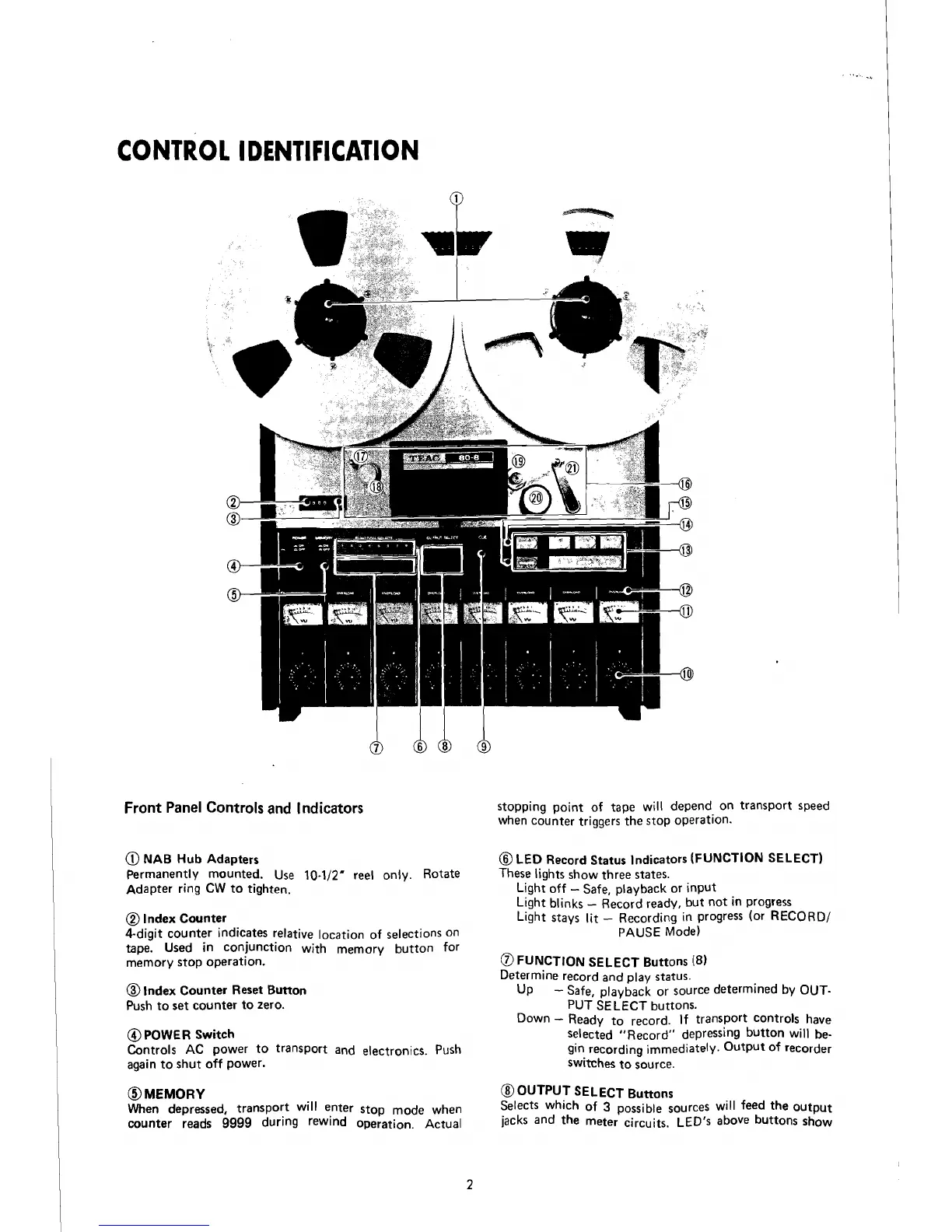
CONTRO1 IDENTIFICATON
Front Panel Controls and Indicators
@
NAB
Hub
Adapters
Permanently mounted.
Use 10-112' ree1 only. Rotate
Adapter ring
CW to tighten.
@
Index Counter
4-digit counter indicates relative
Iocation of selections on
tape. Used in ~onjunction with memory button for
memory stop operation.
@
lndex Counter Reset Button
Push to set counter to zero.
@
POWER Switch
Controls
AC power
t0
transP0rt and electronics. Push
again to shut off power.
OMEMORY
When depressed, transport will enter stop mode when
counter reads
9999
during rewlnd operation. Actual
stopping
point of tape will depend on transport speed
when counter triggers
the stop operation.
@
LED
Record Status Indicators (FUNCTION SELECT)
These lights show three states.
Light off
-
Safe, playback or input
Light
blinks
-
Record ready, but not in progress
Light stays
lit
-
Recording in progress (or RECORD/
PAUSE Mode)
a
FUNCTION SELECT Buttons
(8)
Determine record and play status.
Up
-
Safe, playback or source determined by OUT-
PUT SELECT buttons.
Down
-
Ready
t0
record. If transport controls have
Selected "Record" depressing button will be-
gin recording immediately Output 0f recorder
switches to source.
@
OUTPUT SELECT Buttons
Selects which of
3
possible sources will feed the output
jacks and the meter circuits. LED's above buttons show



 To Next Page