EasyManua.ls Logo

Teac AG-V3020 - Video Operations; Playing Video Sources; Recording with a Video Deck

Teac AG-V3020
55 pages
Print Icon
To Next Page IconTo Next Page
To Previous Page IconTo Previous Page
Loading...
VIDEO
OPERATIONS
Note:
The
Source
Selector
switch
consists
of
a
video
signal
section
and
an
audio
signal
section.
The
video
signal
section's
switch
position
selected
last
is
retained
in
memory
until
the
next
video
source
selection
is
made.
This
helps
facilitate
S.A.V.E.
operation
described
later.
Playing
Video
Sources
Note:
For
playing
video
software
using
a
certain
Surround
Effect
function,
refer
to
the
SURROUND
EFFECTS
section.
m&
:
Video
signals
cS
:
Audio
signals
VCR
1/VCR
2
/VDP
Speakers
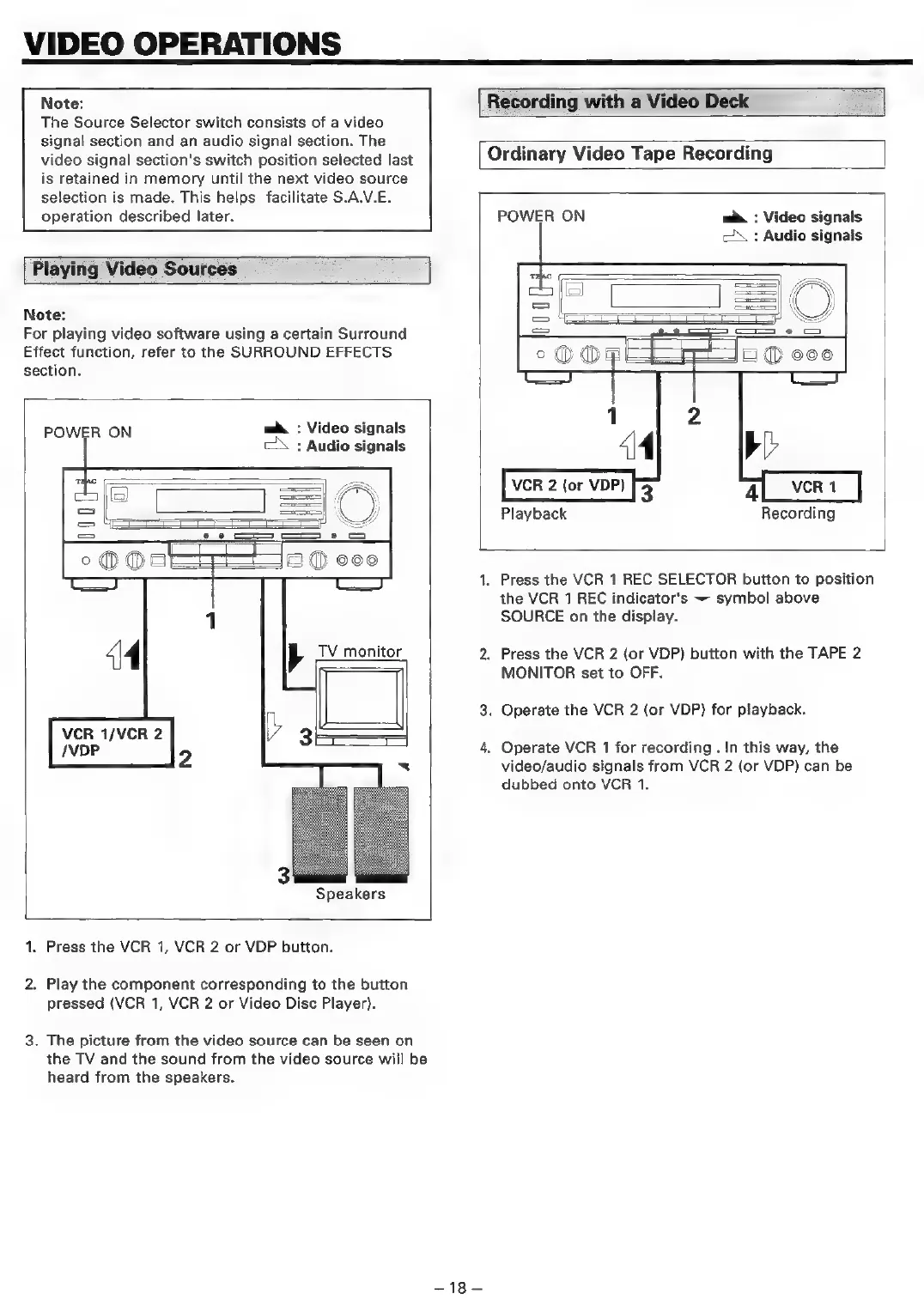
1.
Press
the
VCR
1,
VCR
2
or
VDP
button.
2.
Play
the
component
corresponding
to
the
button
pressed
(VCR
1,
VCR
2
or
Video
Disc
Player).
3.
The
picture
from
the
video
source
can
be
seen
on
the
TV
and
the
sound
from
the
video
source
will
be
heard
from
the
speakers.
[Recording
with
a
Video
Deck
Ordinary
Video
Tape
Recording
-18—
POWER
ON
m&
:
Video
signals
cd
:
Audio
signals
=
&
=
c=
e
oO
OF
O@
coo
by
4
VCR
1
Recording
VCR
2
(or
VDP)
3
Playback
Press
the
VCR
1
REC
SELECTOR
button
to
position
the
VCR
1
REC
indicator's
~
symbol
above
SOURCE
on
the
display.
Press
the
VCR
2
(or
VDP)
button
with
the
TAPE
2
MONITOR
set
to
OFF.
.
Operate
the
VCR
2
(or
VDP)
for
playback.
Operate
VCR
1
for
recording
.
In
this
way,
the
video/audio
signals
from
VCR
2
(or
VDP)
can
be
dubbed
onto
VCR
1.

Table of Contents

Related product manuals