High Speed Recording Guidelines
12 TEAC CD-RW Drive User’s Manual
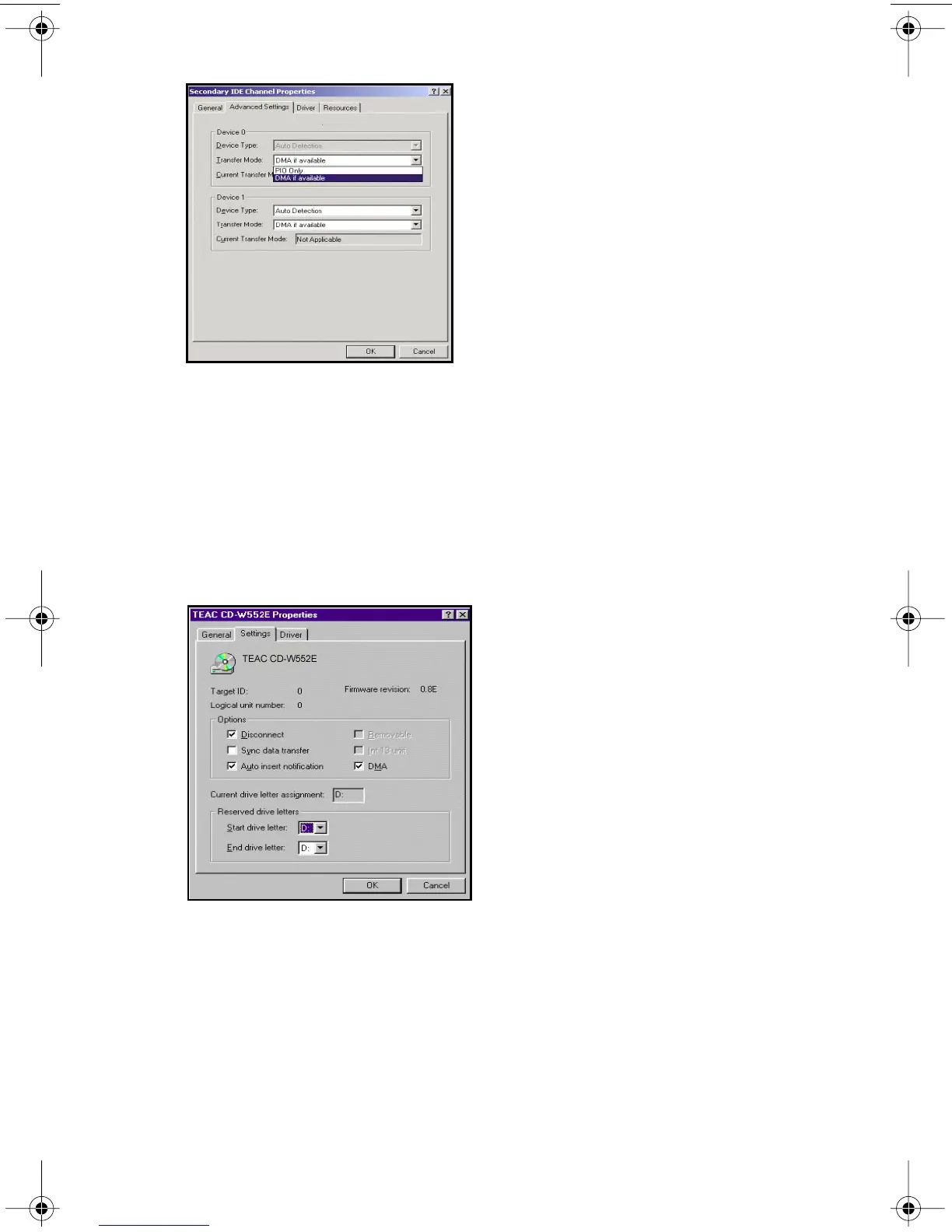
Figure 9. Windows 2000 Transfer Mode setting
Windows 98SE and Windows ME
1. Right-click My Computer and select Properties.
2. Click Device Manager and double-click the CD-ROM icon.
3. Double-click on your original CD-ROM drive reference and click the
Settings tab.
The system displays the following screen (Figure 10):
Figure 10. Checking the DMA Box
4. Check the DMA box, then click OK.
5. Repeat Step 4 for your hard disk drive in the Disk Drives section.
6. Close the System Properties windows and restart your system.
TEAC52x24x52.book Page 12 Thursday, December 19, 2002 3:29 PM



 To Next Page