Using Easy CD Creator 5.3x Basic
TEAC CD-RW Drive User’s Manual 21
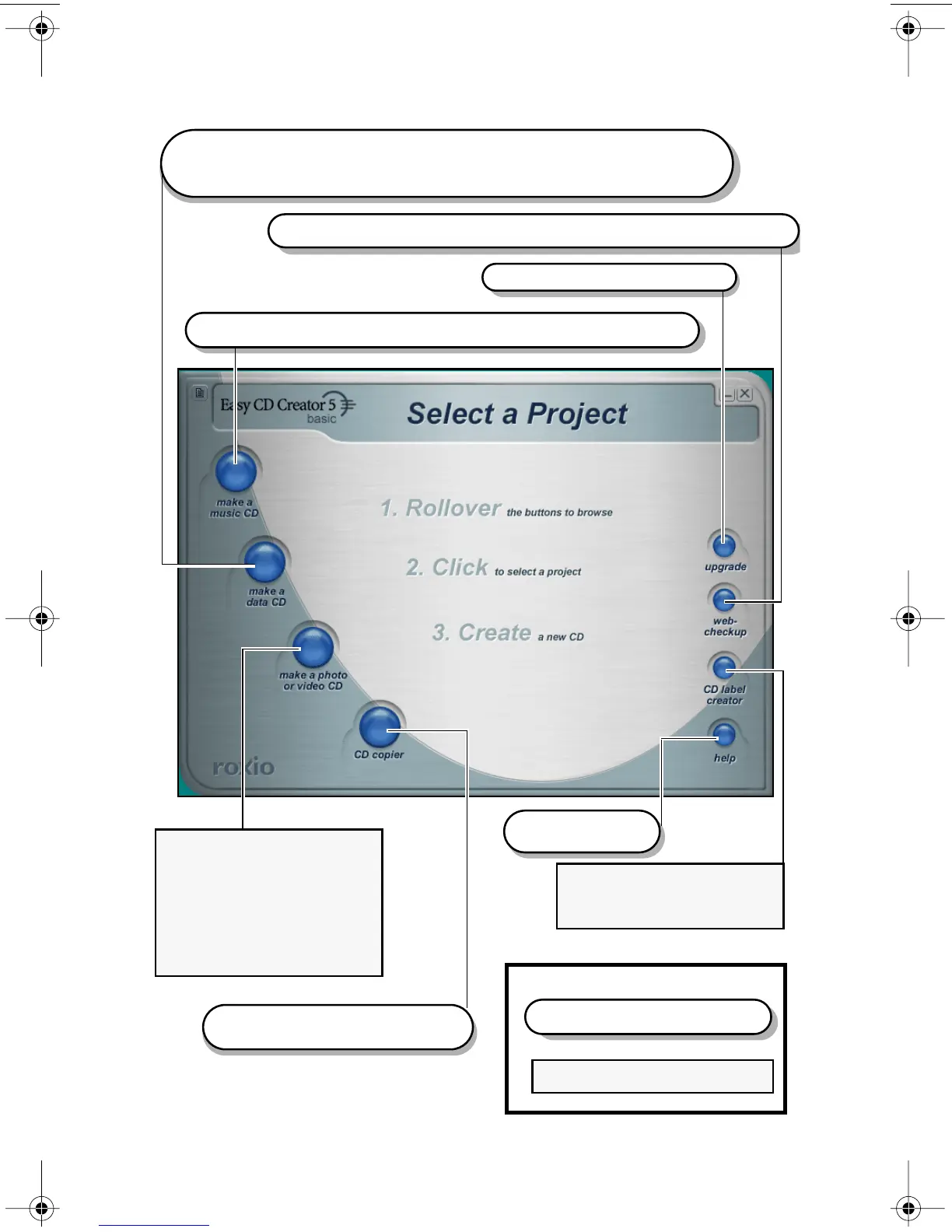
Figure 21. Easy CD Creator Select a Project Panel
Create custom audio CDs from audio tracks, MP3 files, or WAV files.
Create data CDs in several formats. For example, you can create discs
Upgrade to CD Creator Platinum.
Download the latest drive support and software updates via the Internet.
If you upgrade to CD Creator
Platinum, you can create
that contain graphic images or photographs in various file formats.
You can also backup or archive any type of file.
photo albums and video
postcards.
However, you can record
video files to CD using
the “make a data cd” function.
With an additional CD-ROM drive,
you can duplicate discs.
Access the on-line
Help system.
If you upgrade to CD Creator
Platinum, you can create
labels for your CDs.
With Easy CD Creator 5.3x Basic, you can do the following:
Legend
Easy CD Creator 5.3x Basic
Easy CD Creator 5.3x Platinum
TEAC52x24x52.book Page 21 Thursday, December 19, 2002 3:29 PM



 To Next Page