High Speed Recording Guidelines
TEAC CD-RW Drive User’s Manual 11
High Speed Recording Guidelines
To optimize your drive performance and avoid system lockup conflicts, especially
when recording to CD-R discs at high speeds (40X or 52X speed), you need to
exercise the following options to enable DMA on your system:
Windows XP
1. Right-click My Computer and select Properties.
2. Click Hardware and select Device Manager.
3. Double-click IDE/ATA/ATAPI Controllers.
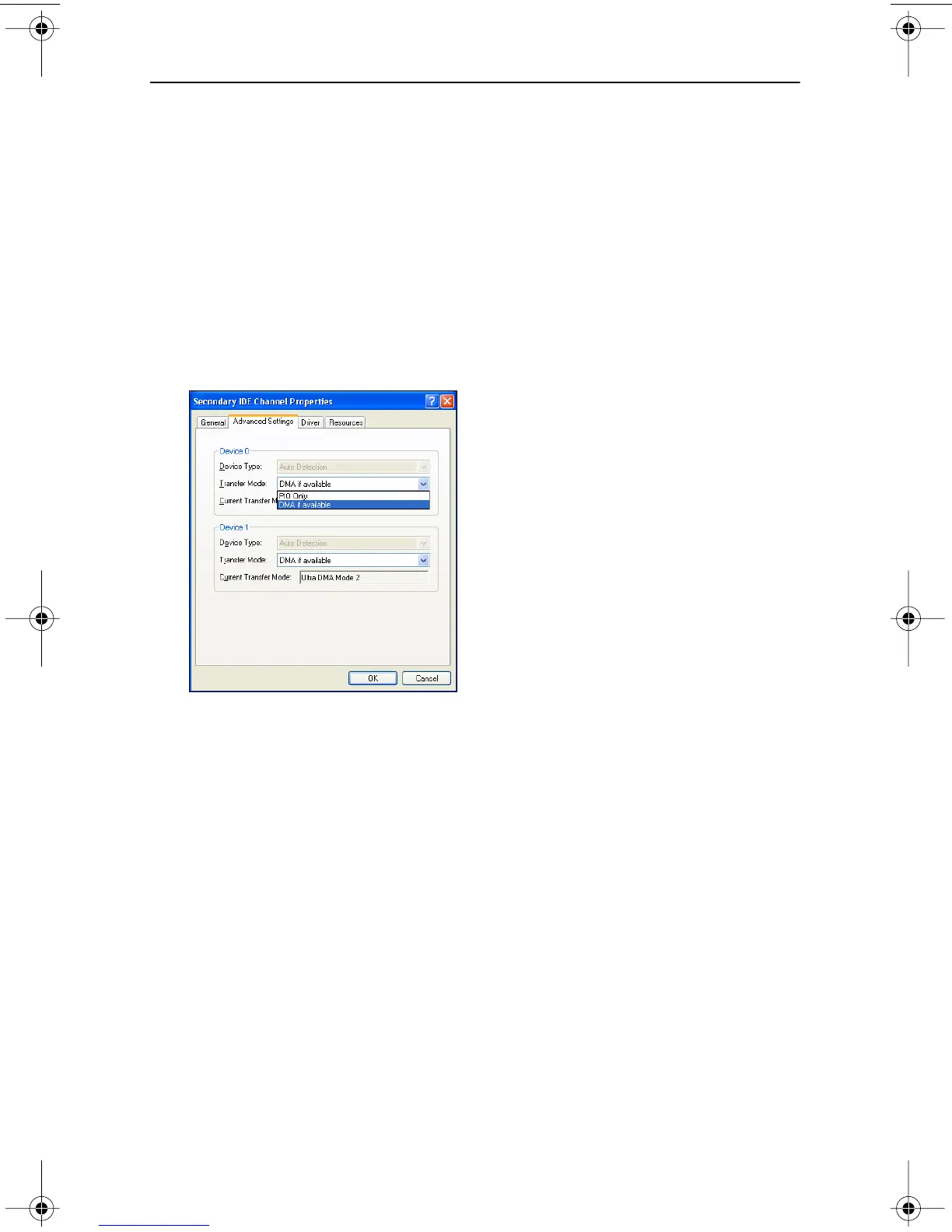
4. Double-click Secondary IDE channel and select Advanced Settings.
5. Click Transfer Mode and select DMA if available.
Figure 8. Windows XP Transfer Mode setting
Windows 2000
1. Right-click My Computer and select Properties.
2. Click Hardware and select Device Manager.
3. Click IDE/ATA/ATAPI Controllers, double-click Secondary IDE Channel
and select Advanced Settings.
4. Click Transfer Mode and select DMA if available.
TEAC52x24x52.book Page 11 Thursday, December 19, 2002 3:29 PM



 To Next Page