Disc Formats
TEAC CD-RW Drive User’s Manual 27
Disc Formats
The TEAC CD-RW drive supports the following disc formats:
Loading and Ejecting Discs
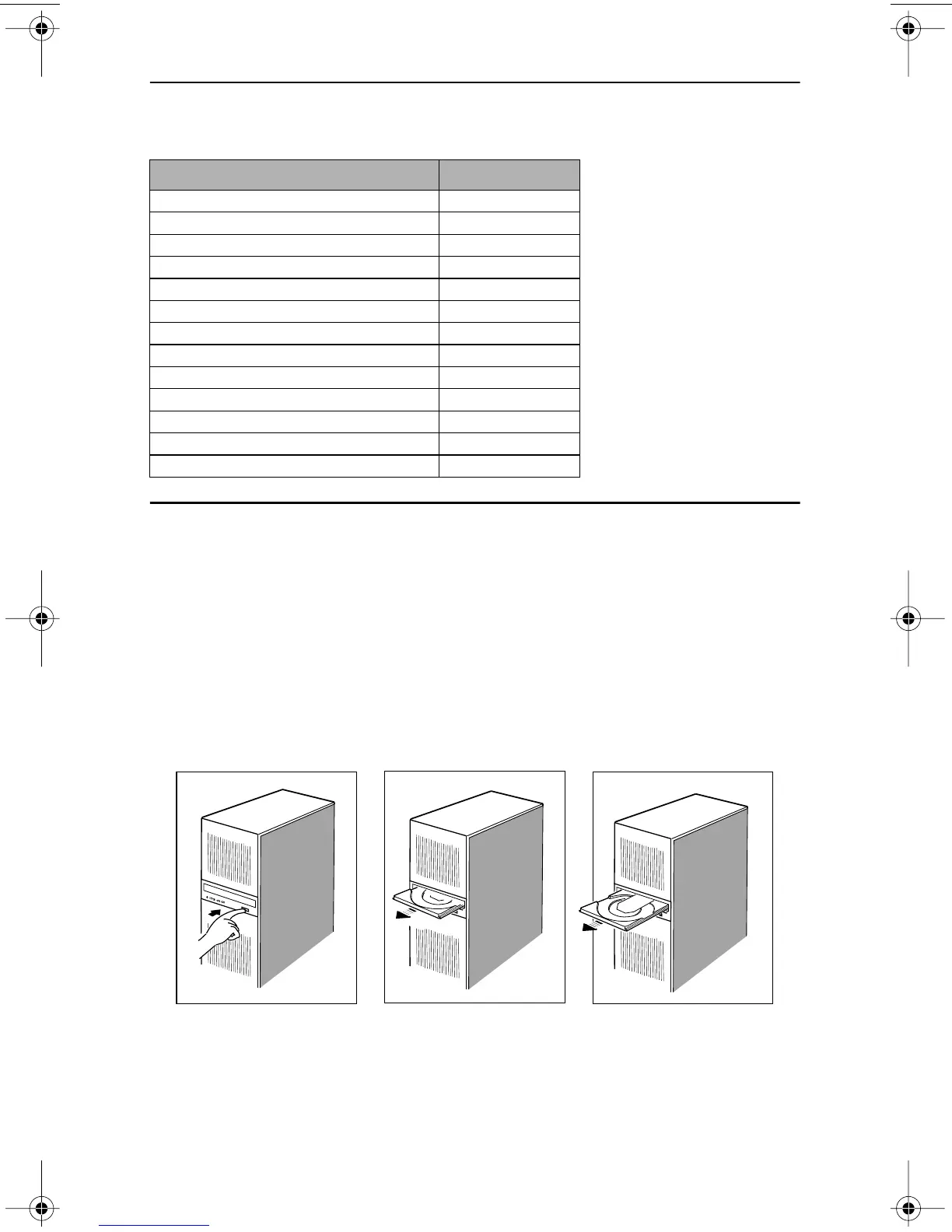
To load a disc, first open the disc tray by pressing the Eject button on the front of
the drive. Place the disc on the disc tray with its label side facing up. Then press
the Eject button again to retract the disc tray back into the drive.
To eject a disc, press the Eject button on the front of the drive to extend the disc
tray (refer to Figure 25). Remove the disc from the disc tray and place it in its
protective case. Then press the Eject button again to retract the disc tray back into
the drive.
Figure 25. Ejecting the Disc Tray
Disc Format Data Capacity
CD-DA 74 or 80 minutes
CD-ROM Mode 1 650MB or 700MB
CD-ROM XA Mode 2 (Form 1) 650MB or 700MB
CD-ROM XA Mode 2 (Form 2) 738MB or 794MB
CD-R 650MB or 700MB
CD-RW 650MB or 700MB
CD-I 650MB or 700MB
Video-CD 650MB or 700MB
CD Extra/CD-Plus 650MB or 700MB
CD-Text 650MB or 700MB
Multi-session Photo CD 650MB or 700MB
CD-MRW 650MB or 700MB
DVCD 650MB or 700MB
TEAC52x24x52.book Page 27 Thursday, December 19, 2002 3:29 PM



 To Next Page