Upgrading the Software (upgrade button)
TEAC CD-RW Drive User’s Manual 23
Upgrading the Software (upgrade button)
If your computer has access to the Internet, you can upgrade Easy CD Creator 5.3x
Basic
to Easy CD Creator Platinum by clicking the upgrade button on the Select
a Project
panel and following the instructions.
Roxio will handle technical support for Easy CD Creator 5.3x Platinum directly.
Updating the Software (web-checkup button)
If your computer has access to the Internet, you can download the latest software
updates for Easy CD Creator 5.3x.
To download the latest software update:
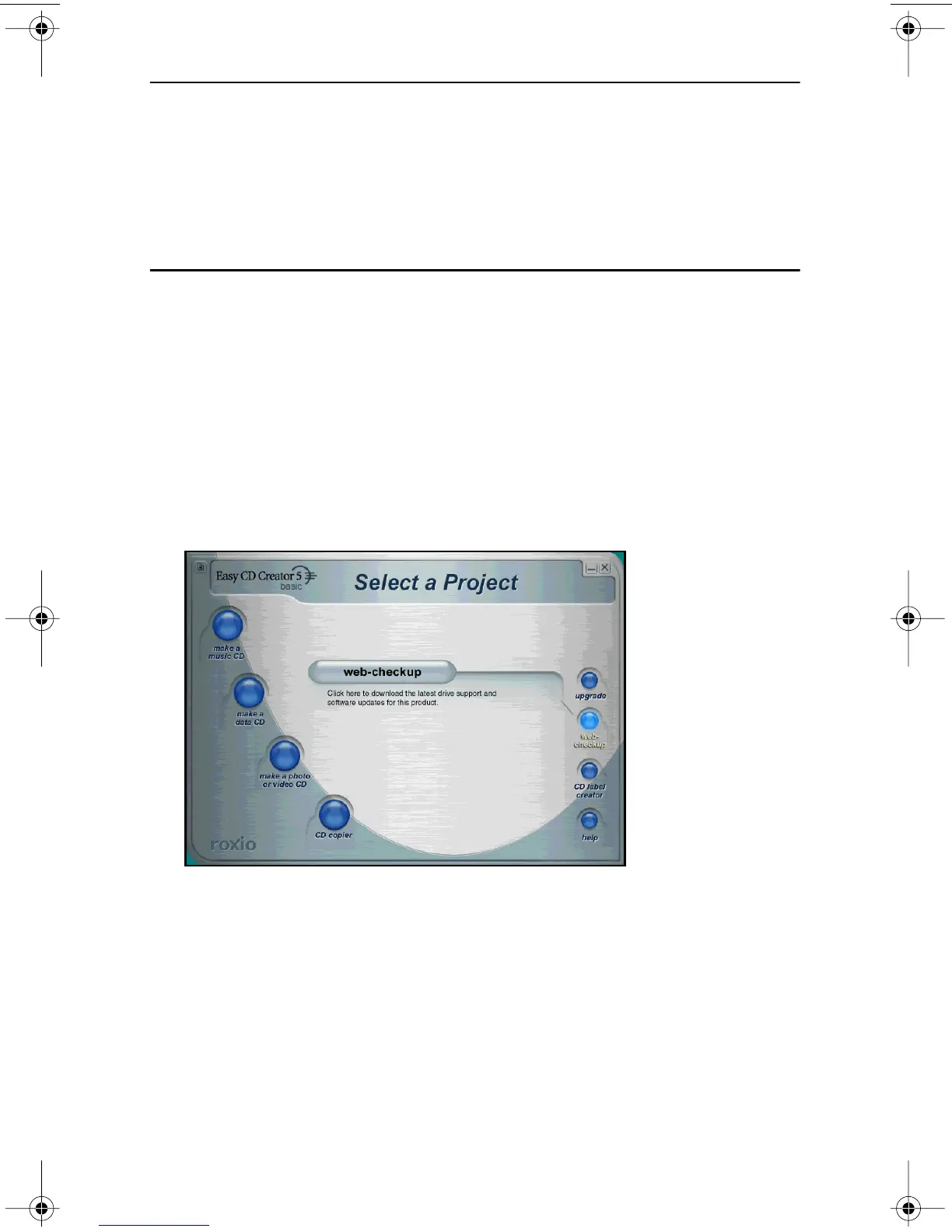
1. Roll over the web-checkup button on the main Select a Project panel
(Figure 21 on page 21).
The system displays another web-checkup button and a short description of
the web-checkup function (Figure 23 on page 23).
Figure 23. Select a Project: Web-checkup Button
2. Click the web-checkup button and follow the instructions on the web
page to download the software updates.
TEAC52x24x52.book Page 23 Thursday, December 19, 2002 3:29 PM



 To Next Page