Installing Easy CD Creator 5.3x Basic Software
16 TEAC CD-RW Drive User’s Manual
Installing Easy CD Creator 5.3x Basic Software
Before you install Easy CD Creator 5.3x Basic, disable any applications that may
be running in the background, including anti-virus software, screen savers,
schedulers, etc.
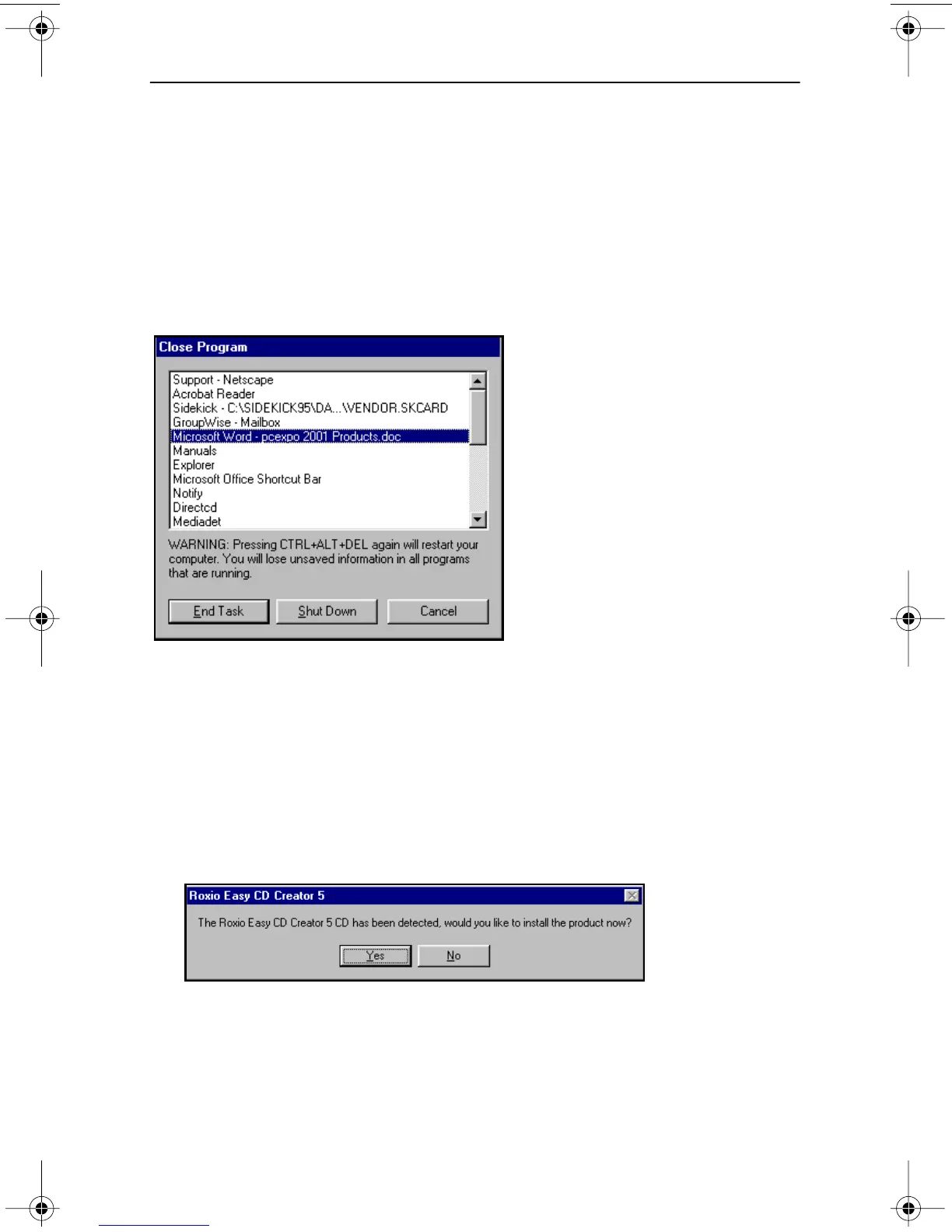
To do so, press CTL-ALT-DEL on your keyboard. The Close Program panel will
display a list of all current programs in memory (Figure 12). With the exception
of “Explorer” and “Systray,” select each program, then click the End Task button.
(You may need to repeat this process since you can only disable one application
at a time.) Then proceed with the installation below.
Figure 12. Close Program Panel
Follow these steps to install Easy CD Creator 5.3x Basic software on your
computer’s hard disk.
1. Insert the Easy CD Creator 5.3x CD-ROM into your computer’s CD-
ROM drive or into the TEAC CD-RW drive.
If the Autoplay function is enabled, the system displays the auto detect screen
(Figure 13). Click Yes to continue.
Figure 13. Auto Detect Panel
If the auto detect panel is not displayed, double-click the My Computer icon,
then double-click the icon for the CD-ROM drive, and double-click on
setup.exe.
The system displays the following Choose Setup Language panel
(Figure 14 on page 17).
TEAC52x24x52.book Page 16 Thursday, December 19, 2002 3:29 PM



 To Next Page