22
ENGLISH
Basic Operation
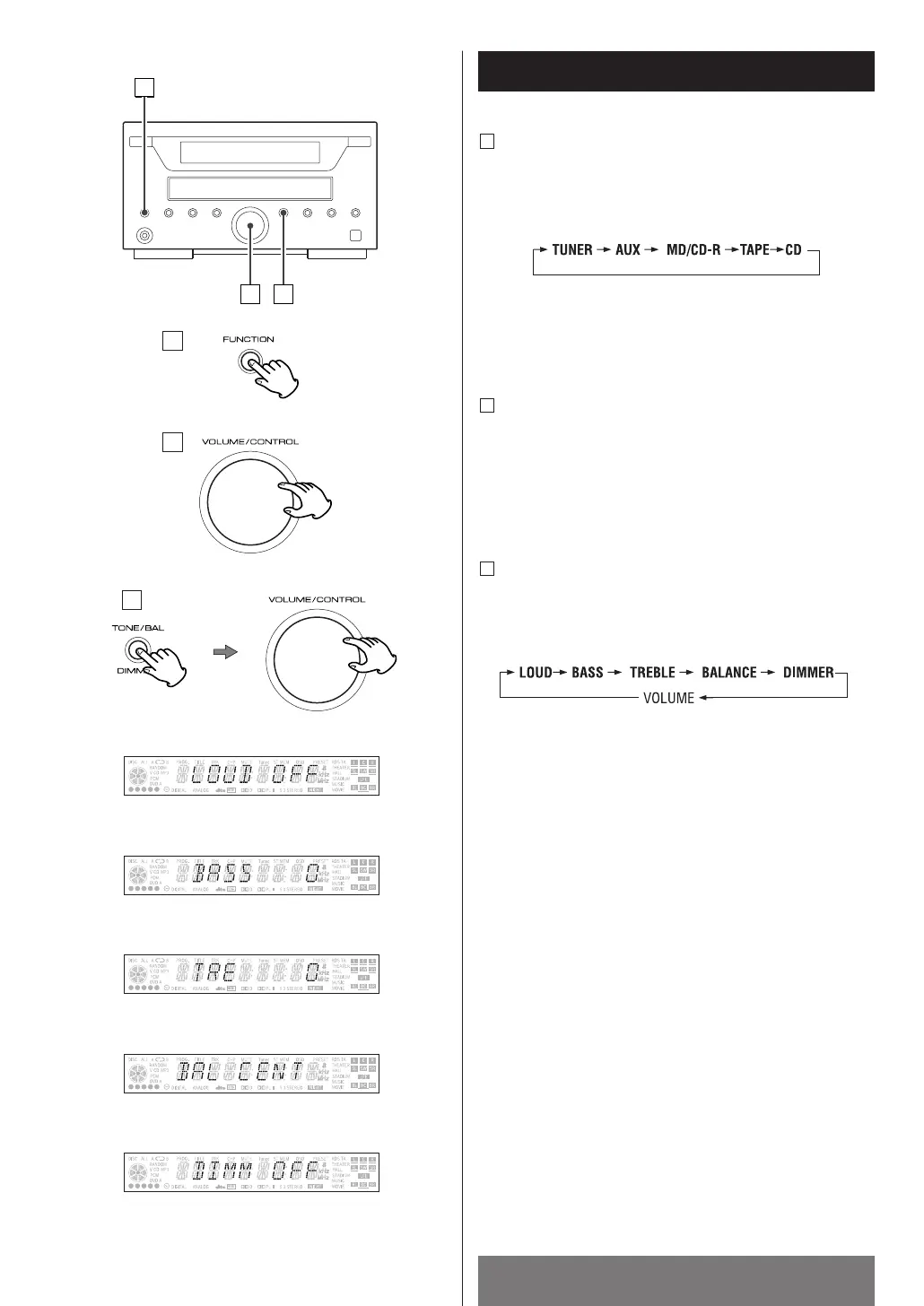
Adjust the volume
To protect speakers from a sudden high-level signal,
gradually turn up the volume to the required level with
the VOLUME/CONTROL.
B
< LOUDNESS EFFECT
This control is used to turn on and off emphasizing
bass.
<
Bass control
This control is used for adjusting the level of the low
frequency sound range.
<
Treble control
This control is used for adjusting the level of the high
frequency sound range.
<
Balance control
This control is used for adjusting balance of the volume
level between the left and right channels.
<
Dimmer control
This control can be used to dim the display panel or to
return it to normal.
How to adjust TONE/BAL/DIMMER
Every time the TONE/BAL button is pressed, the mode
is chased as follows.
C
How to change the source
Every time the FUNCTION button is pressed, the mode
is changed as follows:
A
On press the CD, MD/CD-R, TAPE, AUX or TUNER
button on the remote control unit to select the fource
directly.



 To Next Page