38
ENGLISH
How to Preset Broadcast
How to Preset Broadcast Manually
Up to 60 stations (FM : 30+ AM : 30) can be stored in
preset memories.
Up to 60 stations (FM : 30+ AM : 30) can be stored in
preset memories.
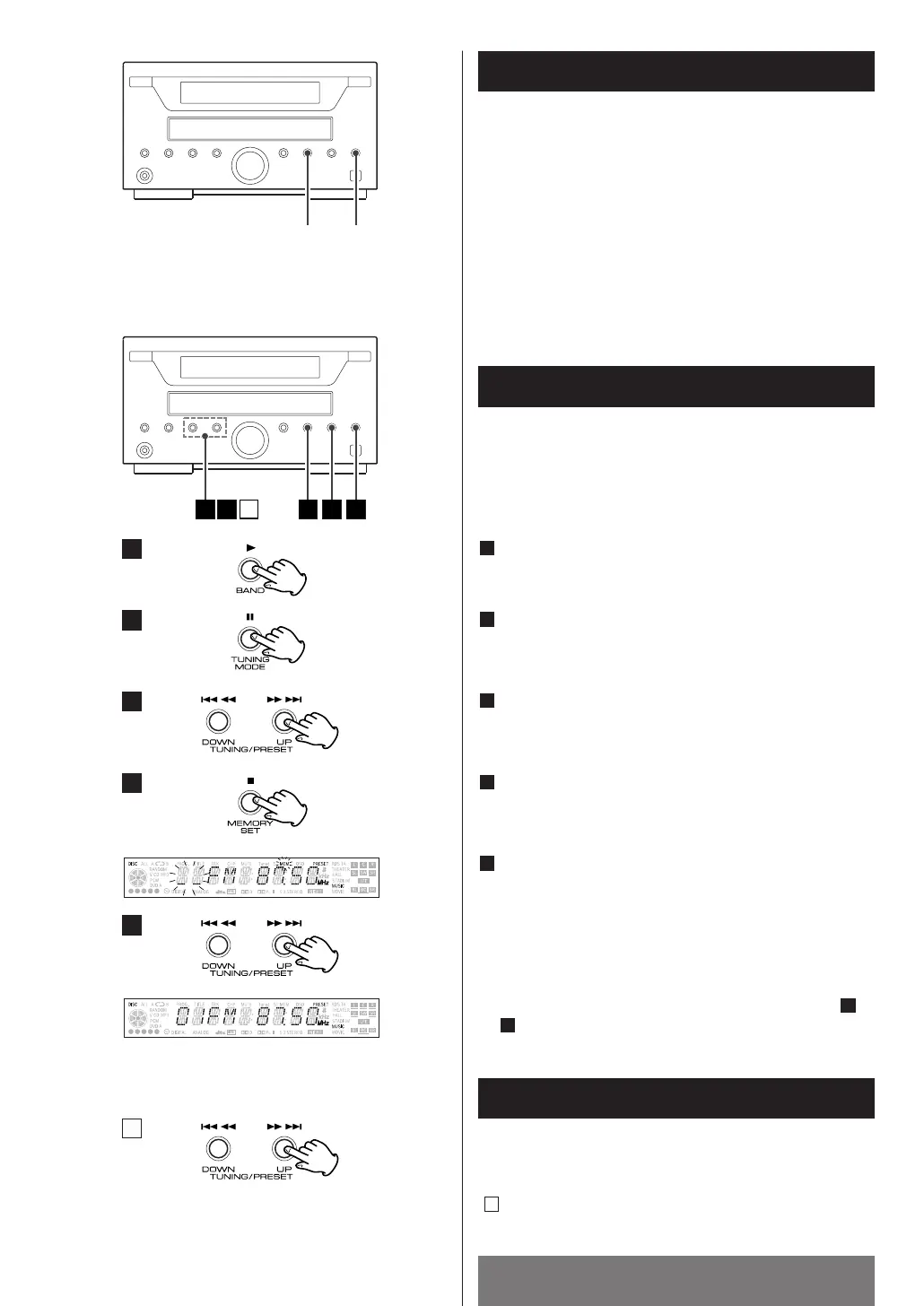
Press the BAND button to select FM or AM.
1
Press the TUNING MODE button .
(MANUAL MODE)
2
Press the TUNING button and tune in a station to be
stored as a preset station.
3
Press the MEMORY SET button to the station will be
stored.
4
Select the desired preset channel to store the station
using the PRESET button or the numeric keypad 0-9,
and then press the MEMORY button.
Even if you don’t press the MEMORY button after
selecting a channel, 4 seconds later the station will
be stored automatically.
5
To store stations on the other band, repeat steps to
.
5
2
< Select the band and press the MEMORY SET button for
more than 1.5 second.
Then broadcasting will be automatically received, and
well-received stations will be memorized from channel
1 one after another.
1
2
3
4
5
A
How to Select Preset Stations
Press the PRESET button repeatedly or hold down it, and
release it when the station you want to listen to is found.
()
A


 To Next Page