26
ENGLISH
Listening to CDs
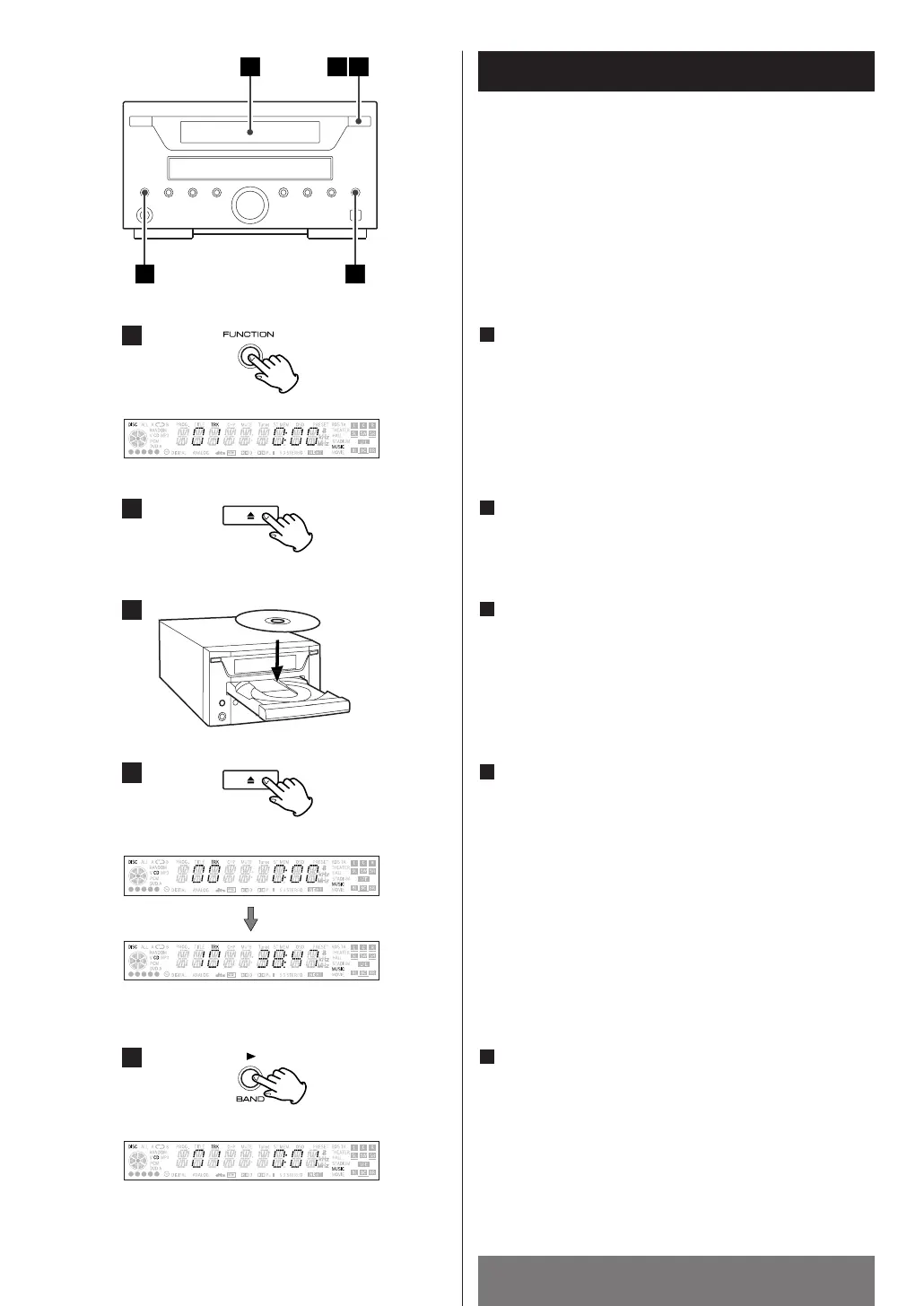
"NO DISC" will be displayed if no disc is set.
Press the OPEN/CLOSE button (L).
2
Place a disc on a tray with the printed surface upside.
3
Press the OPEN/CLOSE button (L) to close a tray.
The total number of the tracks and total play time of the
disc is displayed.
4
Press the G(PLAY) button.
Playback starts from the first track.
5
Press the FUNCTION button to select "CD".
1


 To Next Page