- 12 -
System Connections
• Do not connect the power cord until all other connections have been made.
• Ensure that you observe the color cables when connecting audio and video cables.
• Before connecting, open the cover on the right side of the unit’s rear panel.
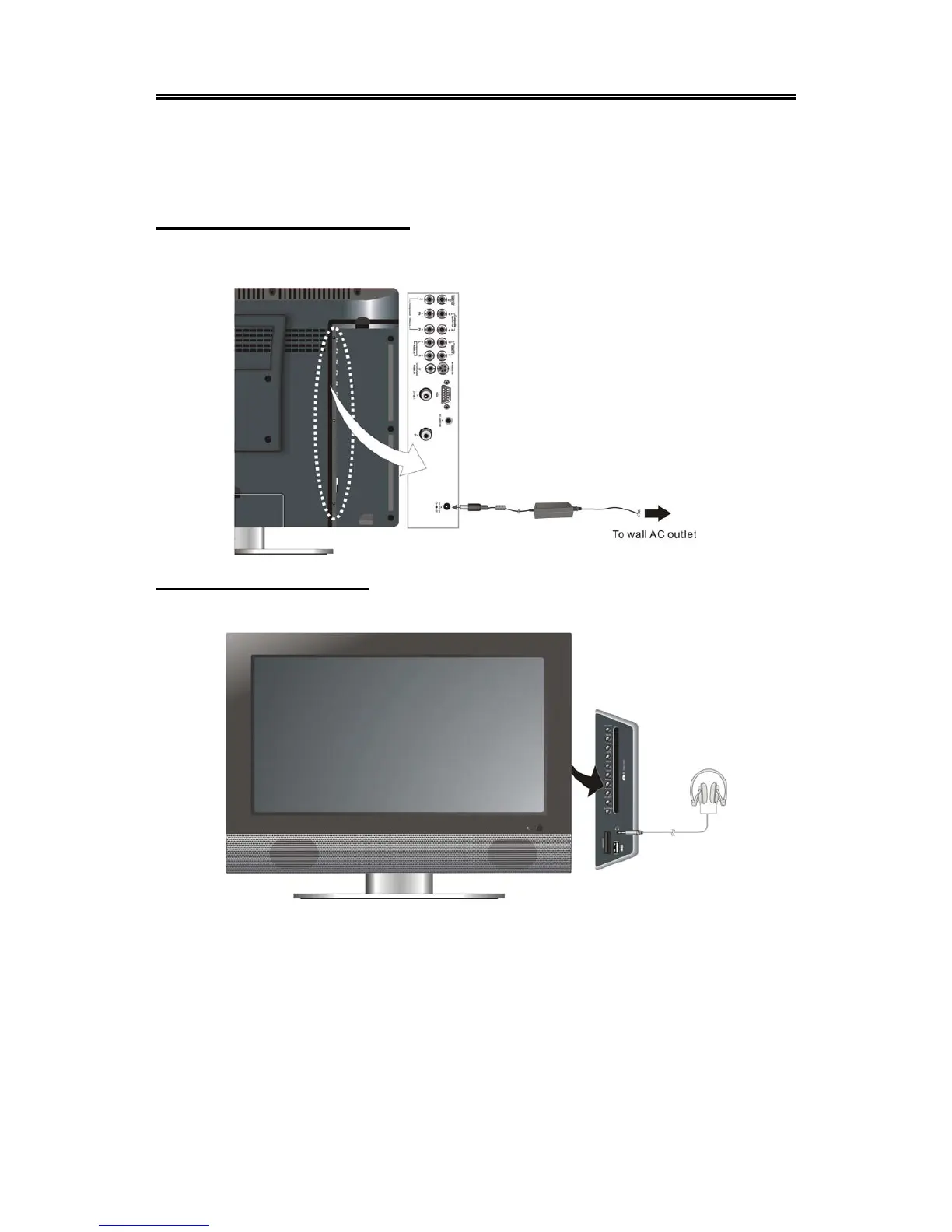
Connecting Power Supply
Power is supplied through the provided power adapter. Connect one end of the adaptor to the unit’s
power jack on the jack panel of the unit and the other end to the wall AC outlet.
Connecting Earphone
Connect earphone (headphone) to earphone jack on the rear panel of the unit for listening.
After connecting earphone, the internal speaker output will turn off automatically.
Note: Excessively loud volume could damage your hearing. So turn down the volume before
connecting earphone, and then raise the volume to comfortable level.



 To Next Page