- 21 -
TV Function
Setup Setting
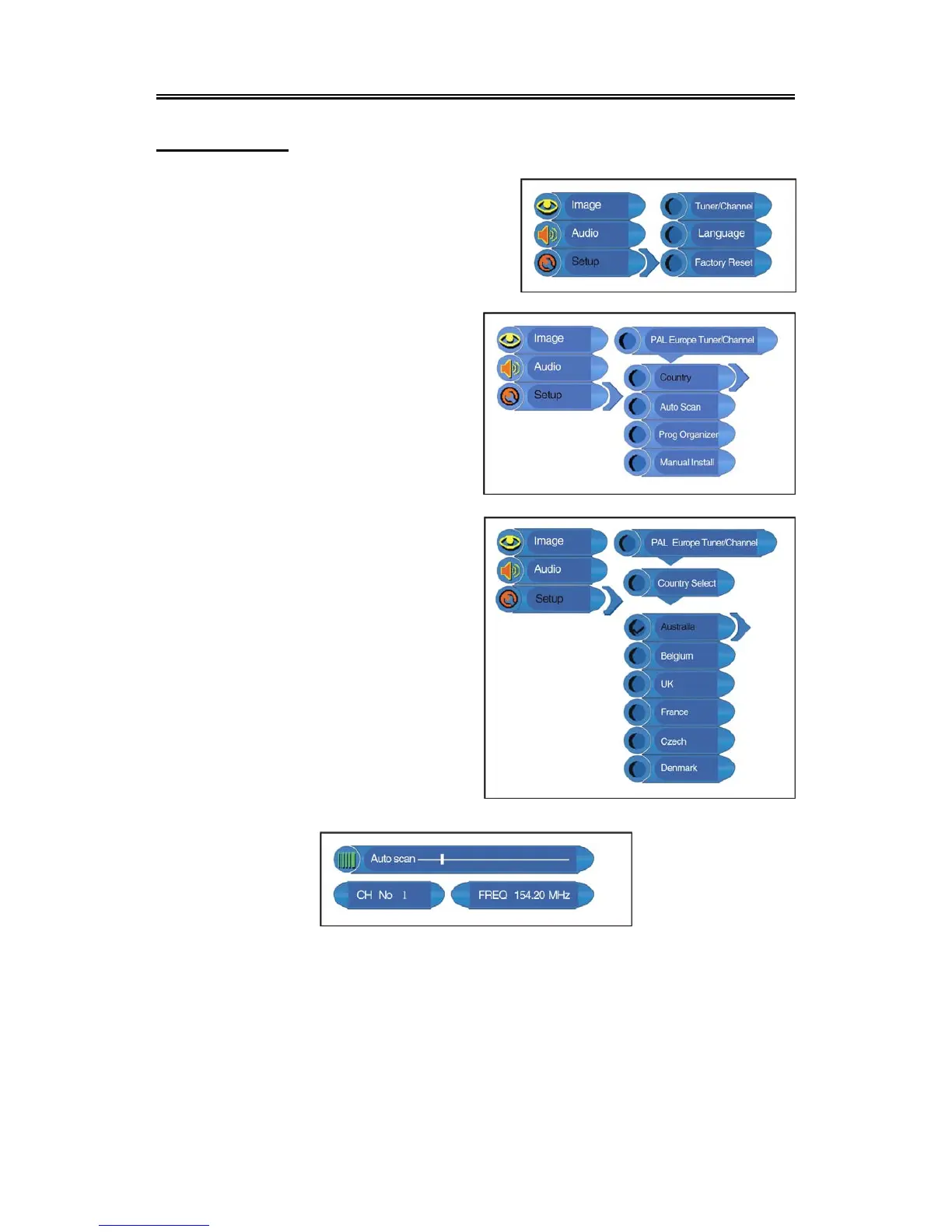
Press the MENU button once to enter the setup menu.
Press the ▲▼ button to select Setup and press the
ENTER button to enter the menu shown on the right.
In the Setup menu, press the▲▼ button to select the
desired item. Press the MENU button to return to the
previous menu.
Tuner/Channel
Press the ▲▼ button to select the
Tuner/Channel and press the ENTER button
to enter the menu shown on the right. Press the
▲▼ button to select the desired item. Press
the MENU button to return to the previous
menu.
Country
Press the ▲▼ button to select the Country and
press the ENTER button to enter the menu
shown on the right. Press the ▲▼ button to
select the desired item. Press the MENU button
to return to the previous menu.
Auto Scan
Press the ▲▼ button to select the Auto Scan
and press the ENTER button to start auto scan.
The screen will display shown below:
Auto scan will take a few minutes, when the tuning operation completes the unit will exit and
memorize the programs by sequence automatically.
During tuning, press the MENU button to exit the auto scan mode.



 To Next Page