- 43 -
DVB-T Setup
Channel List
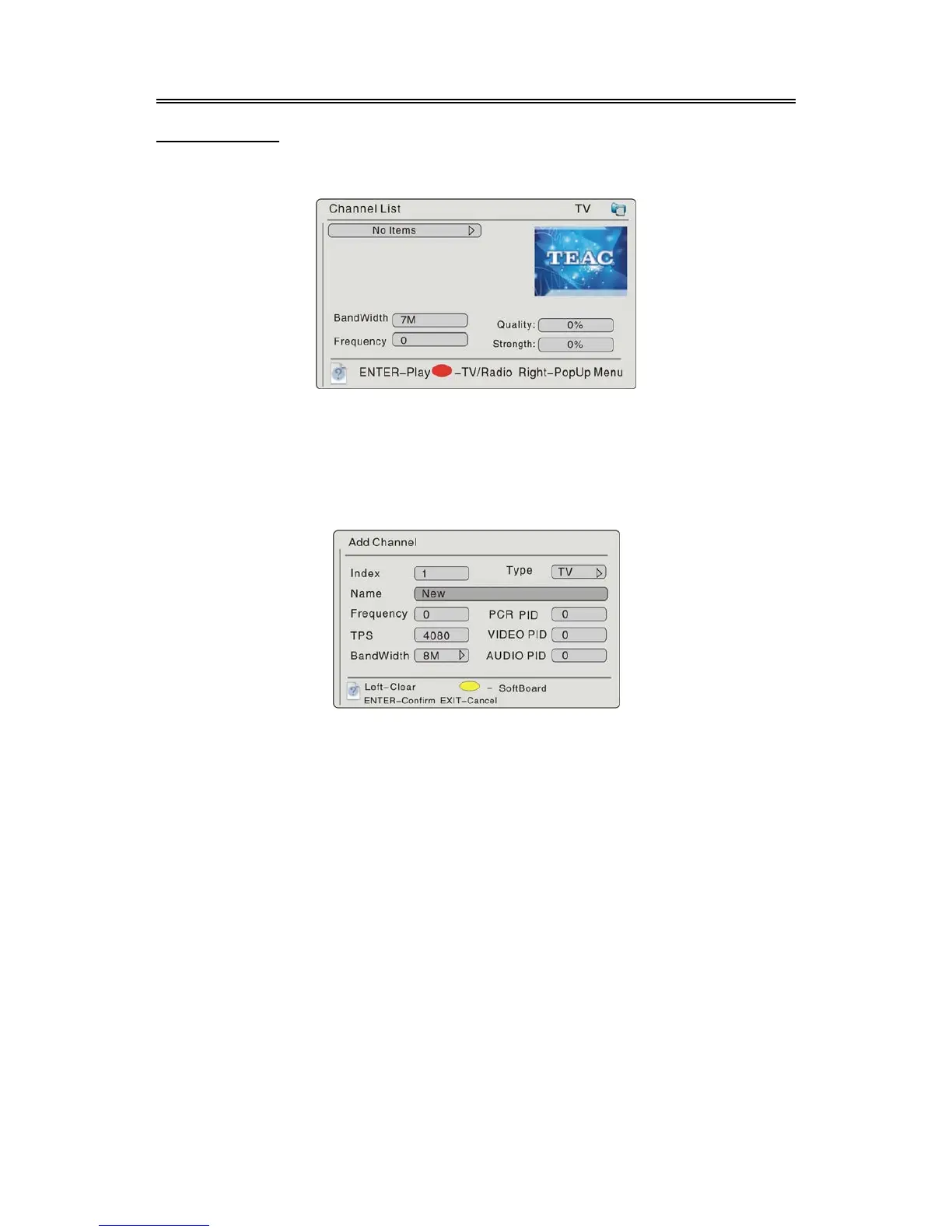
Select the Channel List, press the ENTER button to confirm and enter, the screen will display as
below:
For the first time setting, you should add some programs into the channel list. Press the ENTER
button to start playback, press the (RED) button to select TV or Radio, press theright direction
button to display a menu.
Add Channel
Press the button to enter Add menu, press the ENTER to confirm, the screen will display as
below:
Press the direction buttons to select the desired item, press the button to enter, and use the
number buttons to input, or press the (YELLOW) button to enter the character and number list. In
the list, press the direction buttons to select character or number, press the button to delete the
incorrect input, press the ENTER button to confirm input, press the EXIT button to return.
Repeat the above procedure, you can set many programs. In the channel list, the set program will
be displayed with the name and Index. You can go on with some operation on the set program.
First press thebutton, then use the buttons to select Add, Modify, Move, Delete or
Lock/Unlock.
Select Modify to modify the information of the program.
Select Delete to delete the program.
Select Lock/Unlock to lock or unlock the program, you should input the pin code.
Select Move to change the sequence of this channel.



 To Next Page