- 20 -
TV Function
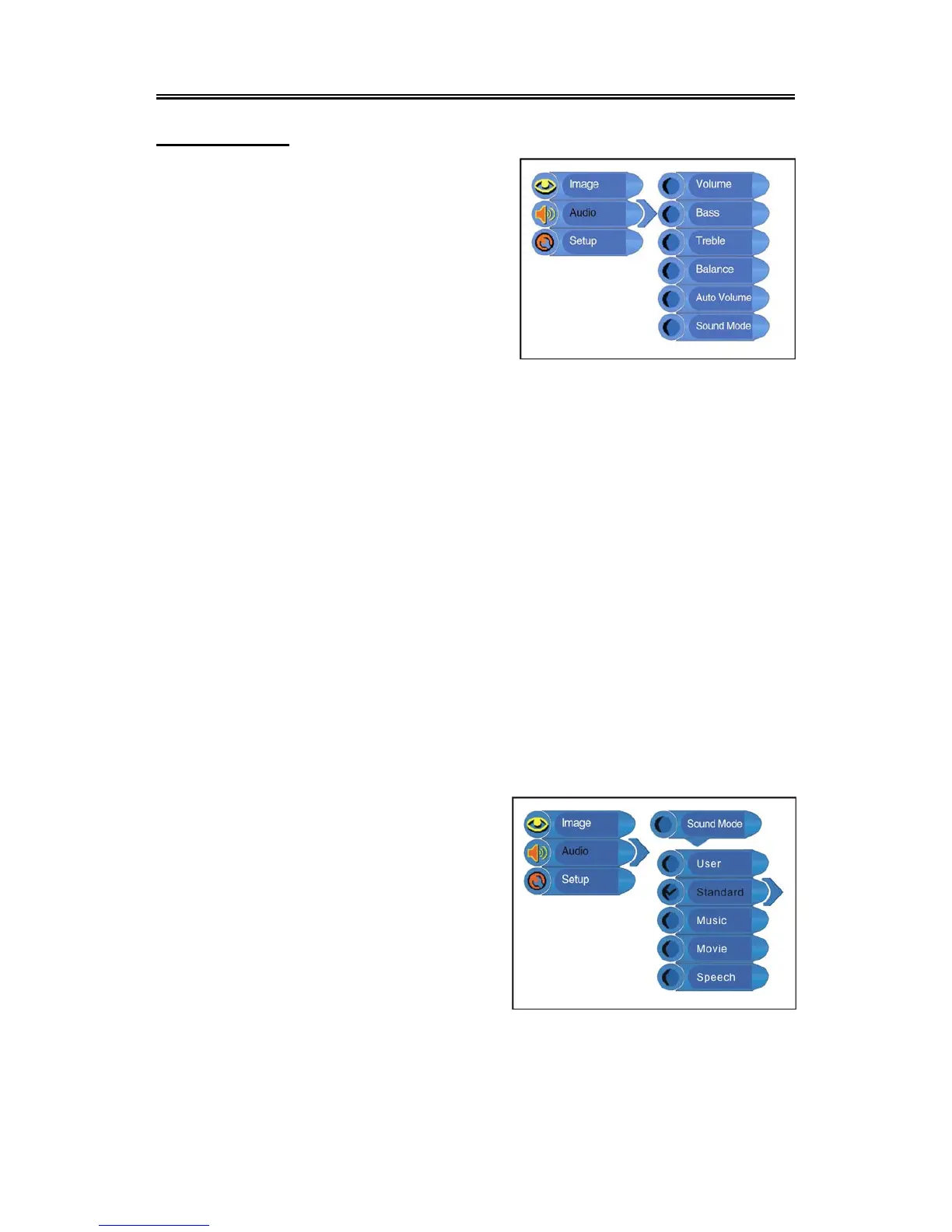
Audio Setting
Press the MENU button once to enter the setup menu.
Press the ▲▼ button to select Audio and press the
ENTER button to enter the menu shown on the right.
In the Audio setup menu, press the ▲▼ button to
select the desired item. Press the EXIT button to exit
the menu.
Volume Setup
Press the ▲▼ button to select Volume and press the ◄► button to adjust the level. Press the
MENU button to return to the previous menu.
Bass Setup
Press the ▲▼button to select Bass and press the ◄► button to adjust the level. Press the MENU
button to return to the previous menu.
Treble Setup
Press the ▲▼button to select Treble and press the ◄► button to adjust the level. Press the
MENU button to return to the previous menu.
Balance Setup
Press the ▲▼ button to select Balance and press the ◄► button to adjust the level. Press the
MENU button to return to the previous menu.
Auto Volume Setup
Press the ▲▼ button to select Auto Volume and press the ENTER button to access the menu.
Press the ▲▼ button to select “On” or “Off” and press the ENTER button to confirm. Press the
MENU button to return to the previous menu.
Sound Mode Setup
Press the ▲▼ button to select Sound Mode and
press the ENTER button to enter. Press the ▲▼
button to select the desired item and then press the
ENTER button to confirm your selection. Press the
MENU button to return to the previous menu.



 To Next Page