- 19 -
TV Function
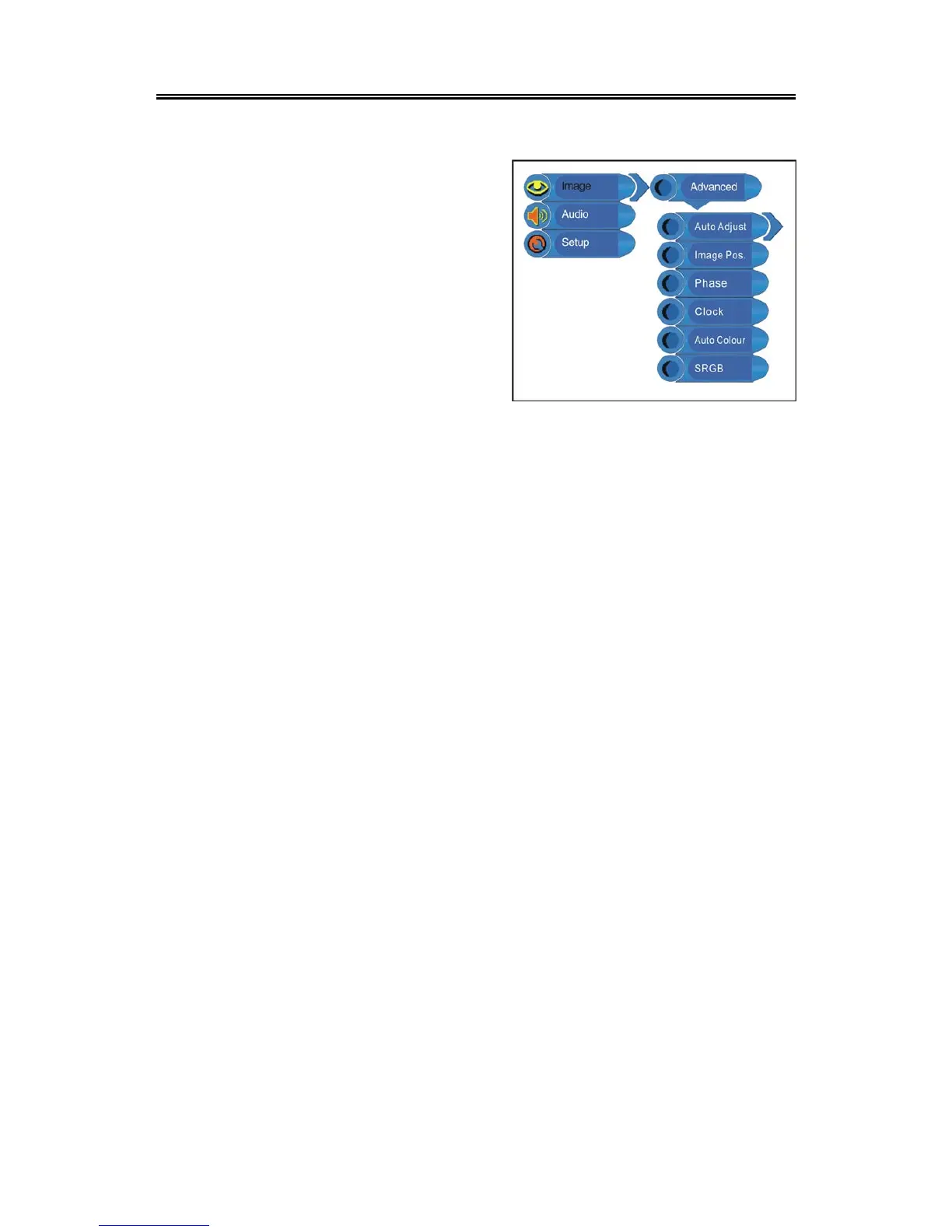
When the VGA signal is connected to the unit, the Advanced setup menu is shown below:
Press the ▲▼ button to select the desired item and
press the ENTER button to enter it’s setup menu.
Press the MENU button to return to the previous
menu.
Auto Adjust
If the monitor is not clear, you should carry out “Auto Adjust”.
Press the ▲▼ button to select Auto Adjust and press the ENTER button to enter its menu. Press
the ▲▼ button to select “Yes” to activate this function or “No” to cancel. Press the MENU button to
return to the previous menu.
Image Pos.
Press the ▲▼ button to select Image Pos and press the ENTER button to enter its menu. Within
the menu, press the ▲▼◄► button to move the image. Press the MENU button to return to the
previous menu.
Phase
Press the ▲▼ button to select Phase and press the ◄► button to adjust the value. Press the
MENU button to return to the previous menu.
Clock
Press the ▲▼ button to select Clock and press the ENTER button to enter its menu. Press the
◄► button to adjust the value. Press the MENU button to return to the previous menu.
Auto Colour
Press the ▲▼ button to select Auto Colour and press the ENTER button to activate this function.
Press the MENU button to return to the previous menu.
sRGB
Press the ▲▼ button to select sRGB and press the ENTER button to enter its menu. Press the
▲▼ button to select “On” to activate this function or “Off” to cancel. Press the MENU button to
return to the previous menu.



 To Next Page