- 41 -
DVB-T Setup
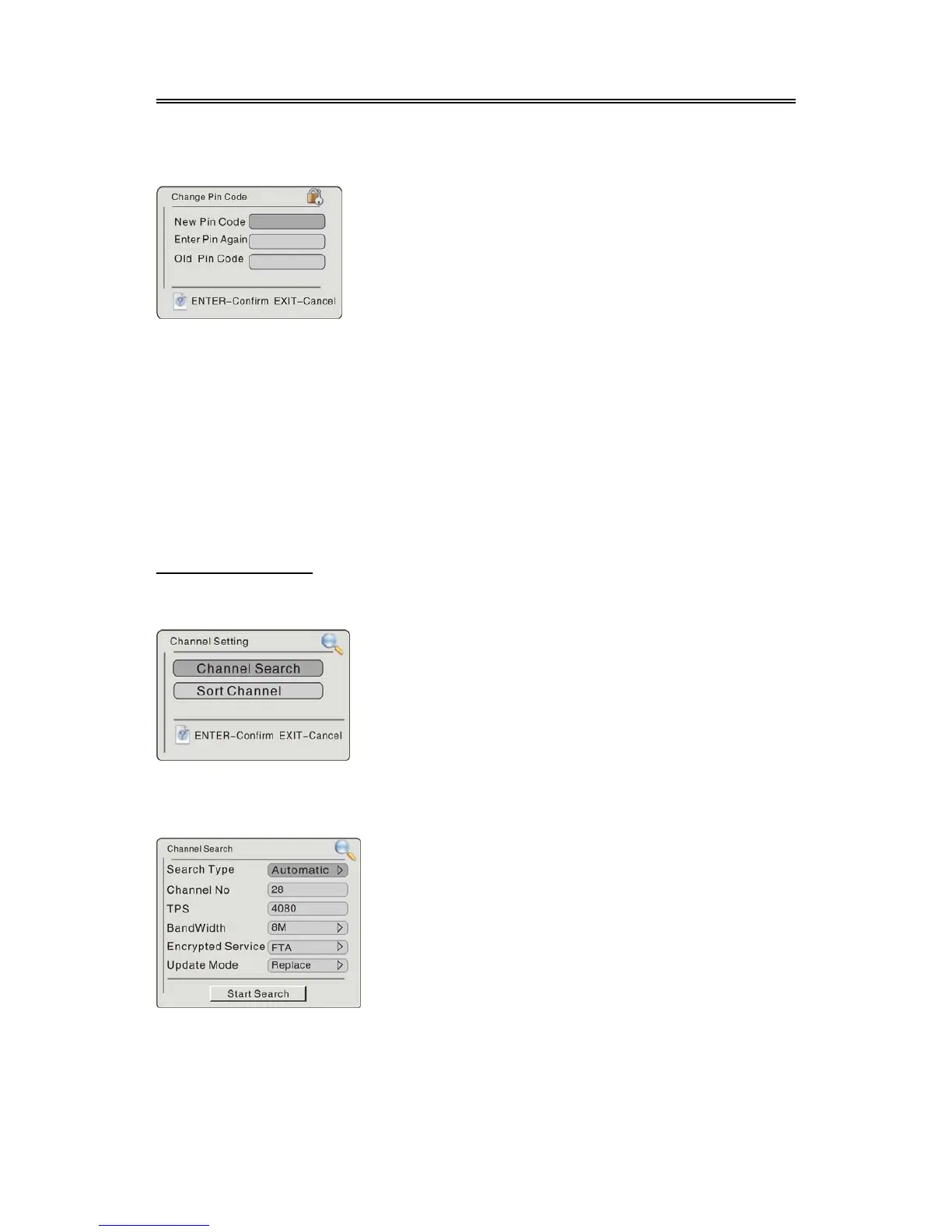
1. Change Pin Code
In the menu, press the button to select Change Pin Code, press the ENTER button to enter
the menu as shown below:
2. CensorShip
Press the button to select CensorShip, press the ENTER button to enter the setup menu,
then press the button to enter, press the button to select items, press the ENTER button to
confirm selection.
3. Restore Setting
Press the button to select Restore Setting, press the ENTER button to return to the default
status, or press the EXIT button to cancel and return.
4. Clear Channels
Press the button to select Clear Channels, press the ENTER button to clear all the channels,
or press the EXIT button to cancel and return.
Channel Setting
Select the Channel Setting, press the ENTER button to confirm and enter the channel setting menu,
as shown below:
Channel Search
Use the direction buttons to select Channel Search, press the ENTER button to confirm, the
screen will display as below:
In the menu, according to the indication to input the pin
code. Press the
EXIT button to return.
In the channel setting menu, press the
direction buttons to select the desired item,
press the ENTER button to enter the item. Press
the
EXIT button to return to the previous menu.
In the channel search menu, press the
direction buttons to select the desired item,
press the button to enter the item. Press the
EXIT button to return to the previous menu.



 To Next Page