- 32 -
DVD System Setup
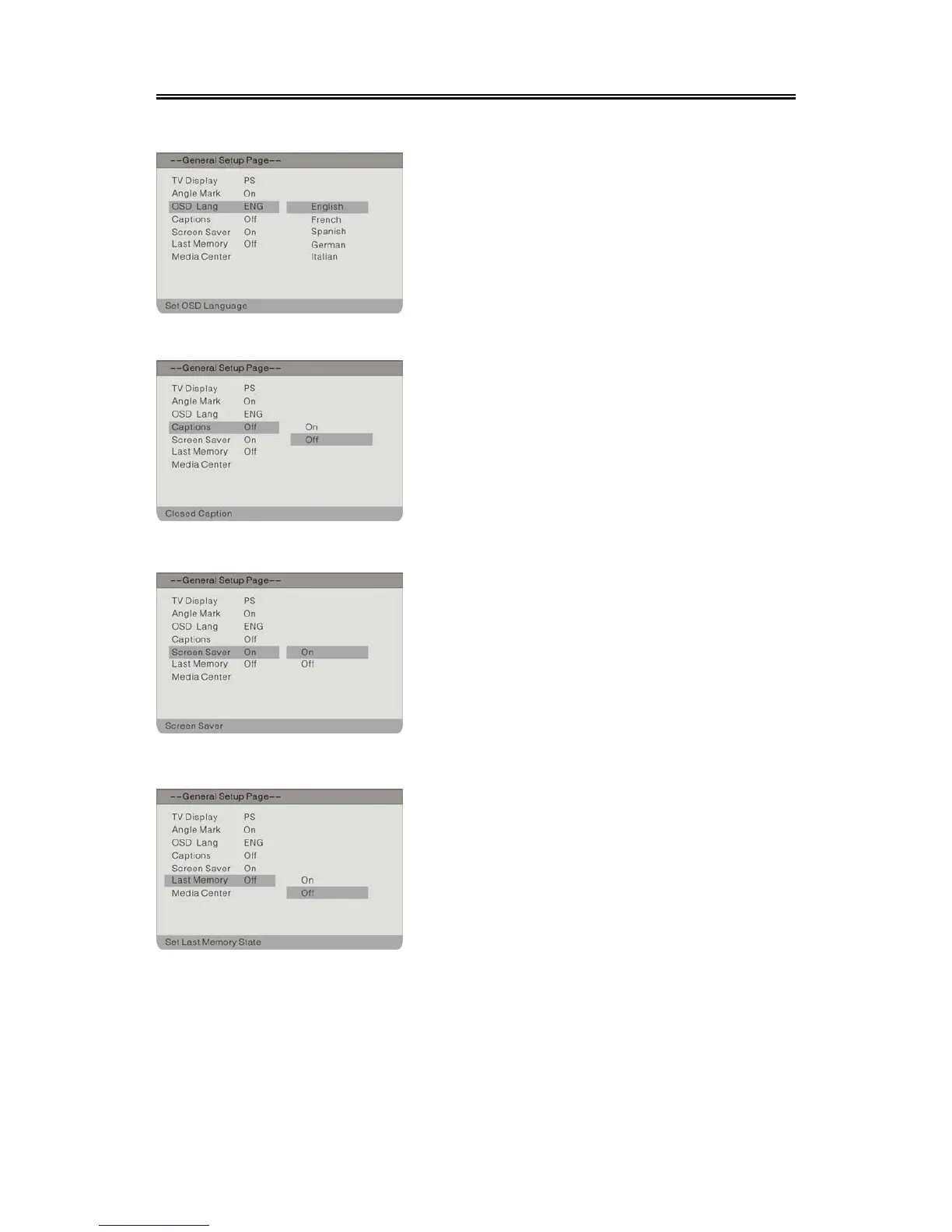
OSD Lang
Captions
Screen Saver
Last Memory
The item is used to select the OSD language.
1. Press the direction buttons to select OSD
Lang.
2. Press the ENTER button to enter the setup.
3.
Use the direction buttons to select items.
4. Press the ENTER button again to confirm
selection and return.
1. Press the direction buttons to selec
Screen Saver.
2. Press the ENTER button to enter the setup.
3.
Use the direction buttons to select On o
Off.
4.
Press the ENTER button again to confirm
selection and to return.
1. Press the direction buttons to select Last
Memory.
2. Press the ENTER button to enter the setup.
3. Use the direction buttons to select On o
Off.
4. Press the ENTER button again to confirm
selection and return.
1. Press the direction buttons to selec
Captions.
2. Press the ENTER button to enter the setup.
3.
Use the direction buttons to select items.
4. Press the ENTER button again to confirm
selection and return.



 To Next Page