4. PROGRAMMING OPERATIONS EO1-11154
4.16 PLU Table Programming
4-45
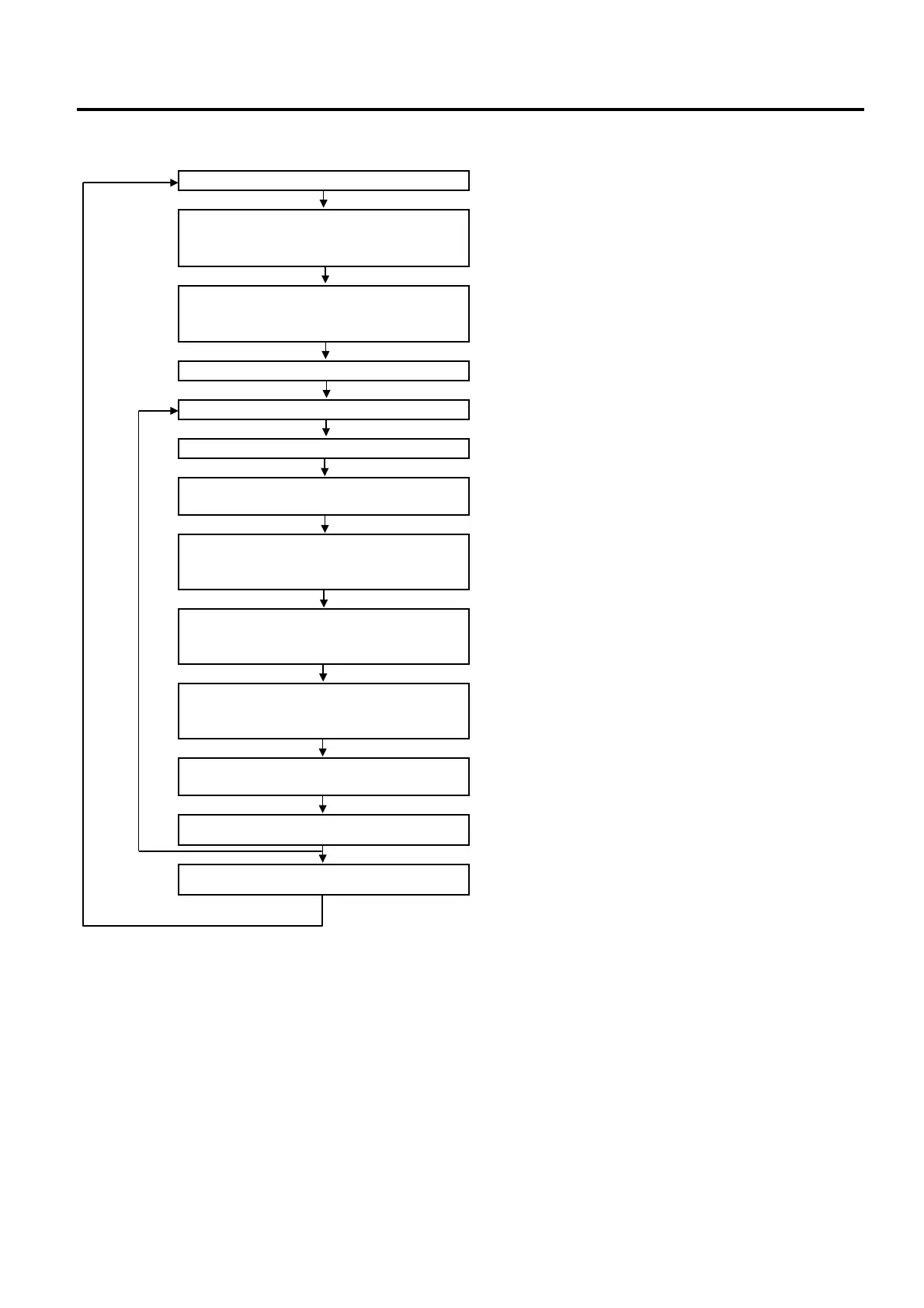
2) Operation Flowchart
Main Menu
ECR is being outside a sale and in SET mode.
Depress [↓] twice then [Enter].
or
Depress [3].
“3 DP/PLU” for Department/PLU table programming is selected.
Depress [↓] then [Enter].
or
Depress [2].
“2 PLU” is selected.
Depress [1] or [Enter] key.
“1 PLU SETTING” is selected.
Input a PLU Code.
Max. 4 digits: 1 to 9999
[PLU]
The ECR enters detailed setting mode for PLU.
Input a linked department code (01 to
40), then depress [Enter].
Link Department No. Setting (See *1.)
Input a preset price (max. 6 digits: 1 to
999999), then depress [Enter].
(result: 0,01 to 9999,99)
Preset Price Setting (See *2.)
Input a 2nd preset price (max. 6 digits:
1 to 999999), then depress [Enter].
(result: 0,01 to 9999,99)
2nd Preset Price Setting (See *3.)
Input a 3rd preset price (max. 6 digits: 1
to 999999), then depress [Enter].
(result: 0,01 to 9999,99)
3rd Preset Price Setting (See *4.)
Input a VAT/Add-on tax status code
(max. 8 digits), then depress [Enter].
VAT/Add-on Tax Status Setting (See *5.)
[PLU]
The next PLU code (i.e. the currently programmed PLU code plus
1) is displayed.
[End]
This programming is ended. A long receipt is issued and the
display returns to Main Menu screen.
NOTES:
1. A maximum of 1,000 PLUs are programmable.
2 If a PLU is linked to a negative Department, the PLU is automatically set as negative PLU.
3. The [PLU] key here indicates the key labelled simply as “PLU” but not any PLU Preset-code Keys.


 To Next Page
 Loading...







