6. OUTLINE OF PREPARATION PROCEDURE BEFORE OPERATING THE ECR EO1-11154
6.1 Installing/Replacing the Receipt/Journal Roll
6- 7
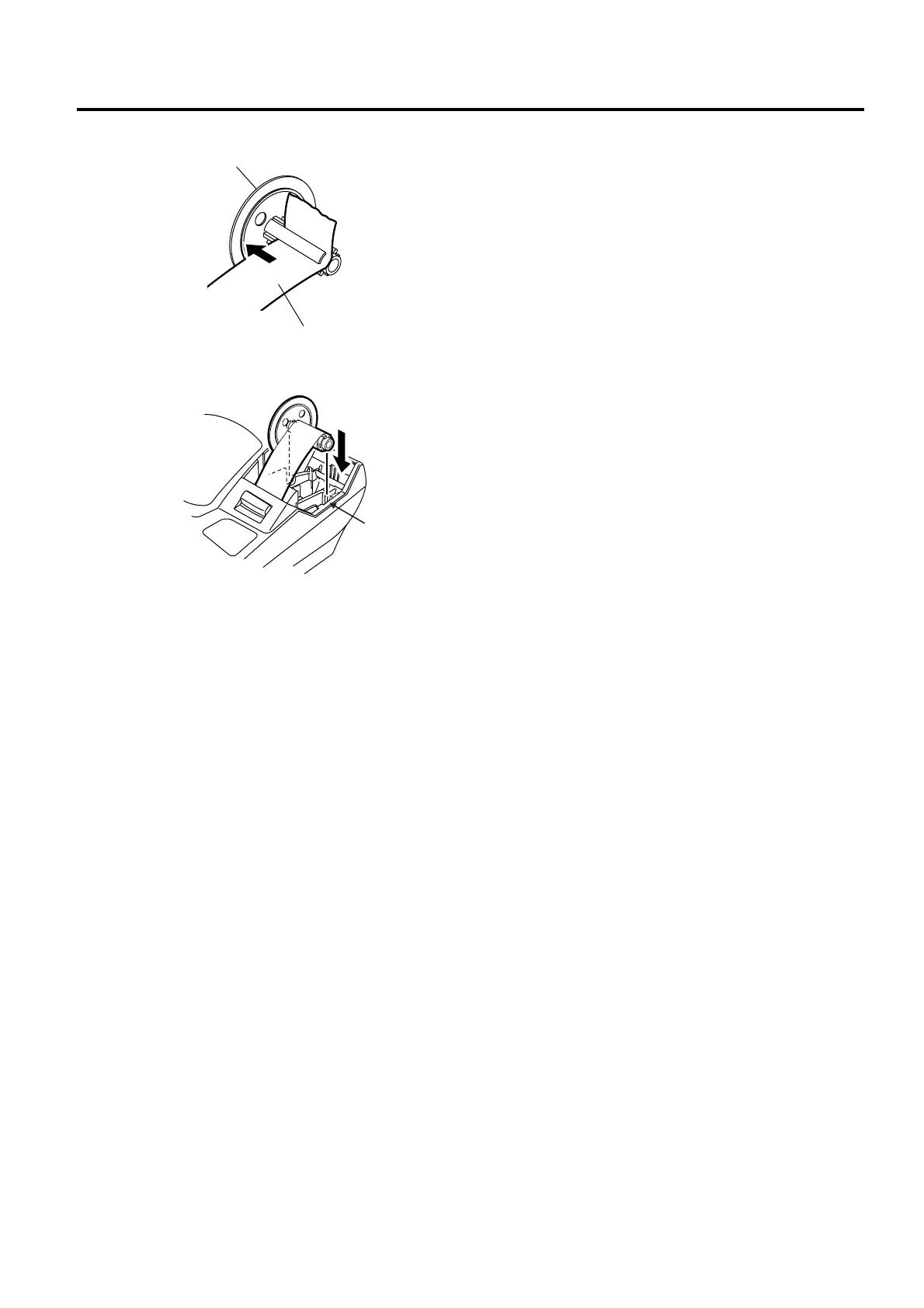
8. Insert the paper end into the slit of the take-up reel
and wind it around the reel twice or three times.
9. Set the take-up reel into the reel holder. Then
press the [JF] key and make sure that the journal
paper is taken up correctly. If it is not taken up
correctly, the take-up reel may not be set into the
reel holder correctly. In this case, retry to set the
take-up reel into the reel holder.
10. Attach the printer cover.
Take-up Reel
Journal Paper
Reel Holder


 To Next Page
 Loading...







