11. PROGRAMMING PROCEDURES
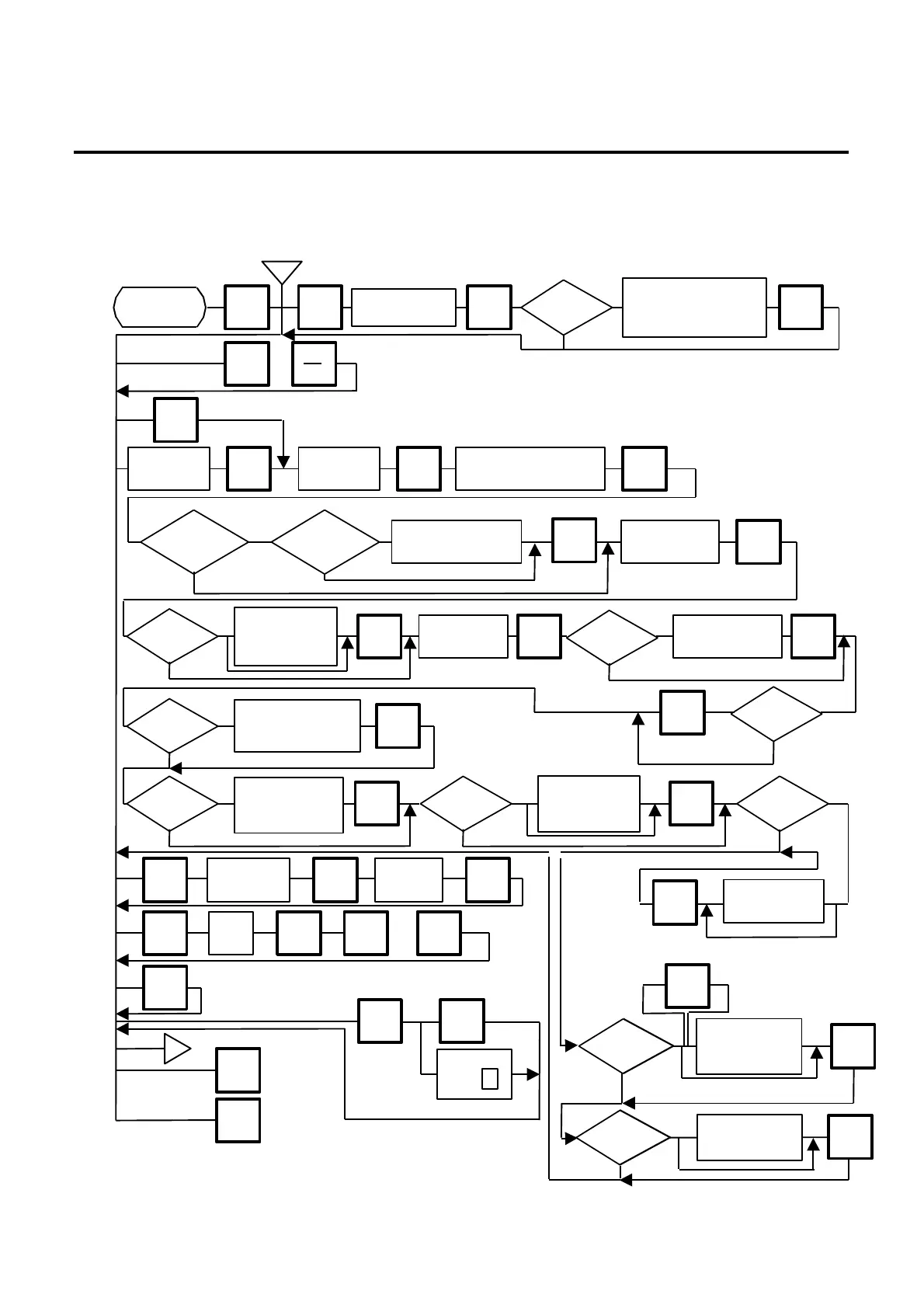
11.2 PLU DATA SETTING
11- 5
11.2 PLU DATA SETTING
Menu Page: 1
Item No.: 1
Setting or changing the contents of PLU (PLU#, UPC#, Commodity Name, etc).
b
Enter PLU#
(max. 6 dig.)
Enter UPC#
Enter commodity name.
Enter quantity for that
price. (Max. 2 dig.)
Enter unit price.
(max. 4 dig.)
BY COUNT
or FIX
Page 1
1
AUTO
CODE
Set auto code
for the UPC#
ENTER
NEXT
PLU
or
SET
NEXT
ENTER ENTER ENTER
ENTER
ENTER
of initial set
1
0
Set tare limit.
Max. 2 lb (US)
Max. 1Kg/2.205 lb (CA/QR)
ENTER
of initial set
#1-6?
1
0
of initial set
1
0
Enter flag of
unit price.
ENTER
Enter shelf life.
ENTER
of initial set
1
0
Enter PERIOD OF
RELISH (Max. 3 dig.)
ENTER
of initial set
2
0 or 1
◊
Select
compulsory tare
of initial set
1
0
Enter tare wignt.
Max. 2lb (US)
ENTER
of initial set
1
0
Selection Mode Flag
0: Weight
1: By Count
ENTER
of initial set
1
0
Safe Handing
Instruction
0: Non Print
ENTER
Enter current
PLU#
Enter new
PLU#
CHANG
E PLU
ENTER ENTER
Enter
DELETE
PLU
ENTER
Y N
or
The setting label is issued.
TEST
of initial set
1
0
Set tare %
(Max. 99.9%)
ENTER
The memory file is sorted when a
memory full error occurs.
(Not Sorting)
(Sorting)
Y◊
Any key
except
Y
b
PROG.
ESC.
Page 1
◊
of initial set
2
0 or 1
Enter discount price
or rate.
(Price: Max. 5 digit
Rate: Max. 3 digit)
ENTER
of initial set
1
0
Enter LOGO #.
(#0 - 26)
or (#0 - 99)*
ENTER
(Price ↔ %)
See
NOTE 7.
*: Selectable by the initial setting #10-7.
(SL-9000N only)



 To Next Page