14. OPERATING PROCEDURES
14.4 PRINT COUNT OPERATION
14- 6
14.4 PRINT COUNT OPERATION
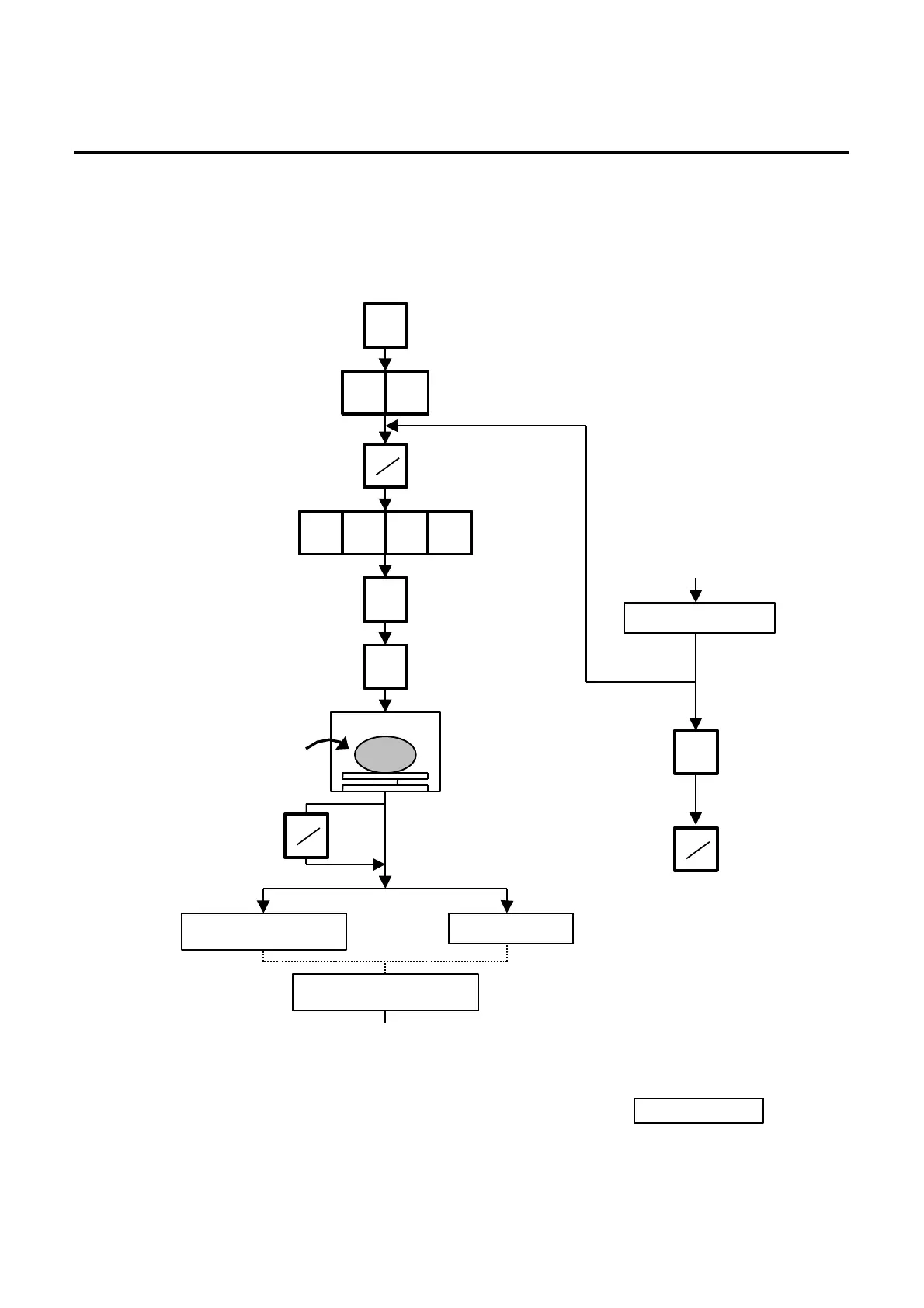
With this procedure, a specified number of the same labels can be issued.
Menu: REG., M.DOWN, or REWRAP
Mode: WEIGH, FIX or BY-COUNT
Example A) When operating in Weigh mode.
NOTES: 1. A batch issue means to print labels continuously with the backing paper attached.
On-demand issue means to print label one by one.
2. To check the remaining number, clear the PLU and press the key.
on the platter.
(Ex. 0.700 lb.)
The label is issued with the
backing paper attached.
When all the specified numbers
of the labels are being issued.
Press :
Set the number of labels.
(Max. 99 labels)
Press :
Enter the PLU #.
Press :
PLU data is saved.
MANUAL :
: AUTO
Batch On-demand
Clear the preset count.
Press :
5 0
PRESET
COUNT
3 0 9 1
PLU
SAVE
C
PRT
PRT
PRT



 To Next Page