13. PASSWORD SECURITY
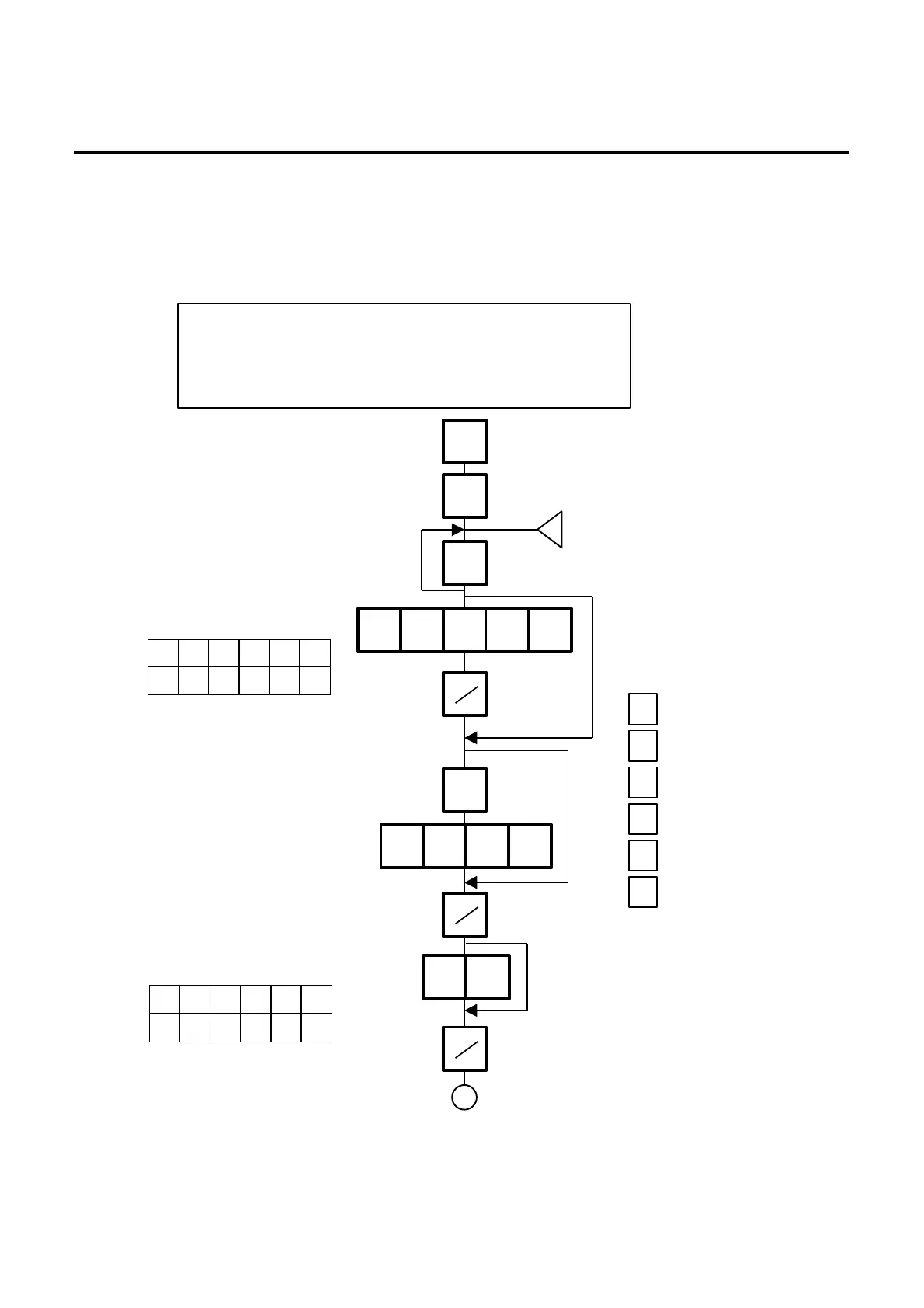
13.1 SETTING PASSWORD AND PROTECT MENU
13- 1
13. PASSWORD SECURITY
You can protect all menus (except REG. menu) and set two step passwords for access to protected
menus.
13.1 SETTING PASSWORD AND PROTECT MENU
P M R S X Z
○ ○ ○ ○ ー ○
P M R S X Z
× ○ ○ × ー ○
Select menus to be protected.
<Menu> MAIN
0. PROG. 5. READ
1. REG. 6. RESET
2. MARK DOWN 7.
3. REWRAP 8.
4. SECURITY 9.
4
◇
0 2 3 4 6
0 0 0 1
0 4
w
Enter password A as 4 digits.
Exclude menus for which
password A cannot access.
○: Protected (Accessible with a password entry)
ー: Unprotected
○: Valid
×: Invalid
ー: Not need
The following numeric keys
represents each menu.
Enter the following
numbers when selecting
menus to be protected.
Note that REG. menu (1)
cannot be protected.
0
2
3
4
5
6
: P (PROG. Menu)
: M (M.DOWN Menu)
: R (REWRAP Menu)
: S (SECURITY Menu)
: X (READ Menu)
: Z (RESET Menu)
ESC.
NEXT
PRT
PRT
PRT
B



 To Next Page