EasyManua.ls Logo

Techerific DeciVibe - Deleting Recordings and Music

Techerific DeciVibe
62 pages
Print Icon
To Next Page IconTo Next Page
To Previous Page IconTo Previous Page
Loading...
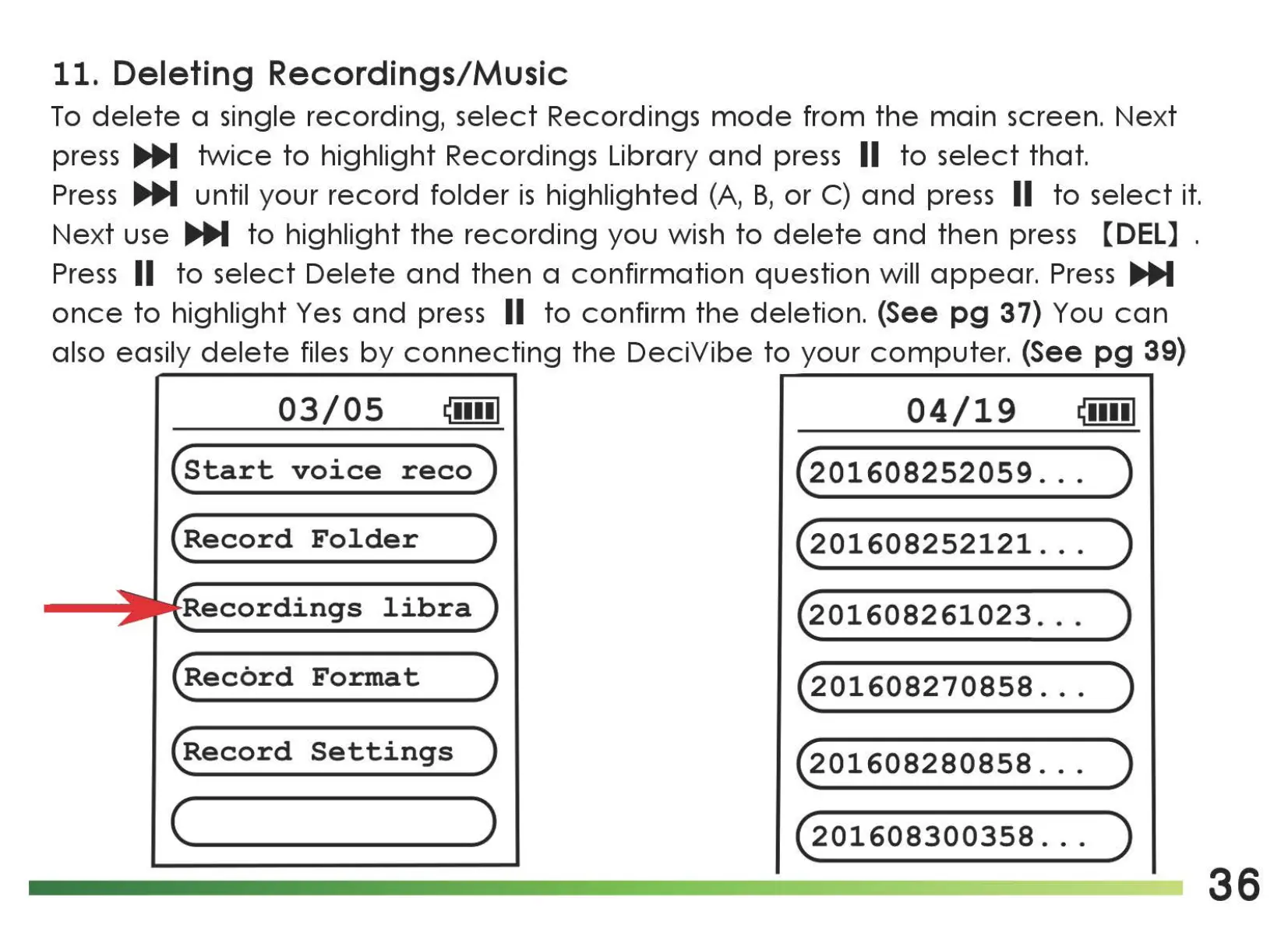
11.
Deleting Recordings/Music
To
delete
a single recording,
select
Recordings
mode
from
the
main
screen.
Next
press
IJJli,,M
twice
to
highlight Recordings Library
and
press II
to
select
that.
Press
IJJli,,M
until your
record
folder
is
highlighted
(A,
B,
or
C)
and
press II
to
select
it.
Next
use
IJJli,,M
to
highlight
the
recording
you
wish
to
delete
and
then
press [DEL] .
Press
II
to
select
Delete
and
then
a
confirmation
question will
appear.
Press
1JJ1i,,M
once
to
highlight
Yes
and
press II
to
confirm
the
deletion.
(See
pg
37) You
can
also easily
delete
files
by
connecting
the
DeciVibe
to
your
computer.
(See
pg
39)
,
03/05
~••••I
04/19
~••••I
(start
voice
reco)
(201608252059
.
..
)
(Record
Folder
)
(201608252121
.
..
)
libra
~01608261023
.
..
)
(Record
Format
)
(201608270858
.
..
)
(Record
Settings
)
(201608280858
.
..
)
( )
(201608300358
.
..
)
36

Related product manuals