EasyManua.ls Logo

Techerific DeciVibe - System Settings Configuration; Storage Save Position

Techerific DeciVibe
62 pages
Print Icon
To Next Page IconTo Next Page
To Previous Page IconTo Previous Page
Loading...
14.
System Settings
0
g
Set
CJ
MODE >
-/-/-
c
__
11
__
11_1_1
_)
41
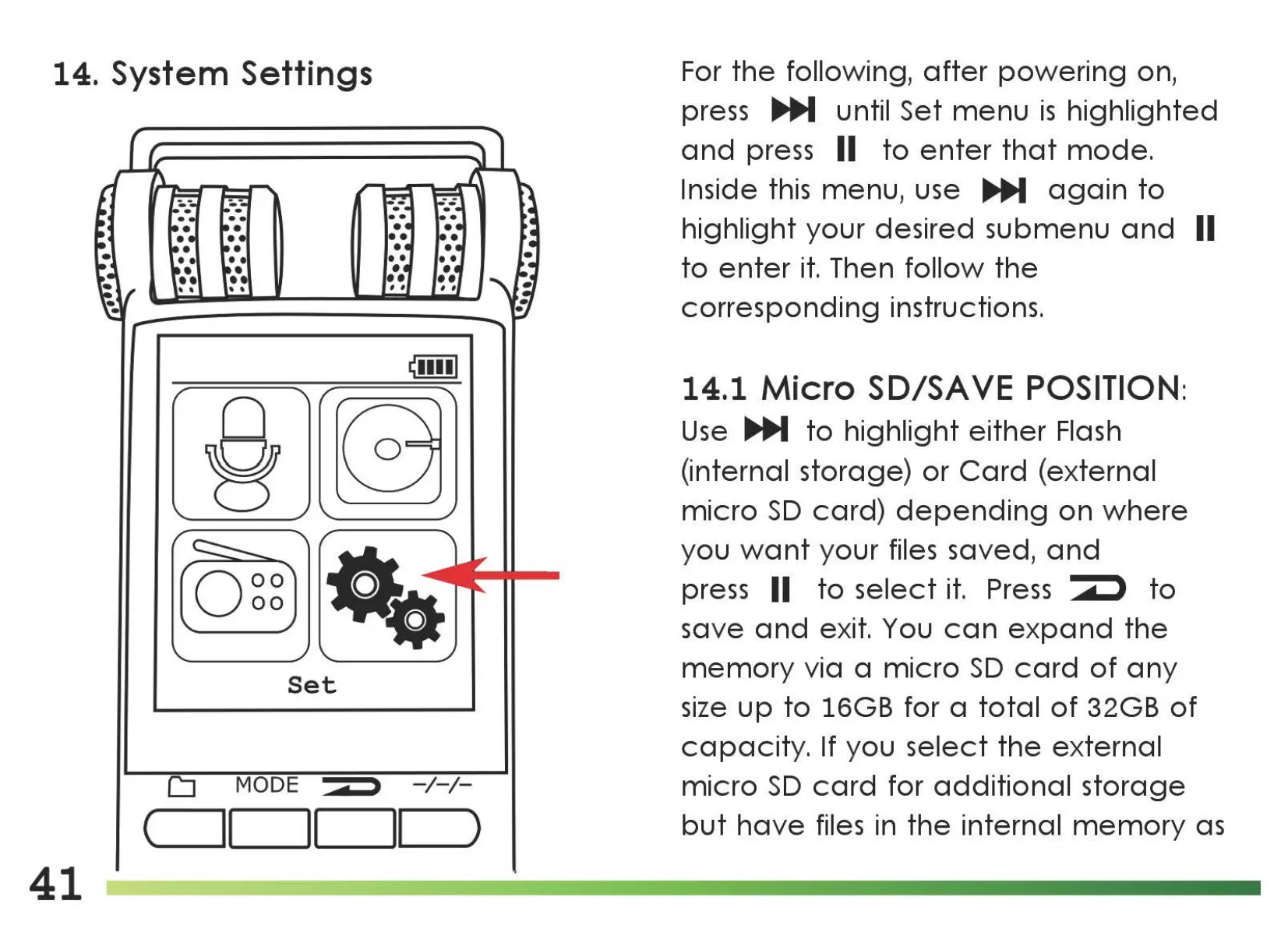
For
the
following,
after
powering
on,
press
IJJli,,M
until Set
menu
is
highlighted
and
press II
to
enter
that
mode.
Inside this menu, use
IJ]lJ,,M
again
to
highlight your desired submenu
and
II
to
enter
it.
Then
follow
the
corresponding
instructions.
14.1
Micro
SD/SA
VE
POSITION:
Use
IJJli,,M
to
highlight
either
Flash
(internal storage)
or
Card
(external
micro
SD
card)
depending
on
where
you
want
your files saved,
and
press
11
to
select
it.
Press
1
to
save
and
exit. You
can
expand
the
memory
via a
micro
SD
card
of
any
size
up
to
16GB for a
total
of
32GB
of
capacity.
If you
select
the
external
micro
SD
card
for
additional
storage
but
have
files in
the
internal
memory
as

Related product manuals