EasyManua.ls Logo

Techerific DeciVibe - Playing Back Recordings

Techerific DeciVibe
62 pages
Print Icon
To Next Page IconTo Next Page
To Previous Page IconTo Previous Page
Loading...
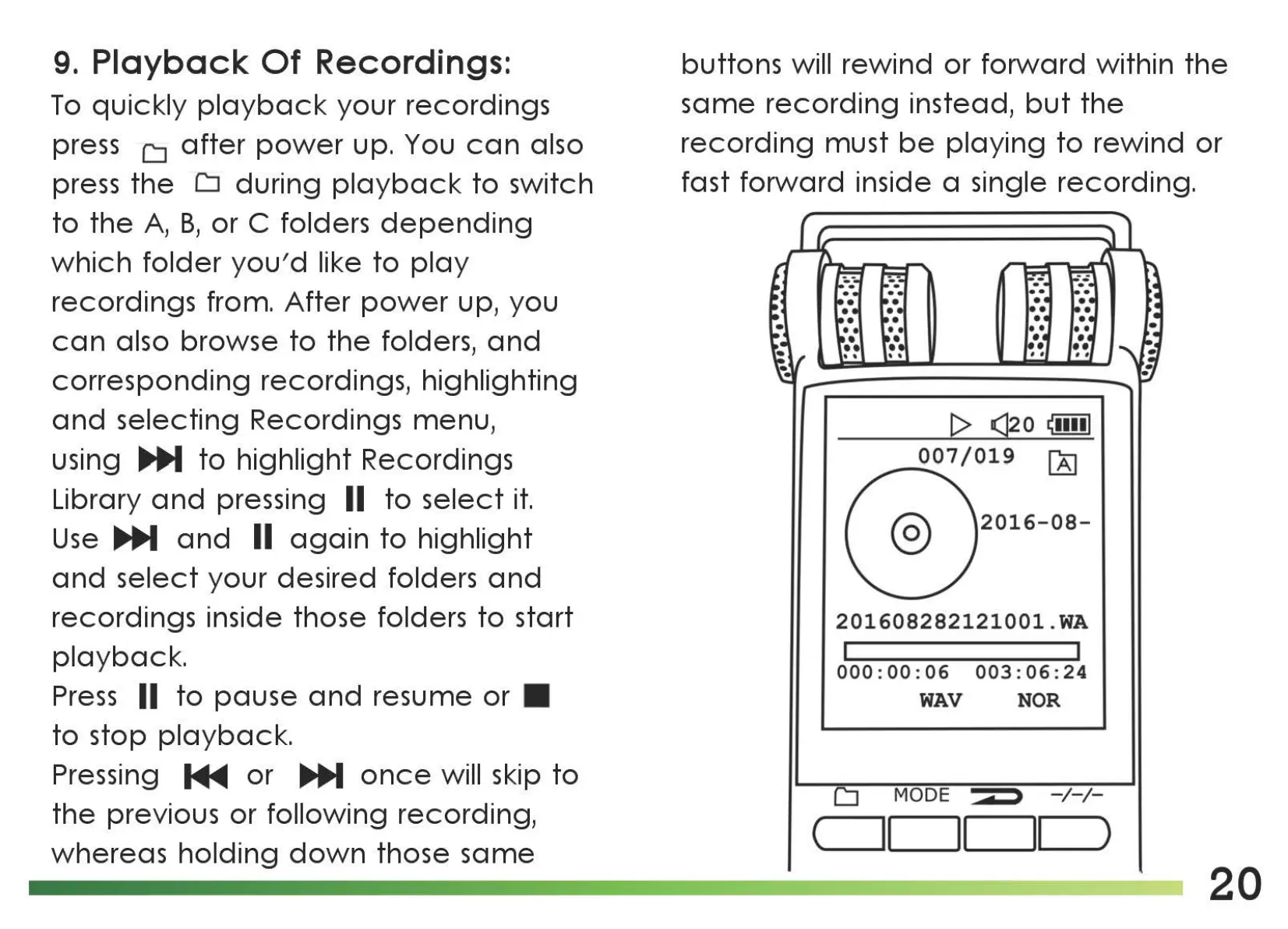
9.
Playback
Of
Recordings:
To
quickly
playback
your recordings
press
LI
after
power
up. You
can
also
press
the
LI
during
playback
to
switch
to
the
A,
B,
or C folders
depending
which
folder
you'd
like
to
play
recordings from.
After
power
up, you
can
also browse
to
the
folders,
and
corresponding
recordings, highlighting
and
selecting Recordings menu,
using
~
to
highlight Recordings
Library
and
pressing II
to
select
it.
Use
~
and
II
again
to
highlight
and
select
your desired folders
and
recordings inside those folders
to
start
playback.
Press
II
to
pause
and
resume
or
to
stop
playback.
Pressing
MIIIII
or
~
once
will skip
to
the
previous
or
following recording,
whereas
holding
down
those
same
buttons will rewind or
forward
within
the
same
recording
instead,
but
the
recording
must
be
playing
to
rewind or
fast
forward
inside a single recording.
t>
(]2
0
~11111
_0
__
07/019
~
©
2016-08-
201608282121001.WA
000
:
00
:
06
003
:
06
:
24
WAV
NOR
LI
MODE
d - / - / -
c
______
101-------..1,_1
_)
20

Related product manuals