EasyManua.ls Logo

Techerific DeciVibe - Resetting to Factory Settings; EBook Reader Functionality; EBook File Loading and Reading

Techerific DeciVibe
62 pages
Print Icon
To Next Page IconTo Next Page
To Previous Page IconTo Previous Page
Loading...
14.9
Factory Settings:
Use
llJJ.M
to
highlight
Factory
Settings
and
II
to
select
it.
Press
llJJ.M
once
to
highlight
Yes
and
press II
to
confirm.
WARNING:
This
will erase all your
current
settings
and
set
them
back
to
default. If
inyou wish
to
cancel,
use
llJJ.M
to
highlight No
and
press II
to
exit.
15.
EBook Functionality:
Power
on
and
connect
your
DeciVibe
to
your
computer
with
the
USB
cable
and
copy
.txt files
to
the
main
outer
area
of
the
drive (not inside
the
A,
B,
or
C folders). Next,
on
the
main
screen
after
power
up,
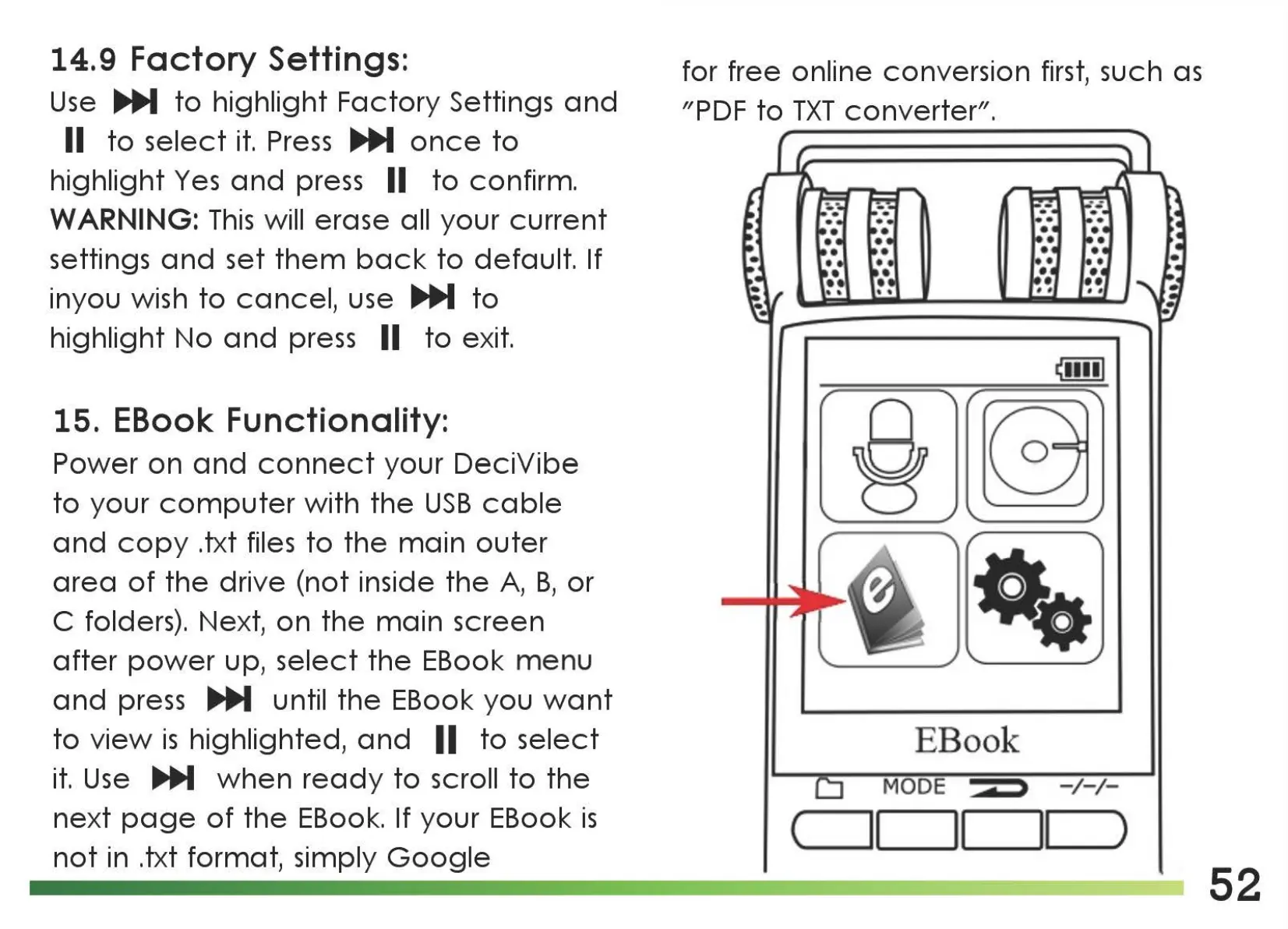
select
the
EBook
menu
and
press
llJJ.M
until
the
EBook you
want
to
view
is
highlighted,
and
II
to
select
it.
Use
..._
when
ready
to
scroll
to
the
next
page
of
the
EBook. If your EBook
is
not
in .txt format, simply
Google
for free online conversion
first,
such
as
"PDF
to
TXT
converter".
§
EBook
MODE d > -
/-/-
(
)
52

Related product manuals