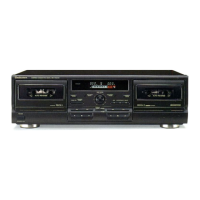
RS・TR575
■PLAYBACK
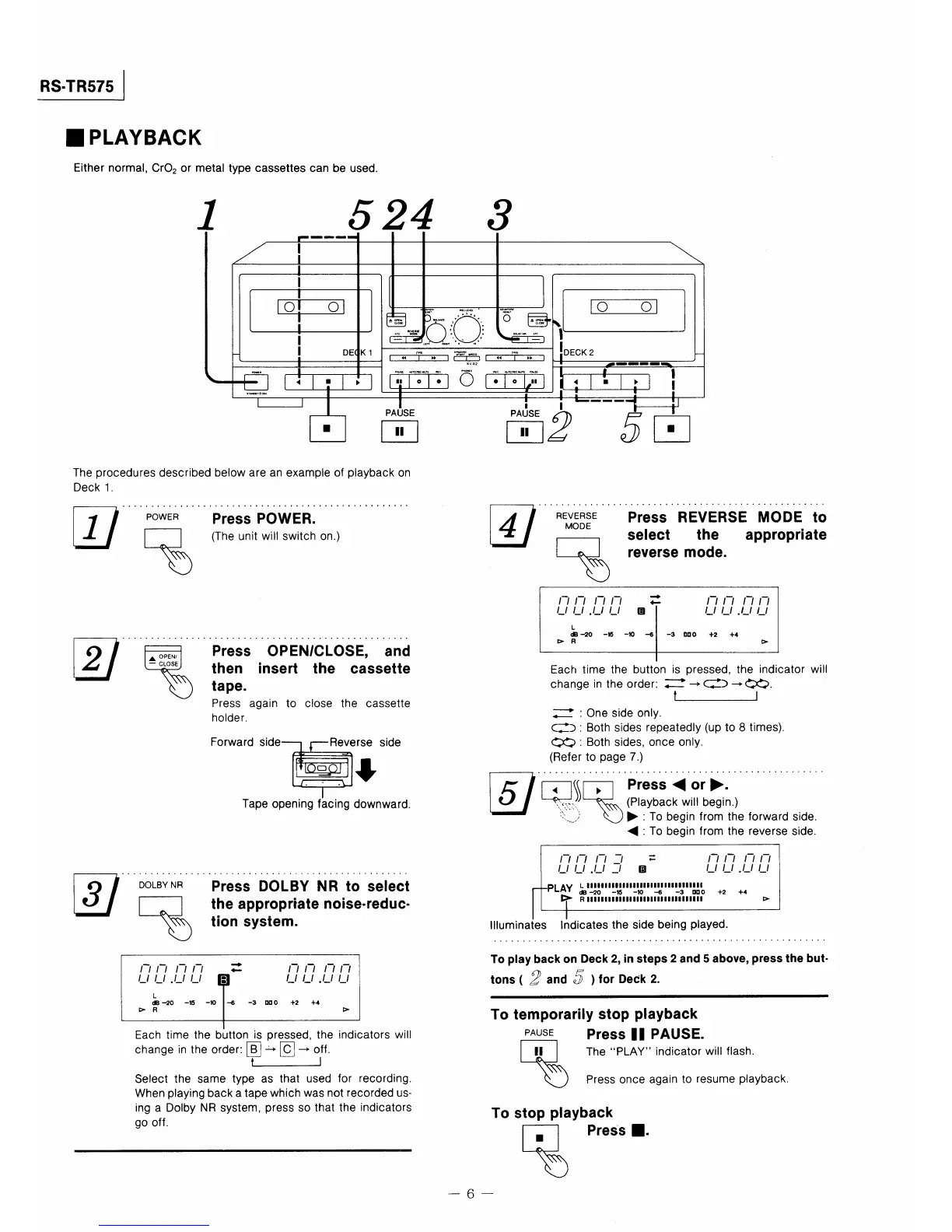
Either normal,CrO20r metal type cassettes can be used.
L
F一薗陶魍聞
/ 1
一
1
1
一
匿
1
園
澱緊 唯し[鴫1
養○・
盟〜噂
○ ㊥
)一!上1
、
II DE
K1
鴫醗
[一Io『
1陶
lDECK2
匿
F四 ,欄 P附
■…r■⊂コ=⊃■<同r■rレレ藍
1
罵閣苫2
蝋5
脚瓢 卿▼o鳳瓢 閥
彫 』一一騨顧■■■『』
一 1
□1・1
・1
》1
[釜1・1;10
[耶1荊
lll告甲i
5下糊▼o創
冨
f
I I
PA占SE l I一一一r II
国 箇2 5回
■
The procedures described below are an exampie of playback on
Deck1.
巨7H繭ER
尽
匿ノ
昇騨、,喩,騰.。.)
Press OPENCLOSE, and
then inSe『量 the CaSSette
tape、
PreSS again tO CIOSe the caSSette
holder,
Tape opening facing downward.
匡7
REVERSE
MODE
Press REVERSE MODE to
select the apPropriate
reverse mode.
匿7
DOLBY NR
Press DOIBY NR to select
the apPropriate nolse・reduc・
tion sys量em.
一 一 一 一 ・■レ
←
一 一 一 一
し仁.しし 面
一 一 ● 一 _
LdB
−20 一幡 脚⑩ →5
一3 mO 十2 十4
監》 R
〉
Each time the button ls pressed,the Indicator wi岡
changeintheorder:;コ→¢)→⇔○.
一
;二二2:0ne slde only.
(二;=):Both sides repeatedly(up to8times).
○○:Both sides,once only.
(Refer to page7.)
回勲鬼塵犠繍ll漏』』』、1』
〈:To begin from the reverse side。
一7 一ン 一 一7 =
しLノ ._ _ 回
PLAY 邑哩墨呂ロ1繋闘1凹鴇11零181理鵠も
監》 RIIllll巳II1IIIIIII唇1
十2 十4
〉
llluminates lndicatesthe side being played.
仁_.__
L
dB 一{〜O 騨15 一ゆ
【》 R
8
=
疋__ ,毛__
一G −3 0口0 十2 十4
〉
Each time the button is pressed,the indicators wiII
changeinthe・rder:回」→回一・ff.
一
Select the same type as that used for recording,
When playing back a tape which was not recorded us−
ing a Dolby NR system,press so that the indicators
go off.
To play back on Deck2,in steps2and5above,press量he bu量・
t。ns(2and5》f・rDeck2.
To temporarily stoP P響ayback
PAusE press II PAUSE.
ThePLAYindicator wiII flash,
Press once again to resume playback.
To stop playback
黒
PreSs■.
6一



 To Next Page