23
Call: 1-631-648-7481 or Visit: support.technocnc.com
Titan Series WinCNC Manual
WinCNC
WinCNC Controller
WinCNC Users Guide Page 14
Jog Menu
0.001 (F6) - Sets jog increment to 0.001 units of measure.
0.01 (F7) - Sets the jog increment to 0.01 units of measure.
0.1 (F8) - Sets the jog increment to 0.1 units of measure.
1 (F9) - Sets the jog increment to 1 unit of measure.
Custom (F10) - Allows the user to set a custom jog increment.
Help Menu
Help Topics (F1) - Activates the in-program help menu.
Update Program - Opens the update utility.
About - Displays the WinCNC “About” box which contains impor-
tant information about your specic software package. The About
box displays your security key serial number, the software version
number, your user level, the maximum number of axes, the table size
limitation, and which additional features you have enabled. If you
do not have a feature enabled that you would like or need, you can
contact your software vendor for an upgrade.
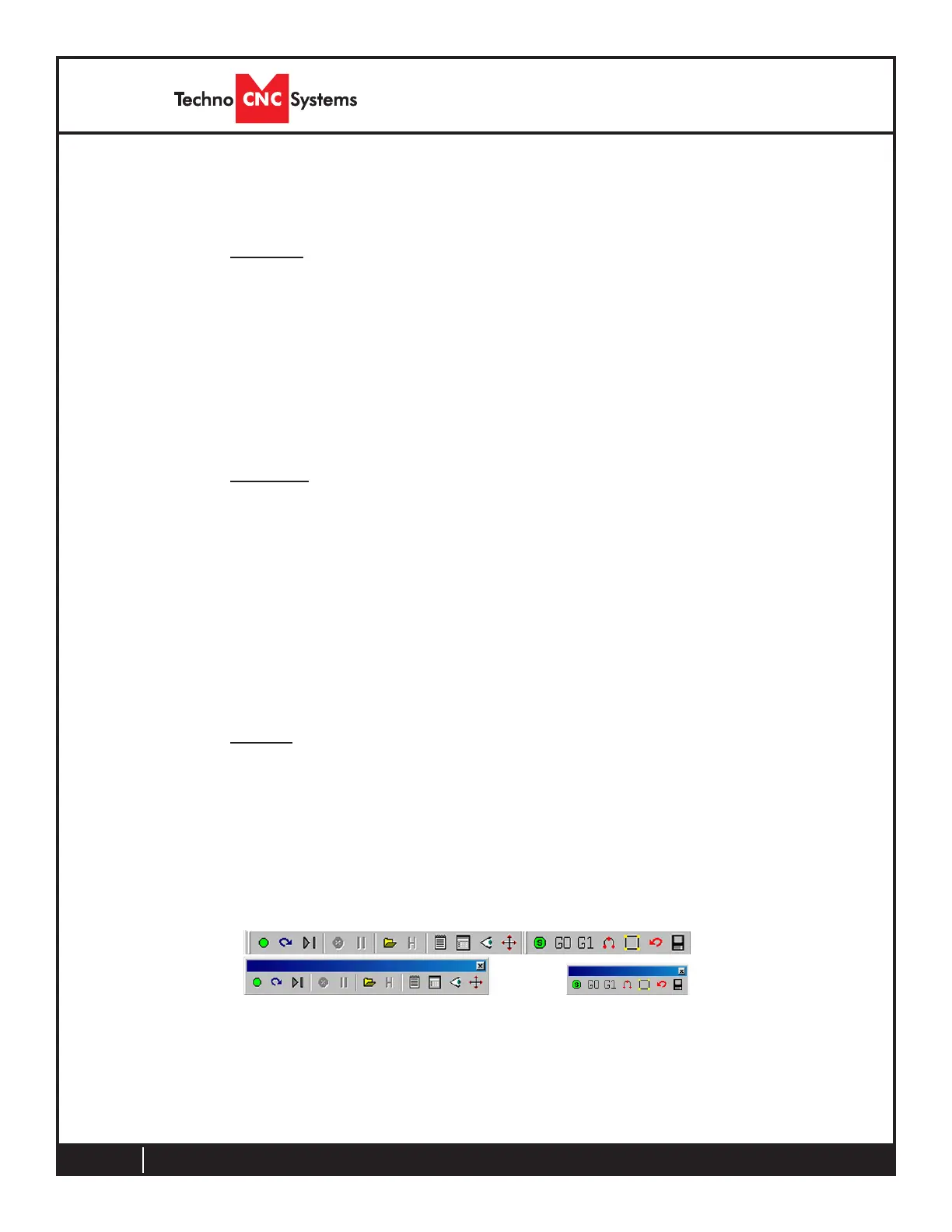
Tool Bar
The tool bar is a collection of shortcut buttons that perform specic
actions. The toolbars in WinCNC are oating and can be positioned
or docked to the user’s preference. The image below shows both the
standard and manual digitizing toolbars both docked in the normal
toolbar area. The additional images show each toolbar separately
as a oating toolbar. The explanation of each button on the toolbar
is as follows. The explanations move sequentially from left to right
along the toolbar.



 To Next Page